Frequency Sound Generator para PC
Hoel Boedec
Descarga Frequency Sound Generator en PC con GameLoop Emulator
Frequency Sound Generator en PC
Frequency Sound Generator, proveniente del desarrollador Hoel Boedec, se ejecuta en el sistema Android en el pasado.
Ahora, puedes jugar Frequency Sound Generator en PC con GameLoop sin problemas.
Descárgalo en la biblioteca de GameLoop o en los resultados de búsqueda. No más mirar la batería o llamadas frustrantes en el momento equivocado nunca más.
Simplemente disfrute de Frequency Sound Generator PC en la pantalla grande de forma gratuita!
Frequency Sound Generator Introducción
Frequency Generator - Professional Audio Toolkit
Generate precise audio frequencies, binaural beats, noise, and more with this comprehensive audio generation app. Whether you are testing audio equipment, experimenting with sound therapy, creating sound effects, or cleaning your phone's speakers, Frequency Generator has everything you need.
🎵 Main features
Single Oscillator
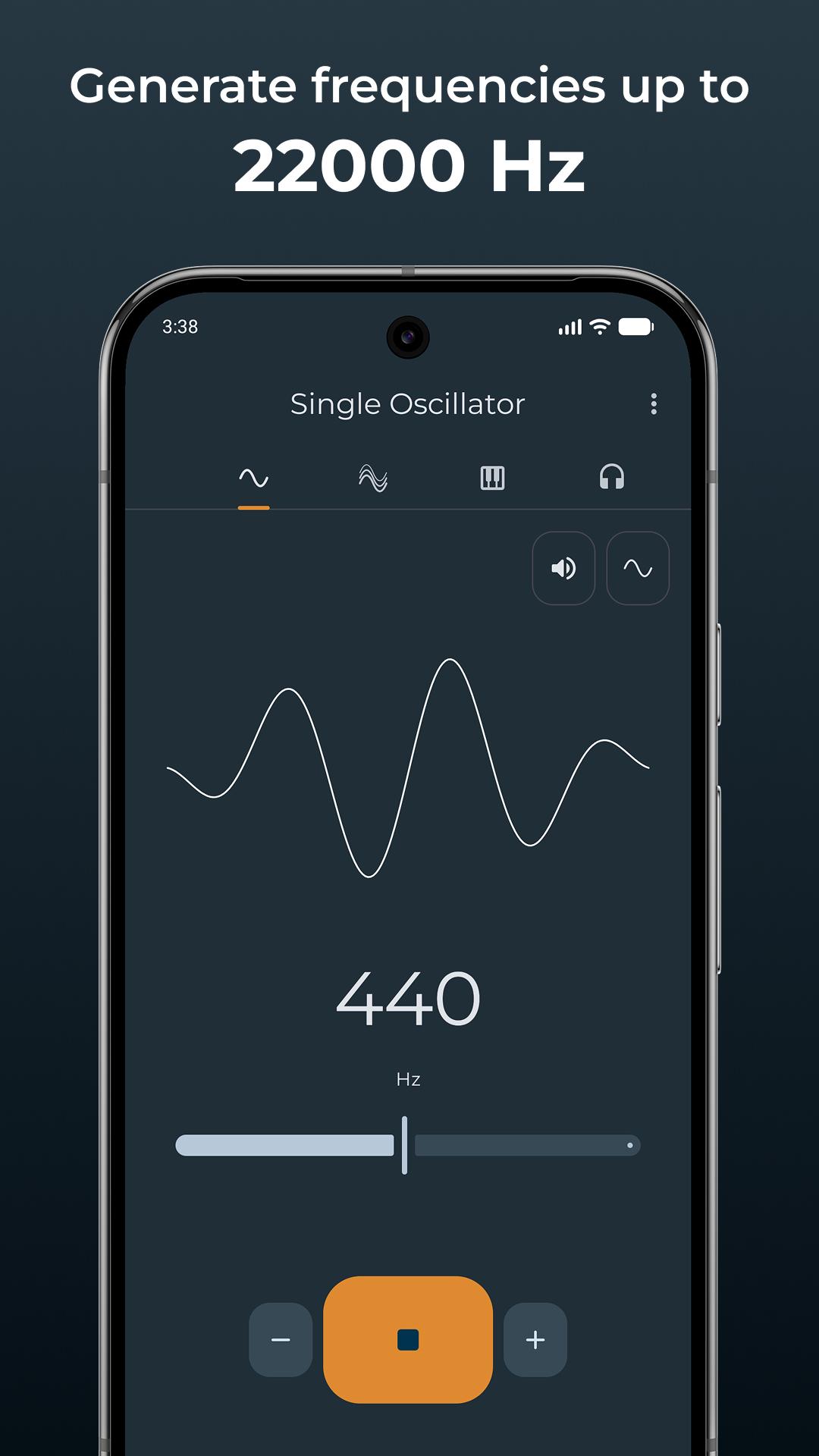
Generate pure tones from 1 Hz (infrasound) to 22,000 Hz (ultrasound) with precise frequency control. Choose from multiple waveforms including sine, square, triangle, and sawtooth. Perfect for audio testing, speaker calibration, tinnitus relief, or scientific experiments.
Multi-Oscillators
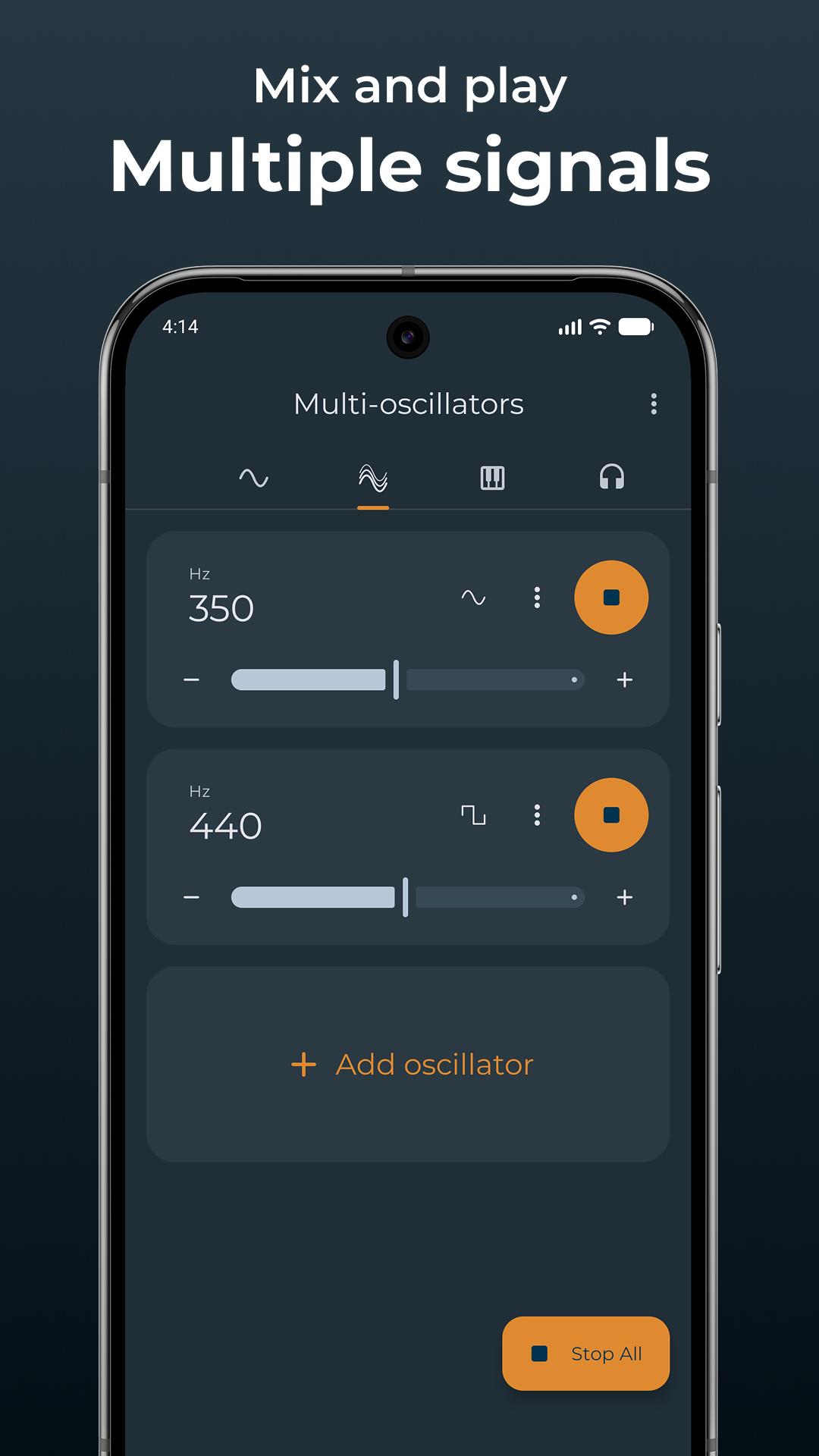
Combine multiple oscillators to create complex harmonic sounds and chords. Layer different frequencies and waveforms to experiment with acoustic phenomena and interference patterns.
Synthesizer
Craft your own sound and play musical notes on a full-featured synthesizer with customizable tuning frequency (A4). Perfect for musicians, composers, and music students.
Binaural Beats
Create and experiment with binaural beats for relaxation, sleep or meditation. Best experienced with headphones.
Sweep Generator
Generate frequency sweeps, ideal for speaker testing, room acoustic analysis, and finding resonant frequencies. Add multiple sweeps and create loops.
Noise Generator
Generate white noise and other colored noises. Includes advanced effects like auto-pan and breathing for enhanced relaxation and focus. Great for sleep, concentration, or masking unwanted sounds.
Bass/Subwoofers Test
Test your audio system's low-frequency capabilities. Find out how low your subwoofers, headphones, or speakers can go.
Speaker Cleaner
Remove water from your phone's speakers using specific sound frequencies. If your speaker sounds muffled after water exposure, this tool can help eject the liquid.
DTMF Tone Generator
Generate dual-tone multi-frequency signals used in telecommunications.
SFX Generator
Create random retro-style sound effects like coins, lasers, explosions, jumps, and more. Save your favorite sounds as WAV files.
⚙️ Advanced features
• Precision: Supports decimal values (e.g., 7.83 Hz, 432.1 Hz, 528.5 Hz)
• Advanced Effects: Vibrato (FM), Tremolo (AM), Ring Modulation (RM), PWM
• Stereo Control: Independent left/right audio balance
• Presets: Save and manage your favorite configurations
• Audio Export: Export your sounds as high-quality audio files
• Background Mode: Continue playing while using other apps
• Timer: Automatically stop playback after a set duration
⚠️ Safety & Usage information
Hear Safely
Always use this app responsibly and keep volume at reasonable levels to protect your hearing and audio equipment. Low frequencies may sound quiet, so if you increase volume to hear bass tones better, remember to lower it before playing higher frequencies—perceived loudness varies significantly across the frequency spectrum.
Mosquito Repellent Disclaimer
Scientific studies have consistently shown that ultrasonic frequencies are NOT effective at repelling mosquitoes. While some apps claim to work as mosquito repellents by generating ultrasounds (15,000-22,000 Hz), there is no reliable evidence supporting this use case.
🎯 Use cases
• Audio equipment testing and calibration
• Speaker and headphone frequency response testing
• Tinnitus relief and sound therapy
• Meditation and relaxation with binaural beats
• Sleep assistance with noise generation
• Musical instrument tuning and ear training
• Physics and acoustics education
• Dog whistle and ultrasonic experiments
• Room acoustics analysis
• Phone speaker water removal
• Sound effect creation
Whether you are an audio professional, musician, student, or just curious about sound, Frequency Generator provides powerful tools in one convenient app.
Avance
Etiquetas
HerramientasInformación
Desarrollador
Hoel Boedec
La última versión
5.1.3
Última actualización
2025-11-08
Categoría
Herramientas
Disponible en
Google Play
Mostrar más
Cómo jugar Frequency Sound Generator con GameLoop en PC
1. Descargue GameLoop desde el sitio web oficial, luego ejecute el archivo exe para instalar GameLoop.
2. Abra GameLoop y busque "Frequency Sound Generator", busque Frequency Sound Generator en los resultados de búsqueda y haga clic en "Instalar".
3. Disfruta jugando Frequency Sound Generator en GameLoop.
Minimum requirements
OS
Windows 8.1 64-bit or Windows 10 64-bit
GPU
GTX 1050
CPU
i3-8300
Memory
8GB RAM
Storage
1GB available space
Recommended requirements
OS
Windows 8.1 64-bit or Windows 10 64-bit
GPU
GTX 1050
CPU
i3-9320
Memory
16GB RAM
Storage
1GB available space