
Data Usage Monitor para PC
Lufesu Inc.
Descarga Data Usage Monitor en PC con GameLoop Emulator
Data Usage Monitor en PC
Data Usage Monitor, proveniente del desarrollador Lufesu Inc., se ejecuta en el sistema Android en el pasado.
Ahora, puedes jugar Data Usage Monitor en PC con GameLoop sin problemas.
Descárgalo en la biblioteca de GameLoop o en los resultados de búsqueda. No más mirar la batería o llamadas frustrantes en el momento equivocado nunca más.
Simplemente disfrute de Data Usage Monitor PC en la pantalla grande de forma gratuita!
Data Usage Monitor Introducción
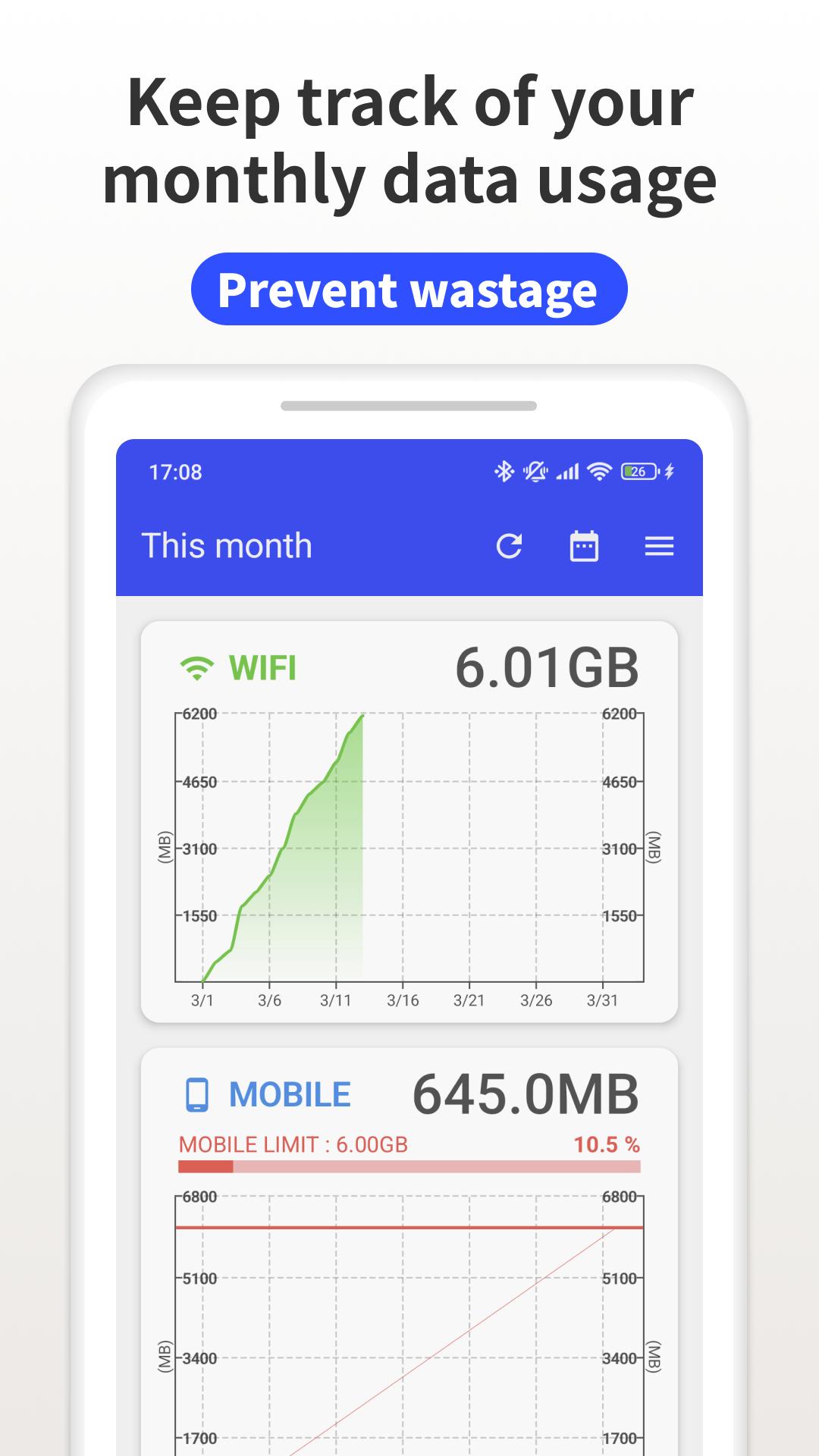
"Data Usage Monitor" is a user-friendly app that puts you in control of your mobile data. Easily track, analyze, and manage your data usage to avoid surprise overage charges and save money every month. With automatic monitoring and smart alerts, you'll never worry about exceeding your data limits again!
Key Features:
・Automatic Data Tracking – Once launched, the app measures your data traffic automatically in the background. Check your usage anytime with just a tap, without impacting battery life.
・Precise Measurement – Get accurate readings of both mobile and Wi-Fi data usage. Set custom time periods to track daily, weekly, or monthly consumption. Wi-Fi usage is conveniently sorted by network for complete visibility.
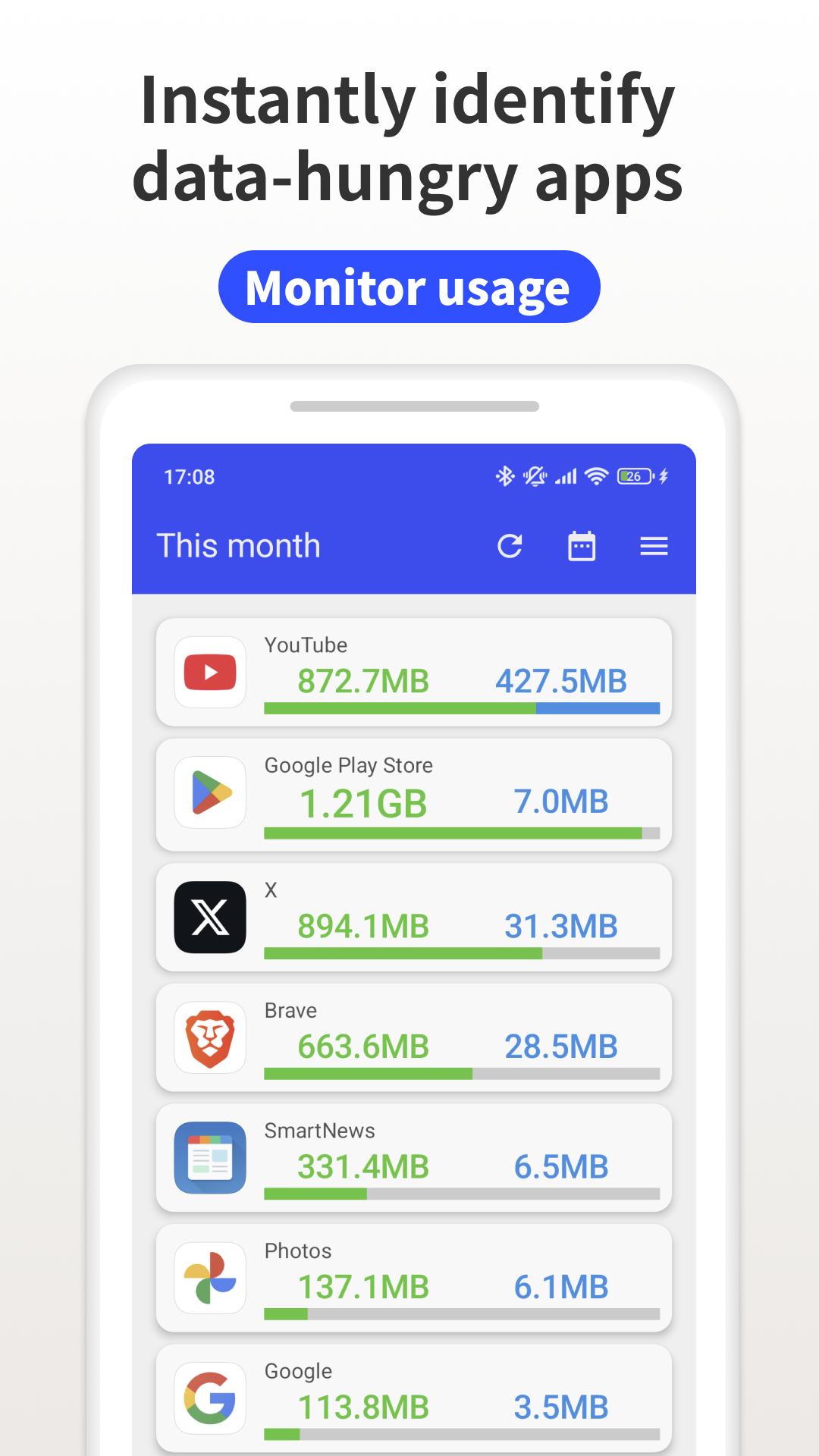
・Easy-to-Read Analytics – View your data consumption through intuitive, color-coded graphs that make understanding your usage patterns simple. Identify which apps are consuming the most data so you can make smarter decisions.
・Smart Alerts – Receive timely notifications when you're approaching your data limit, helping you avoid unexpected charges before they happen.
・Privacy Focused – We respect your privacy. The app only tracks consumption statistics and keeps your personal data on your device where it belongs.
Premium Features:
Upgrade to unlock valuable enhancements including data usage widgets for your home screen, status bar monitoring, and an ad-free experience throughout the app.
Try "Data Usage Monitor" today and take control of your data usage the simple, smart way!
Avance
Etiquetas
HerramientasInformación
Desarrollador
Lufesu Inc.
La última versión
1.20.2805
Última actualización
2025-10-23
Categoría
Herramientas
Disponible en
Google Play
Mostrar más
Cómo jugar Data Usage Monitor con GameLoop en PC
1. Descargue GameLoop desde el sitio web oficial, luego ejecute el archivo exe para instalar GameLoop.
2. Abra GameLoop y busque "Data Usage Monitor", busque Data Usage Monitor en los resultados de búsqueda y haga clic en "Instalar".
3. Disfruta jugando Data Usage Monitor en GameLoop.
Minimum requirements
OS
Windows 8.1 64-bit or Windows 10 64-bit
GPU
GTX 1050
CPU
i3-8300
Memory
8GB RAM
Storage
1GB available space
Recommended requirements
OS
Windows 8.1 64-bit or Windows 10 64-bit
GPU
GTX 1050
CPU
i3-9320
Memory
16GB RAM
Storage
1GB available space