
Smart Screen On/Off para PC
DroidTub Studio
Descarga Smart Screen On/Off en PC con GameLoop Emulator
Smart Screen On/Off en PC
Smart Screen On/Off, proveniente del desarrollador DroidTub Studio, se ejecuta en el sistema Android en el pasado.
Ahora, puedes jugar Smart Screen On/Off en PC con GameLoop sin problemas.
Descárgalo en la biblioteca de GameLoop o en los resultados de búsqueda. No más mirar la batería o llamadas frustrantes en el momento equivocado nunca más.
Simplemente disfrute de Smart Screen On/Off PC en la pantalla grande de forma gratuita!
Smart Screen On/Off Introducción
Smart Screen On Off application is simple utility to automatically On or Off screen using proximity sensor and double tap on Home Screen, instead of having to press the power button manually.
Sometimes difficult to press the power button, or you want to preserve the physical power button. Smart Screen On Off application can help you minimize the use of the power button anytime, anywhere.
Smart Screen On Off application is simple utility to automatically On or Off screen using proximity sensor and double tap on Home Screen, instead of having to press the power button manually. Smart Screen On Off have a power head floating in a convenient location is also provided to quickly turn off the screen.
Sometimes difficult to press the power button, or you want to preserve the physical power button. Smart Screen On Off application and the power head floating can help you minimize the use of the power button anytime, anywhere.
"This app uses the Device Administrator permission." It is necessary and used only for locking the device when you use feature turn off the screen. You need to enable Administration before it can be used that feature. To uninstall the app,
you have to disable it first.
Function have in Smart applications on/off screen auto:
- Double tap on Home Screen to turn off screen (COMING SOON)
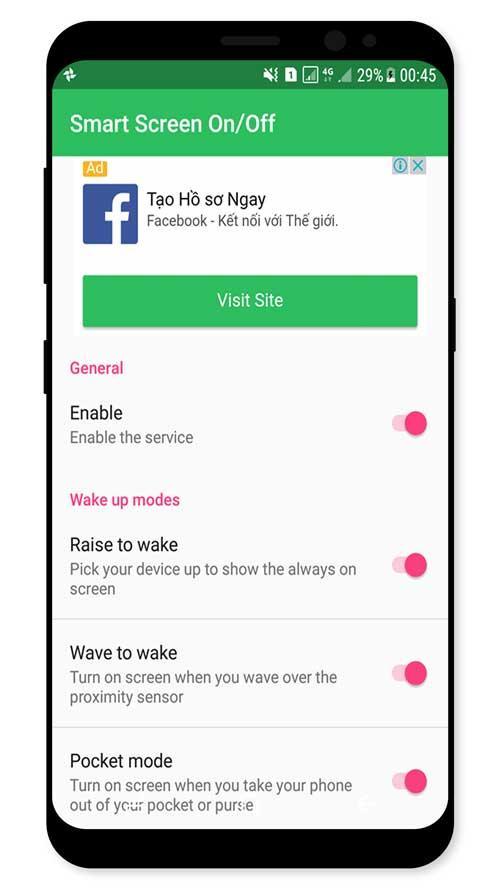
- Auto screen off when put your phone into pocket.
- Auto screen on/off when wave up.
- Auto screen on/off when raise the phone up.
- The sensor will automatically detect, and auto power on / off screen to help you.
- You can disable the feature when the screen rotates horizontally.
- You can set separate delays when the screen on / off to avoid accidentally enabled.
- Support for using the same cover.
- Improve best performance. Only use a maximum of 5 MB RAM.
If you need any support, feel free to contact us.
Avance
Información
Desarrollador
DroidTub Studio
La última versión
1.1
Última actualización
2017-09-18
Categoría
Herramientas
Disponible en
Google Play
Mostrar más
Cómo jugar Smart Screen On/Off con GameLoop en PC
1. Descargue GameLoop desde el sitio web oficial, luego ejecute el archivo exe para instalar GameLoop.
2. Abra GameLoop y busque "Smart Screen On/Off", busque Smart Screen On/Off en los resultados de búsqueda y haga clic en "Instalar".
3. Disfruta jugando Smart Screen On/Off en GameLoop.
Minimum requirements
OS
Windows 8.1 64-bit or Windows 10 64-bit
GPU
GTX 1050
CPU
i3-8300
Memory
8GB RAM
Storage
1GB available space
Recommended requirements
OS
Windows 8.1 64-bit or Windows 10 64-bit
GPU
GTX 1050
CPU
i3-9320
Memory
16GB RAM
Storage
1GB available space