
Auto Clicker: Tap Assistant para PC
handsome buzzer
Descarga Auto Clicker: Tap Assistant en PC con GameLoop Emulator
Auto Clicker: Tap Assistant en PC
Auto Clicker: Tap Assistant, proveniente del desarrollador handsome buzzer, se ejecuta en el sistema Android en el pasado.
Ahora, puedes jugar Auto Clicker: Tap Assistant en PC con GameLoop sin problemas.
Descárgalo en la biblioteca de GameLoop o en los resultados de búsqueda. No más mirar la batería o llamadas frustrantes en el momento equivocado nunca más.
Simplemente disfrute de Auto Clicker: Tap Assistant PC en la pantalla grande de forma gratuita!
Auto Clicker: Tap Assistant Introducción
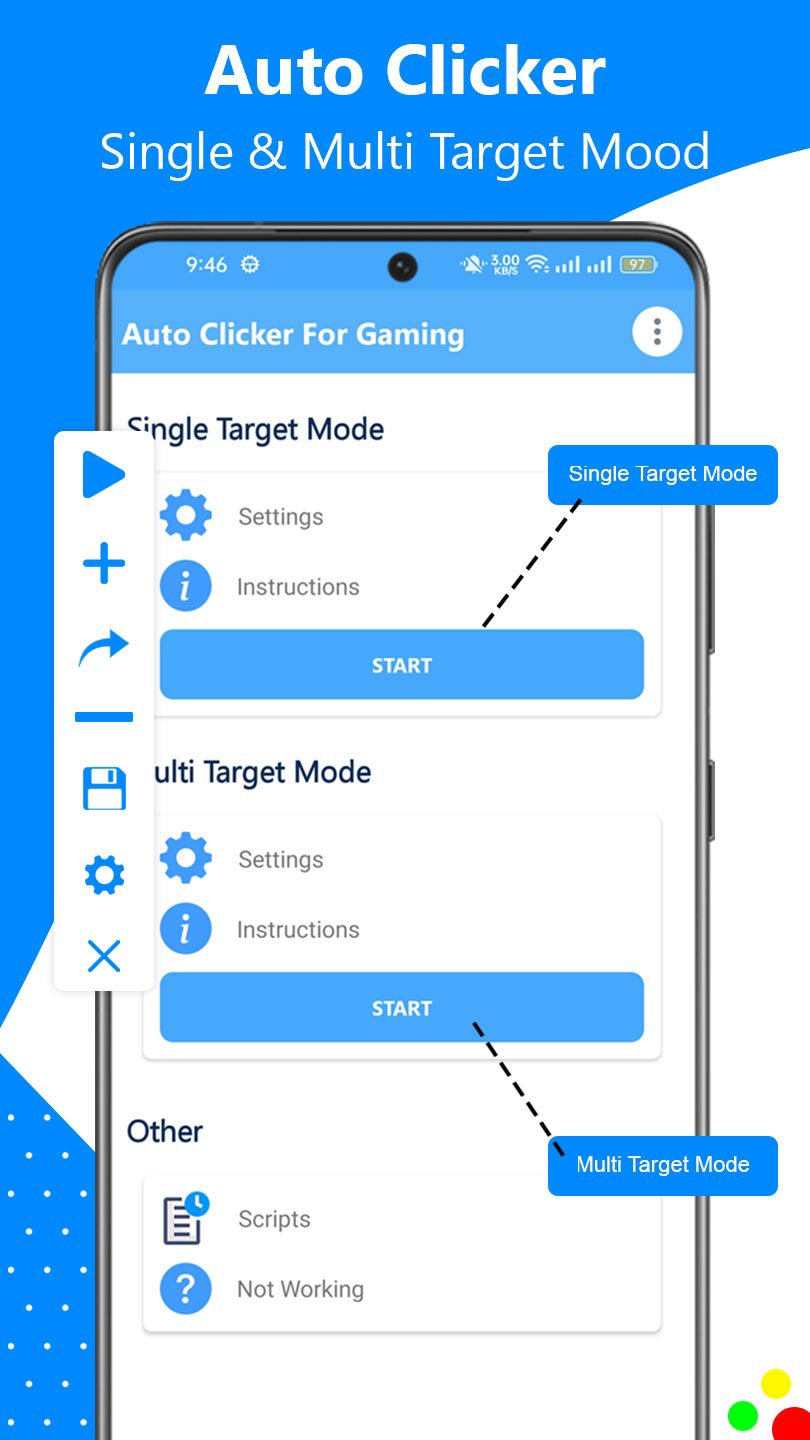
Auto Clicker – Auto Tap & Swipe Assistant is the automatic clicker app for Android. This fast, smart, and easy-to-use tool allows you to automate screen taps, swipes, and scrolls anywhere on your device. Whether you're grinding in mobile games, reading content, or automating tasks, this auto clicker boosts your speed and efficiency.
Just tap once to start the auto tapping bot! Set custom intervals, durations, and swipe paths for a fully personalized experience. This game tapper app is designed to help gamers, readers, developers, and users needing accessibility support.
🔹 Key Use Cases:
🎮 Mobile Gaming: Perform rapid auto taps in any idle/clicker game.
🌐 Web Browsing: Auto-scroll through articles and long content pages.
🧾 Task Automation: Fill out repetitive forms or tap through menus automatically.
📖 E-Book Reading: Smooth auto scroll for continuous, hands-free reading.
♿ Accessibility Support: Assist users with limited mobility or dexterity with automated tapping and swiping.
🚀 Screen Auto Tap & Swipe Features:
✅ Auto Tap with Interval Control: Set repeat tap speed as low as 1ms or up to seconds apart.
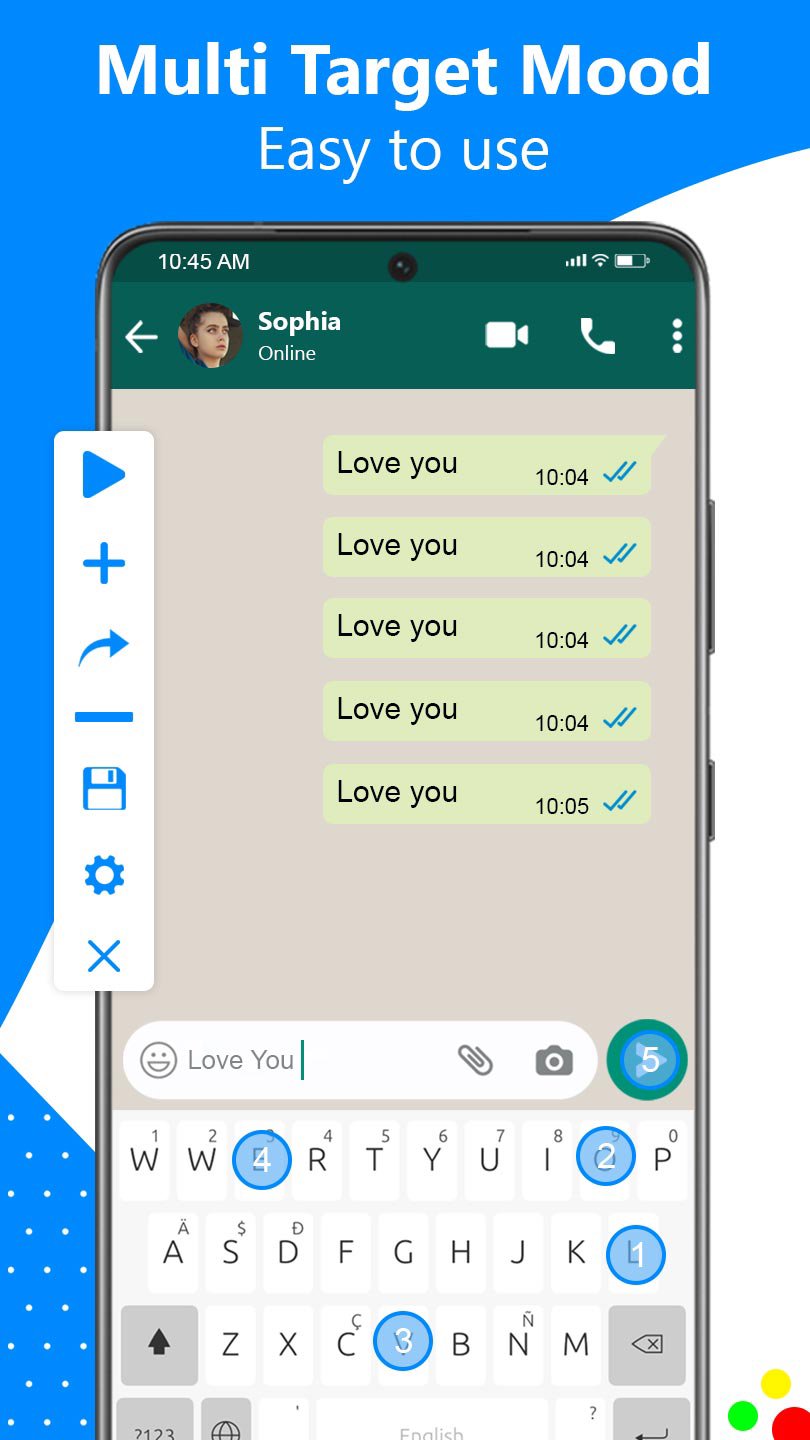
✅ Multi-Target Tap Mode: Tap multiple points in a sequence.
✅ Auto Swipe Functionality: Configure start & end points with custom duration.
✅ Auto Scroll: Scroll vertically or horizontally with precision, ideal for reading and apps like Chrome or social feeds.
✅ Tap Path Recorder: Record and replay tap gestures in a loop.
🛠️ Powerful Customization Options:
🕒 Set tap duration, delay time, repeat cycles.
📍 Choose exact tap locations using floating control panel.
🔘 Enable or disable auto clicker for selected apps only.
🎯 Clicker Auto pinpoint accuracy with the position marker widget.
🔁 Android auto tapper save and load profiles for different apps or games.
💡 Perfect for:
Tap automation app in clicker games
Repetitive form submission
Auto scrolling webpages and PDFs
UI testing & prototyping
Hands-free control and assistance
Auto clicker for games keeping games awake or simulating user activity
🧩 Advanced Features:
⚡ Ultra-fast tap speed (1ms auto tap)
🎮 Game-friendly auto tap tool
📲 Floating button to start/stop auto clicker anytime
🧪 Tap Speed Tester included
🔄 Gesture Recorder record and repeat gestures, swipes, scrolls
🎛 Customize each click point, swipe length, duration
🧠 Tapping Auto clicker has smart click path saving and restore
🔐 No root auto clicker Required (no root required) for full functionality
🔒 Accessibility & Privacy Notice:
Important: Auto Clicker uses Android’s Accessibility Services API to simulate taps, swipe automation, gesture automation, screen automation, and scrolls on your screen. This permission is necessary for the app's core functionality.
📌 We do NOT collect or share any personal data.
📌 We respect your privacy 100%.
📹 Watch How It Works (YouTube Short):
https://youtube.com/shorts/Nr9XtleMoOY
📥 Download Now!
If you're looking for the auto tap app, fast tapper, game automation or game clicker, Auto Clicker – Tap & Swipe Assistant is the top-rated choice for users in the United States.
Install now Auto Clicker and automate your screen like a pro!
Avance
Etiquetas
HerramientasInformación
Desarrollador
handsome buzzer
La última versión
1.1.2
Última actualización
2024-11-06
Categoría
Herramientas
Disponible en
Google Play
Mostrar más
Cómo jugar Auto Clicker: Tap Assistant con GameLoop en PC
1. Descargue GameLoop desde el sitio web oficial, luego ejecute el archivo exe para instalar GameLoop.
2. Abra GameLoop y busque "Auto Clicker: Tap Assistant", busque Auto Clicker: Tap Assistant en los resultados de búsqueda y haga clic en "Instalar".
3. Disfruta jugando Auto Clicker: Tap Assistant en GameLoop.
Minimum requirements
OS
Windows 8.1 64-bit or Windows 10 64-bit
GPU
GTX 1050
CPU
i3-8300
Memory
8GB RAM
Storage
1GB available space
Recommended requirements
OS
Windows 8.1 64-bit or Windows 10 64-bit
GPU
GTX 1050
CPU
i3-9320
Memory
16GB RAM
Storage
1GB available space