
AirTurn Manager para PC
AirTurn, Inc.
Descarga AirTurn Manager en PC con GameLoop Emulator
AirTurn Manager en PC
AirTurn Manager, proveniente del desarrollador AirTurn, Inc., se ejecuta en el sistema Android en el pasado.
Ahora, puedes jugar AirTurn Manager en PC con GameLoop sin problemas.
Descárgalo en la biblioteca de GameLoop o en los resultados de búsqueda. No más mirar la batería o llamadas frustrantes en el momento equivocado nunca más.
Simplemente disfrute de AirTurn Manager PC en la pantalla grande de forma gratuita!
AirTurn Manager Introducción
This is a new version released on April 27, 2020. More devices are supported and Android versions 6-10 are supported. Customer feedback has been incorporated. Contact support if you have any problems.
AirTurn Manager allows you to test your AirTurn's switches, change its output configuration, and update its software.
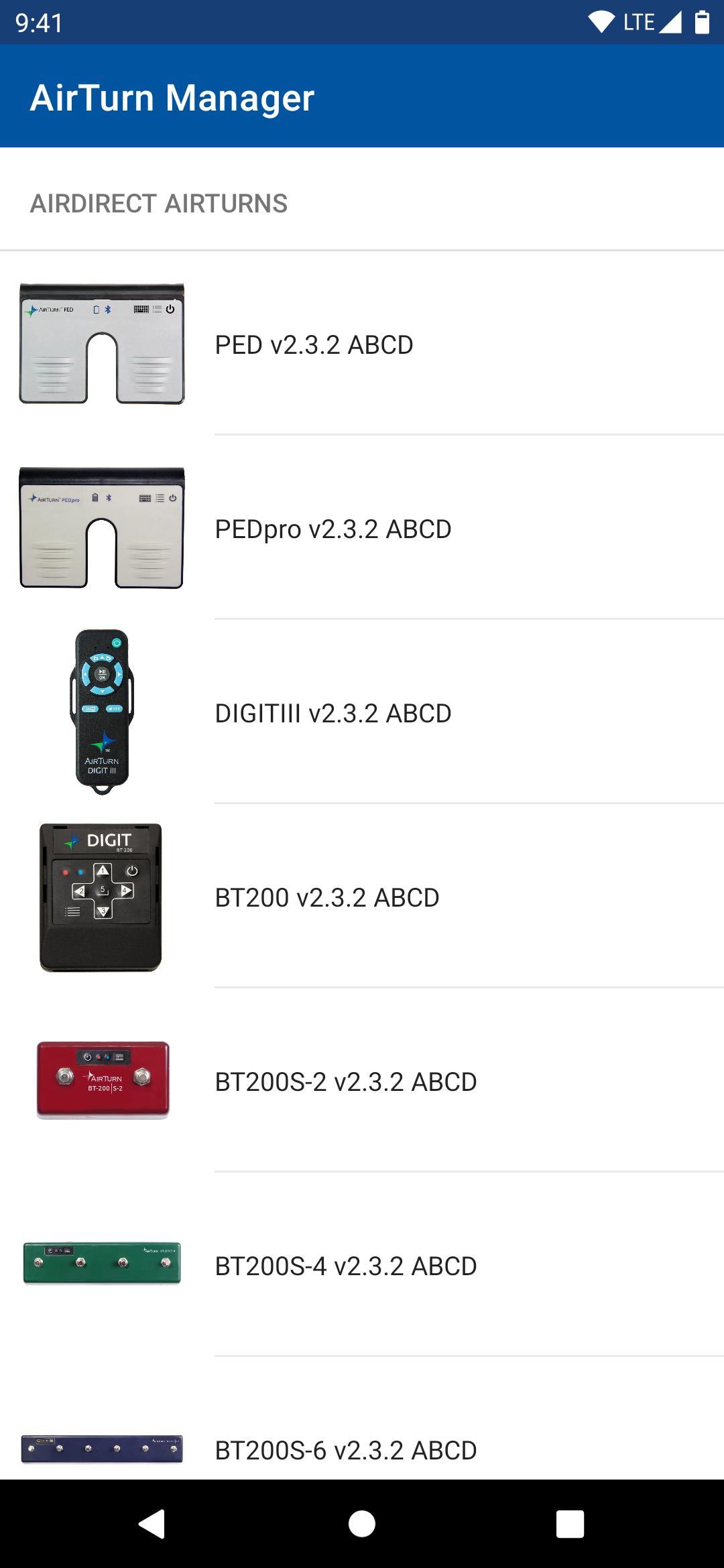
Supported AirTurn models include:
DUO 200
DIGIT 200
QUAD 200
BT200S-2
BT200S-4
BT200S-6
PED
PEDpro
DIGIT III.
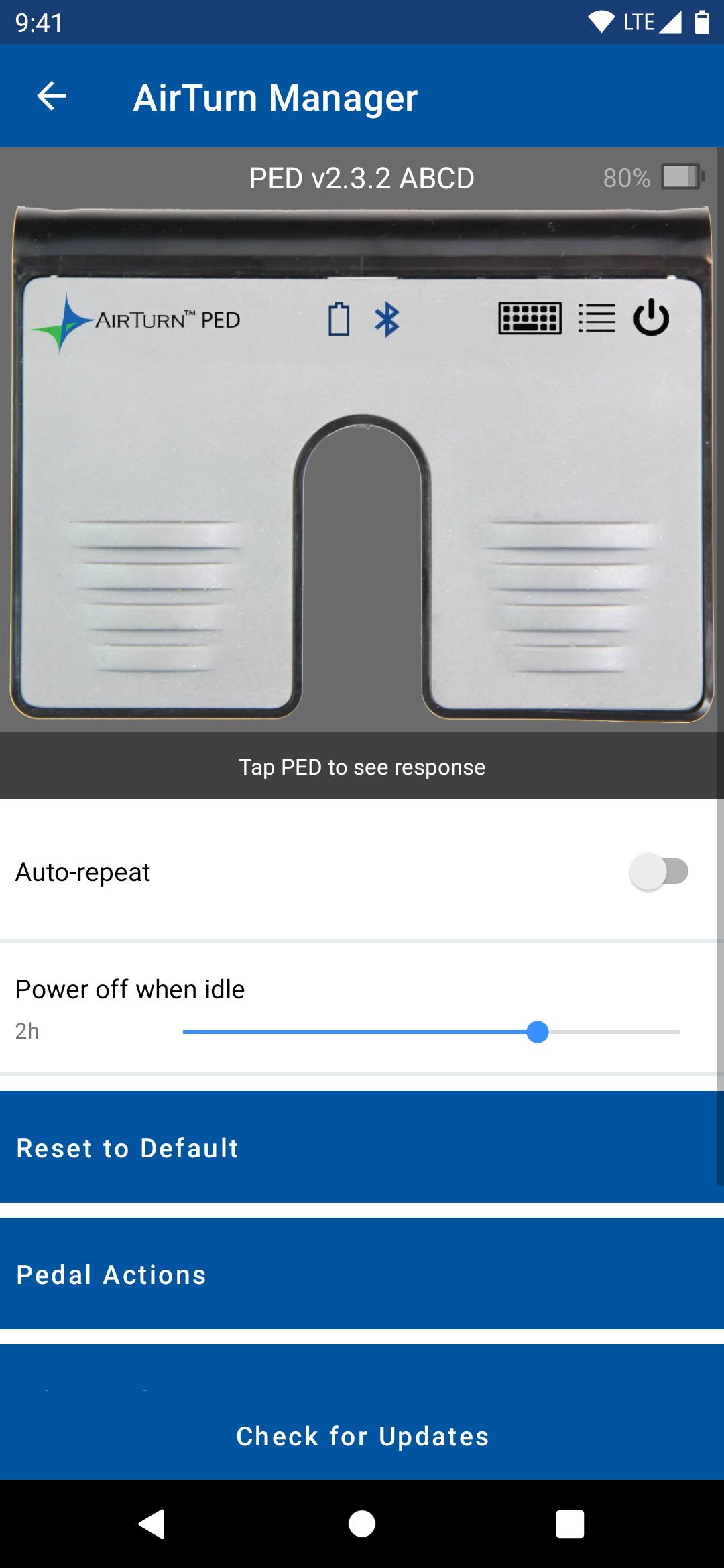
TEST YOUR AirTurn: When you press a pedal/button on your AirTurn it will be highlighted on the image. You can also use your AirTurn to scroll when reading the manual or FAQ.
CONFIGURE YOUR AirTurn controller: Configure the keyboard/mouse/MIDI actions when a pedal/button is pressed for each of 7 modes, the repeat rate when you hold down a pedal, and how long before the AirTurn powers off when idle. (Note: MIDI is only in MODE 7)
UPDATE YOUR AirTurn controller: If a software update is available for your AirTurn you will be notified and provided with details of the update. If you choose to go ahead and update the software it will automatically be downloaded from the Internet and transferred to the device.
INSTRUCTIONS:
Pair your AirTurn device with Android phone or tablet:
1. Power on the AirTurn pedal by holding the power button for 2 seconds.
2. Briefly press the MODE button until the red LED turns off. Both LEDs should flash once. This indicates the AirTurn device is now in MODE 1.
3. Open Bluetooth Settings on your Android device, and find the AirTurn by model name in the available devices list. Tap it to pair.
4. Before exiting Bluetooth settings, tap the gear icon next to the paired AirTurn, and turn off “Use as Input Device”.
5. Open AirTurn Manager, select the device model you’re trying to pair, and select your device from the list once it appears.
You can now configure your AirTurn pedal from the Setting menu, accessible via the gear icon in the upper right corner of the preview display.
Select your AirTurn pedal from the configurable models listed. AirTurn Manager will begin scanning for the selected model.
Once connected, you can test switches for operability.
To change device configurations, tap the gear icon in the upper right corner of the preview panel.
Port Configuration allows you to select a MODE to configure, then select a switch to assign actions. (MODE 7 is reserved for MIDI)
All changes are saved automatically.
Avance
Etiquetas
HerramientasInformación
Desarrollador
AirTurn, Inc.
La última versión
1.0.4
Última actualización
2025-09-27
Categoría
Herramientas
Disponible en
Google Play
Mostrar más
Cómo jugar AirTurn Manager con GameLoop en PC
1. Descargue GameLoop desde el sitio web oficial, luego ejecute el archivo exe para instalar GameLoop.
2. Abra GameLoop y busque "AirTurn Manager", busque AirTurn Manager en los resultados de búsqueda y haga clic en "Instalar".
3. Disfruta jugando AirTurn Manager en GameLoop.
Minimum requirements
OS
Windows 8.1 64-bit or Windows 10 64-bit
GPU
GTX 1050
CPU
i3-8300
Memory
8GB RAM
Storage
1GB available space
Recommended requirements
OS
Windows 8.1 64-bit or Windows 10 64-bit
GPU
GTX 1050
CPU
i3-9320
Memory
16GB RAM
Storage
1GB available space