1-Click WiFi Tether No Root para PC
DIY Phone Gadgets
Descarga 1-Click WiFi Tether No Root en PC con GameLoop Emulator
1-Click WiFi Tether No Root en PC
1-Click WiFi Tether No Root, proveniente del desarrollador DIY Phone Gadgets, se ejecuta en el sistema Android en el pasado.
Ahora, puedes jugar 1-Click WiFi Tether No Root en PC con GameLoop sin problemas.
Descárgalo en la biblioteca de GameLoop o en los resultados de búsqueda. No más mirar la batería o llamadas frustrantes en el momento equivocado nunca más.
Simplemente disfrute de 1-Click WiFi Tether No Root PC en la pantalla grande de forma gratuita!
1-Click WiFi Tether No Root Introducción
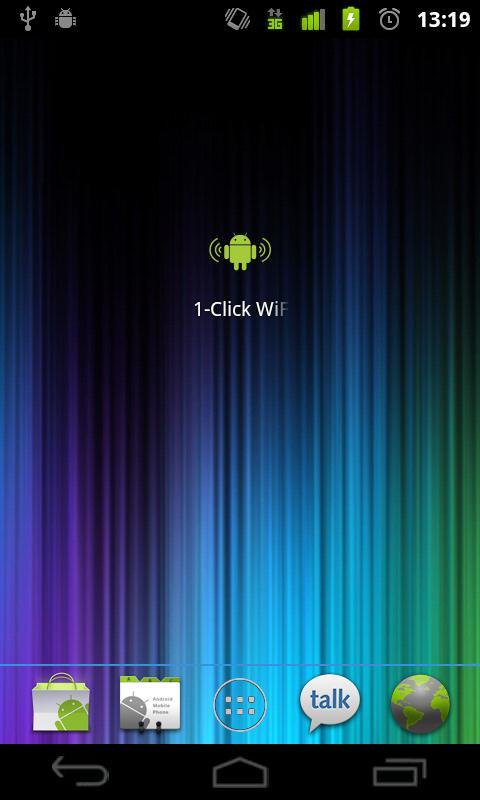
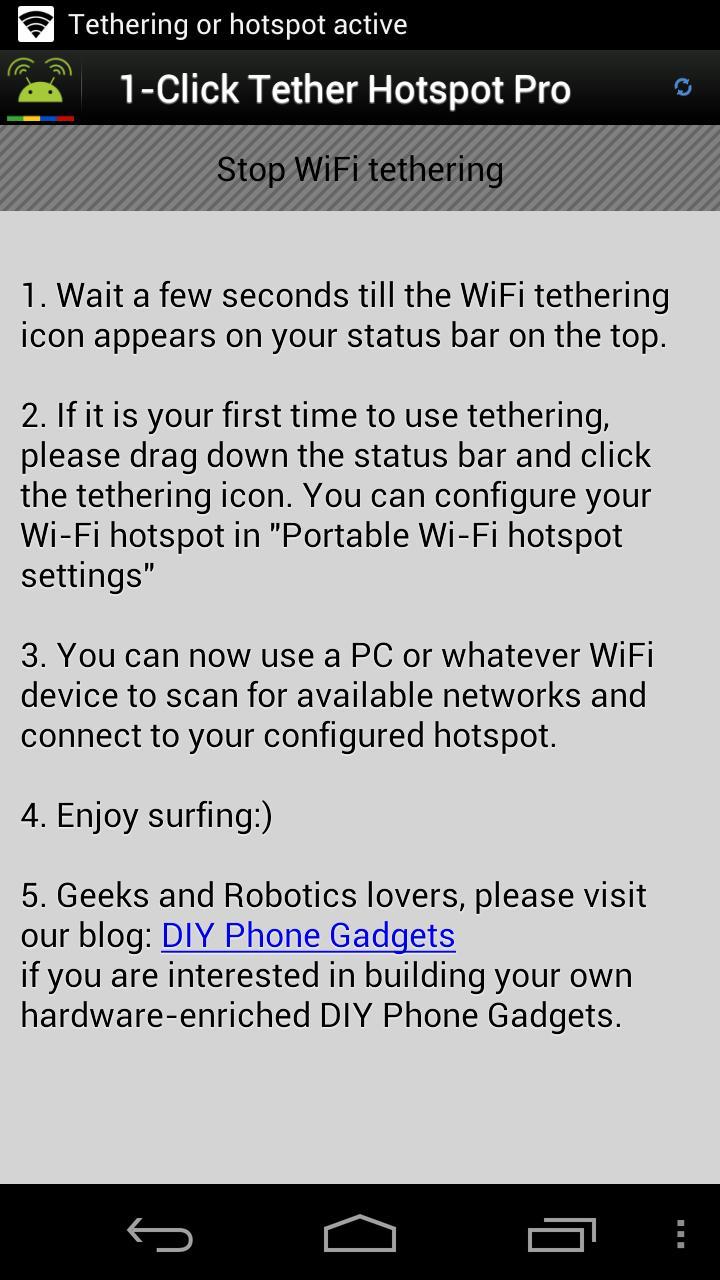
This application easily and quickly enables WiFi Tethering hotspot AP in 1 Click.
It supports most Android phones, including the lastest KitKat 4.4 devices!
Use it to get Internet connection on Windows, Mac, another phone or tablet, Ubuntu, Wii, PS3 and a lot more, everywhere. One of our users use it in the woods and dance with xBox live! What a wonderful portable party!
Perhaps the world's fastest, cleanest and lightest app for launching WiFi hotspot. We have reduced the app size to almost nothing.
It does NOT require root access.
If you want a secured connection with password protection, or be able to customize your hotspot AP name, please download the pro version here:
http://goo.gl/XUpqY
Or search "1-Click WiFi Tether Pro" in the store.
Important: If this works on your unrooted device, please don't accept system updates, otherwise this application will be banned and will not be compatible with your new system any more. The only solution then should be to root your beloved phone.
Its purpose is to avoid and replace the standard manual configuration, which requires at least 5 clicks everytime you need to start WiFi tethering, which might also ask you to enter some text to configure the WiFi hotspot.
If you use this application, you only need 1 click without entering anything.
We have tested it mainly with European carriers. It works on most devices with Android 2.2 or higher.
Whether it works is really carrier or device specific. Please do not give it a bad rating. Thanks:)
Possible reasons if it doesn't work :
1. Your operator doesn't support WiFi tethering and blocks it on purpose.
2. Your phone's 3G connection is too weak.
3. Your system ROM had been modified by the manufacturer
4. You don't have a data plan on your SIM card
Robot fans, home automation lovers, geeks or Android developers, please visit our blog:
http://www.diyphonegadgets.com
★★★★★ ScottyB Apr 9 Galaxy Nexus
5 star for first try! So simple, literally 1-click.
★★★★★ Patti Feb 29 Galaxy S
Great for those who don't want to root
★★★★★ Dana Jun 9 LG Ally
Love this app! I get internet access anywhere on any device.
★★★★★ Pauline Jul 1 ZTE Score
This is the only wifi hotspot i found that works, runs smoothly no problem :)
★★★★★ David Dec 10 LG Ally
Wow! Just minutes after I downloaded this, I was able to tether my phone to my Xbox & connect to Xbox Live while in a cabin in the middle of the woods!
★★★★★ Alex Jan 22 Moto Atrix
Have been trying to find a tether app for non rooted devices. Finally found one that works great. I have a Motorola with Gingerbread 2.3.4 with Vodafone carrier in Spain. Worked perfect on first try.
★★★★★ Massimo Jan 22 Galaxy Nexus
Fantastiko. Asks only wifi permission and don't have to give away my contacts, my identity, my wife, the colour of my undies etc
★★★★★ Justin Dec 8 Moto Droid X2
Used it to link 2 phones to play games using wifi and it works great
★★★★★ Shelby Jan 25 Huawei U8800-51
Perfect and works flawlessly with my iPad!
★★★★★ Achint Jun 24 Galaxy S2
Simple! I am not the types who rate an app but this is really worth it.
★★★★★ Wayne Mar 10 Huawei Att Impulse
I've tried several ways of tether and have failed each and every time with this wonderful app I've been able to tether my laptop wii and xbox360 successfuly great job
★★★★★ prashant Mar 9 LG Pecan
works with my psp and ps3 no problem at all especially easy to use. i tried every app in the market none worked but this one worked pretty awesome love it
★★★★★ Daniel Jun 16, 2012 Moto Photon 4G
Tried this wifi app on my Non-Rooted phone, had my PS Vita Hooked up using my Sprint 4g service. Deff worth it
★★★★★ YaqaKallah Jun 13, 2012 Huawei Ascend II
This has been a lifesaver in our home. It successfully connected our Laptops, Notebook & e-Book every single time instantly! Thanx DIY!
★★★★★ joe May 22, 2012 Moto Triumph
:)This app works the best out of any tether i have tried. It connects me the fastest and gives great speed. 6 stars, lol
Avance
Información
Desarrollador
DIY Phone Gadgets
La última versión
13
Última actualización
2014-01-02
Categoría
Herramientas
Disponible en
Google Play
Mostrar más
Cómo jugar 1-Click WiFi Tether No Root con GameLoop en PC
1. Descargue GameLoop desde el sitio web oficial, luego ejecute el archivo exe para instalar GameLoop.
2. Abra GameLoop y busque "1-Click WiFi Tether No Root", busque 1-Click WiFi Tether No Root en los resultados de búsqueda y haga clic en "Instalar".
3. Disfruta jugando 1-Click WiFi Tether No Root en GameLoop.
Minimum requirements
OS
Windows 8.1 64-bit or Windows 10 64-bit
GPU
GTX 1050
CPU
i3-8300
Memory
8GB RAM
Storage
1GB available space
Recommended requirements
OS
Windows 8.1 64-bit or Windows 10 64-bit
GPU
GTX 1050
CPU
i3-9320
Memory
16GB RAM
Storage
1GB available space