Gone Rogue para PC
Brandon Stecklein
Descarga Gone Rogue en PC con GameLoop Emulator
Gone Rogue en PC
Gone Rogue, proveniente del desarrollador Brandon Stecklein, se ejecuta en el sistema Android en el pasado.
Ahora, puedes jugar Gone Rogue en PC con GameLoop sin problemas.
Descárgalo en la biblioteca de GameLoop o en los resultados de búsqueda. No más mirar la batería o llamadas frustrantes en el momento equivocado nunca más.
Simplemente disfrute de Gone Rogue PC en la pantalla grande de forma gratuita!
Gone Rogue Introducción
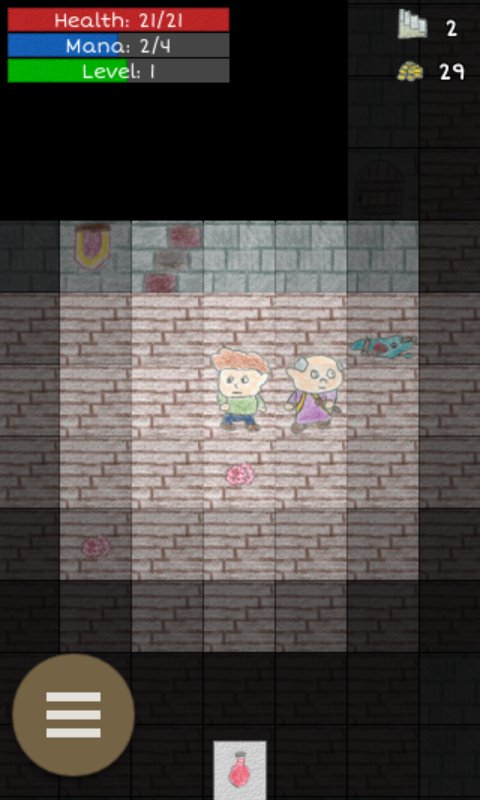
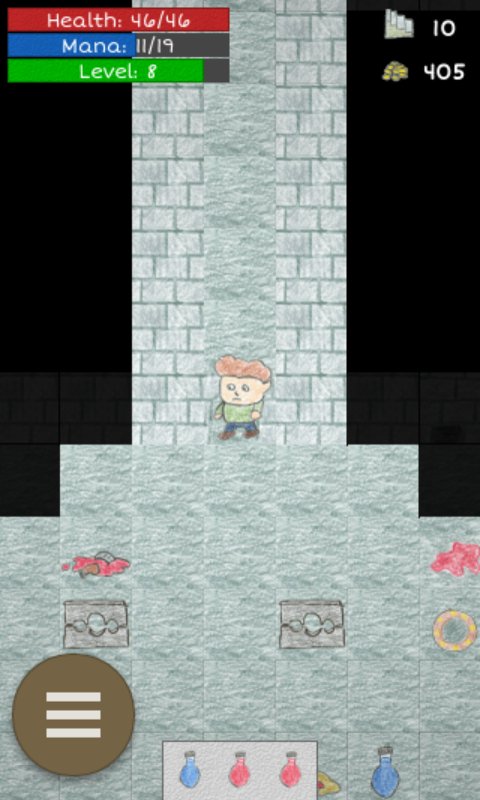
Gone Rogue is an epic roguelike roleplaying adventure game! Explore randomly generated dungeons, collect loot, defeat monsters, and level up!
Find epic items or create your own by adding upgrades to socketed items. Items are procedurally generated at run time, so no two playthroughs will have the exact same loot!
At it's core, Gone Rogue is a traditional roguelike game that features hand-drawn tile-based graphics. You can play in normal mode which lets you continue when you die, or you can play nightmare mode with permanent death for a more traditional rogue like experience. Game play is turn based, but it also includes a realtime mode if you prefer. There are tons of weapons to find, items to collect, and zones to explore. Fight enemies with cold hard steel, or destroy them with magic. Head to town when you need to rest and recover.
If you'd like to have a say in the future direction of the game, e-mail me or let me know in the app market comments!
Ambient sounds in Gone Rogue were created by klankbeeld at freesound.org
http://www.freesound.org/people/klankbeeld/
Town music track is Suonatore di Liuto by Kevin MacLeod (incompetech.com)
Licensed under Creative Commons: By Attribution 3.0 License
http://creativecommons.org/licenses/by/3.0/
Avance
Etiquetas
Juegos de rolpícaroInformación
Desarrollador
Brandon Stecklein
La última versión
3.6.0
Última actualización
2026-07-25
Categoría
Role-playing
Disponible en
Google Play
Mostrar más
Cómo jugar Gone Rogue con GameLoop en PC
1. Descargue GameLoop desde el sitio web oficial, luego ejecute el archivo exe para instalar GameLoop.
2. Abra GameLoop y busque "Gone Rogue", busque Gone Rogue en los resultados de búsqueda y haga clic en "Instalar".
3. Disfruta jugando Gone Rogue en GameLoop.
Minimum requirements
OS
Windows 8.1 64-bit or Windows 10 64-bit
GPU
GTX 1050
CPU
i3-8300
Memory
8GB RAM
Storage
1GB available space
Recommended requirements
OS
Windows 8.1 64-bit or Windows 10 64-bit
GPU
GTX 1050
CPU
i3-9320
Memory
16GB RAM
Storage
1GB available space