My Phone Time - App usage trac para PC
Smarter Time
Descarga My Phone Time - App usage trac en PC con GameLoop Emulator
My Phone Time - App usage trac en PC
My Phone Time - App usage trac, proveniente del desarrollador Smarter Time, se ejecuta en el sistema Android en el pasado.
Ahora, puedes jugar My Phone Time - App usage trac en PC con GameLoop sin problemas.
Descárgalo en la biblioteca de GameLoop o en los resultados de búsqueda. No más mirar la batería o llamadas frustrantes en el momento equivocado nunca más.
Simplemente disfrute de My Phone Time - App usage trac PC en la pantalla grande de forma gratuita!
My Phone Time - App usage trac Introducción
My Phone Time: limit your phone time, take control of your life! Boost your focus and your productivity, get your personal relationships back on track.
Did you know that people spend on average 3 hours and 30 min on their phone every day? That's enough time to skyrocket your productivity, slowly learn 14 languages, watch one whole movie - or spend time with your loved ones.
Even worse, we use our phones for short interruptions all the time, which takes a toll on our focus, our work quality and productivity, and our personal relationships.
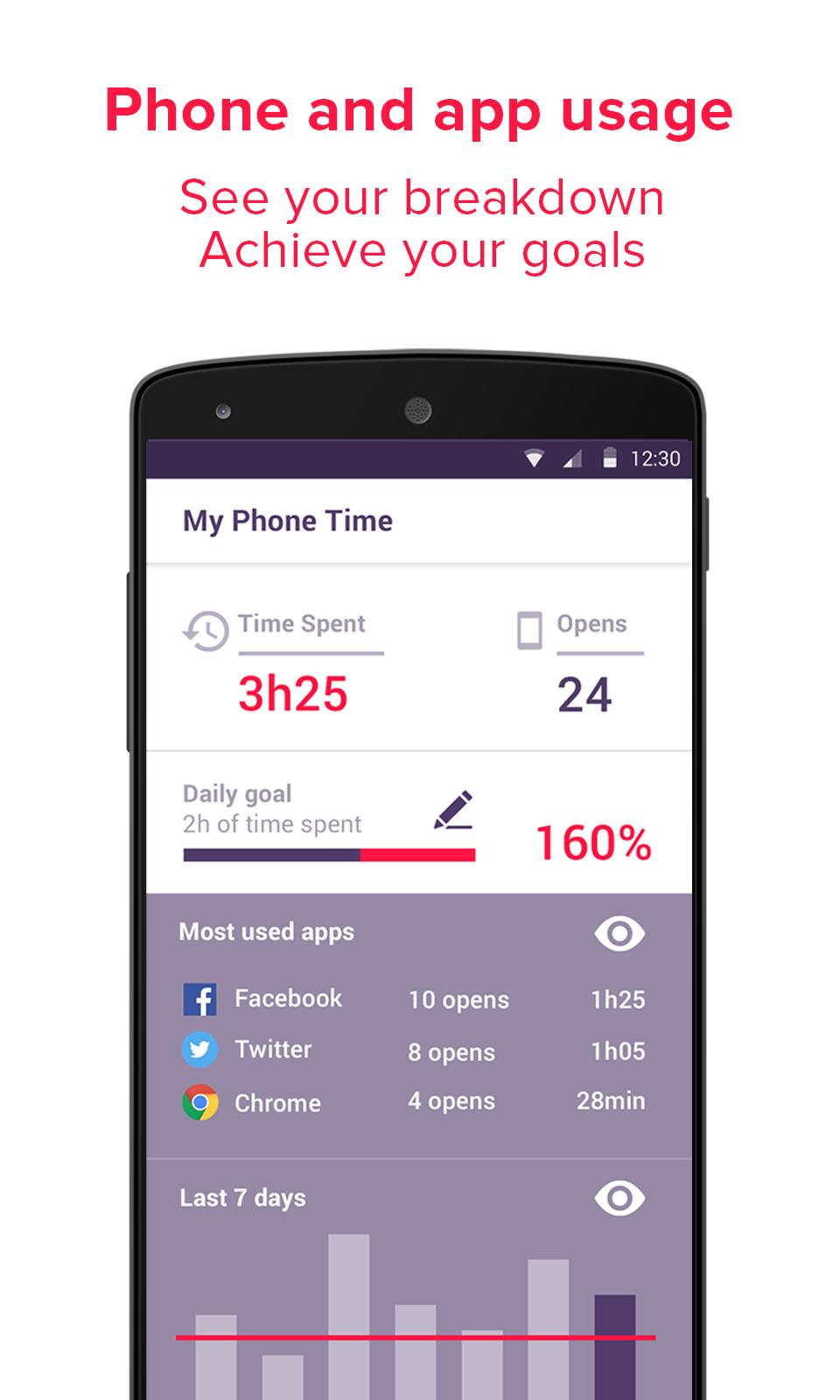
My Phone Time helps you measure and control how long you spend on your phone. It tells you which apps you're using, and allows you to block some of them so you can make sure you focus on the task at hand!
★ See your phone usage and your app usage breakdown.
★ Set yourself a daily goal.
★ Block the most distracting apps.
★ (But keep a whitelist for those important communications.)
★ Get detailed overtime analytics of your phone usage
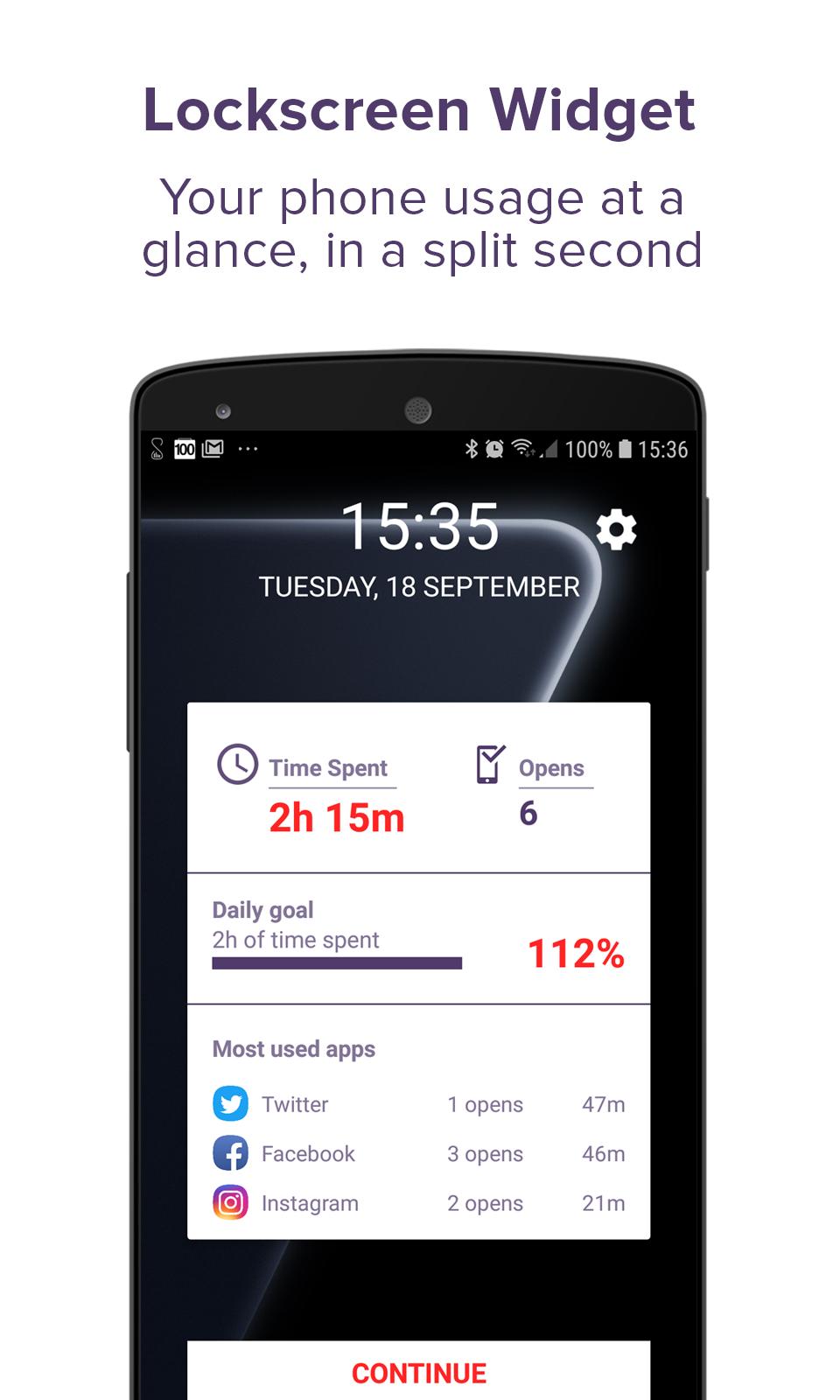
★ Track your progress on your lockscreen at a glance!
All this without any time or effort on your side!
My Phone Time is more than just an app usage tracker: it's a productivity tool, and your personal helper when it comes to cutting your phone usage back.
Here's a list of My Phone Time features:
★ Phone usage tracker
★ App usage tracker
★ Daily usage goal setting
★ Phone usage and app usage analytics over time
★ App usage blacklist and whitelist system
★ Lockscreen widget
Avance
Etiquetas
ProductividadInformación
Desarrollador
Smarter Time
La última versión
1.015
Última actualización
2020-10-12
Categoría
Productividad
Disponible en
Google Play
Mostrar más
Cómo jugar My Phone Time - App usage trac con GameLoop en PC
1. Descargue GameLoop desde el sitio web oficial, luego ejecute el archivo exe para instalar GameLoop.
2. Abra GameLoop y busque "My Phone Time - App usage trac", busque My Phone Time - App usage trac en los resultados de búsqueda y haga clic en "Instalar".
3. Disfruta jugando My Phone Time - App usage trac en GameLoop.
Minimum requirements
OS
Windows 8.1 64-bit or Windows 10 64-bit
GPU
GTX 1050
CPU
i3-8300
Memory
8GB RAM
Storage
1GB available space
Recommended requirements
OS
Windows 8.1 64-bit or Windows 10 64-bit
GPU
GTX 1050
CPU
i3-9320
Memory
16GB RAM
Storage
1GB available space