
LINE WORKS: Team Communication para PC
WORKS MOBILE Corp.
Descarga LINE WORKS: Team Communication en PC con GameLoop Emulator
LINE WORKS: Team Communication en PC
LINE WORKS: Team Communication, proveniente del desarrollador WORKS MOBILE Corp., se ejecuta en el sistema Android en el pasado.
Ahora, puedes jugar LINE WORKS: Team Communication en PC con GameLoop sin problemas.
Descárgalo en la biblioteca de GameLoop o en los resultados de búsqueda. No más mirar la batería o llamadas frustrantes en el momento equivocado nunca más.
Simplemente disfrute de LINE WORKS: Team Communication PC en la pantalla grande de forma gratuita!
LINE WORKS: Team Communication Introducción
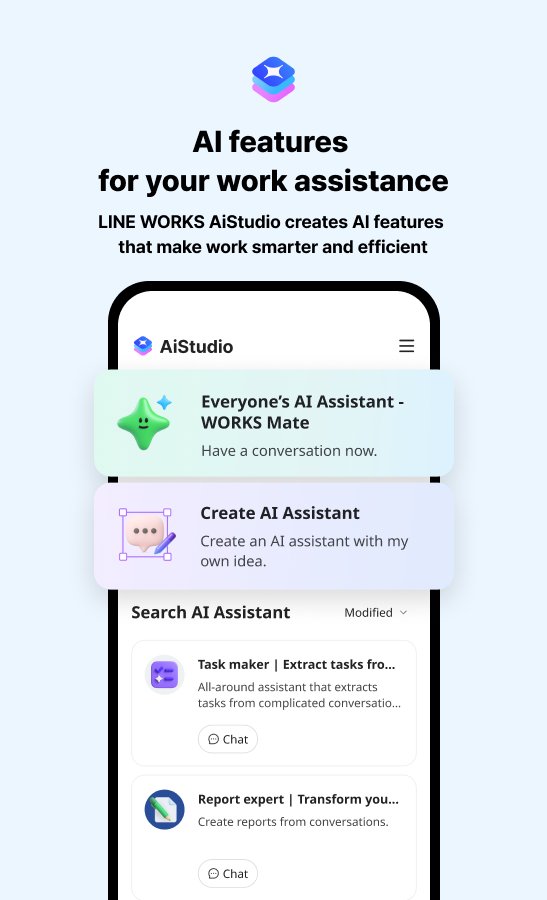
LINE WORKS is the only business chat platform that maintains the familiar usability of LINE while providing the high-level security and management features required in a professional environment. It enables real-time information sharing not only for desk workers but also for frontline staff. In addition to core functions like chat, bulletin boards, calendars, and task management, it offers flexible integration with external services such as attendance management and payment systems. Furthermore, by connecting with advanced AI products from the LINE WORKS family, users can automate business processes and generate meeting minutes effortlessly.
■ Key Features
[Talk] Retains the same intuitive interface as LINE. Share stickers, photos, and videos. Connect securely with individual LINE users.
[Board] Post announcements to specific departments or the entire organization. Track "read" status to prevent communication gaps.
[Calendar] Check participants' availability and easily manage team schedules.
[Tasks] Assign tasks with specific owners and deadlines directly from chat conversations.
[Survey] Create and distribute polls or RSVP requests easily from mobile devices.
[Contacts] Always synced with the organizational structure, allowing you to view members instantly during reassignments or team changes.
[Email] Includes business-essential features like read receipts and reminders (Advanced Plan Only).
[Drive] Manage files safely and efficiently with secure online storage (Available as an optional add-on or with the Advanced Plan).
■ Main Characteristics
The Only Business Chat that Connects with LINE: Communicate securely with individual customers and partners on LINE within a protected environment.
Familiar Usability: No training required; anyone can start using it immediately.
External Service Integration: Enhance convenience by linking with attendance, payroll, and payment systems.
Product Ecosystem: Improve efficiency by integrating with AI meeting minutes and AI assistants.
International Security Standards: Comprehensive management features including log management and remote data deletion.
■ Recommended for Companies That Want To:
Communicate with customers/partners on LINE under a robust security framework.
Accelerate information sharing with frontline employees and store staff.
Streamline operations by linking chat with existing systems (attendance, expenses, etc.).
Promote digitalization and DX through AI-driven automated minutes and responses.
Consolidate multiple tools into one to reduce costs and improve convenience.
Official Website: https://line-works.com/en/
Avance

Etiquetas
ProductividadInformación
Desarrollador
WORKS MOBILE Corp.
La última versión
4.6.5.0
Última actualización
2026-09-01
Categoría
Productividad
Disponible en
Google Play
Mostrar más
Cómo jugar LINE WORKS: Team Communication con GameLoop en PC
1. Descargue GameLoop desde el sitio web oficial, luego ejecute el archivo exe para instalar GameLoop.
2. Abra GameLoop y busque "LINE WORKS: Team Communication", busque LINE WORKS: Team Communication en los resultados de búsqueda y haga clic en "Instalar".
3. Disfruta jugando LINE WORKS: Team Communication en GameLoop.
Minimum requirements
OS
Windows 8.1 64-bit or Windows 10 64-bit
GPU
GTX 1050
CPU
i3-8300
Memory
8GB RAM
Storage
1GB available space
Recommended requirements
OS
Windows 8.1 64-bit or Windows 10 64-bit
GPU
GTX 1050
CPU
i3-9320
Memory
16GB RAM
Storage
1GB available space