
Sketch Camera - Pencil Sketch para PC
DeepStudio
Descarga Sketch Camera - Pencil Sketch en PC con GameLoop Emulator
Sketch Camera - Pencil Sketch en PC
Sketch Camera - Pencil Sketch, proveniente del desarrollador DeepStudio, se ejecuta en el sistema Android en el pasado.
Ahora, puedes jugar Sketch Camera - Pencil Sketch en PC con GameLoop sin problemas.
Descárgalo en la biblioteca de GameLoop o en los resultados de búsqueda. No más mirar la batería o llamadas frustrantes en el momento equivocado nunca más.
Simplemente disfrute de Sketch Camera - Pencil Sketch PC en la pantalla grande de forma gratuita!
Sketch Camera - Pencil Sketch Introducción
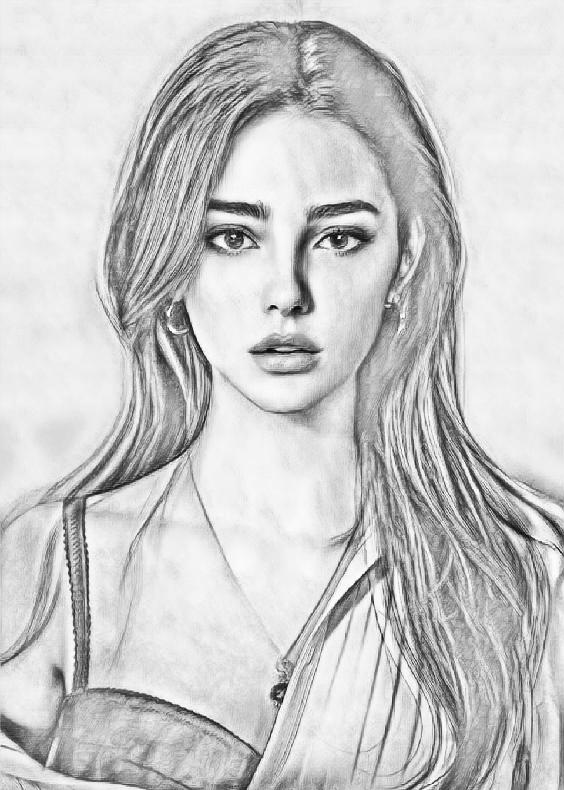
Sketch Camera is an easy-to-use photo editor to make you an artist by creating Sketch Photos from your photos!
You can pick a picture from your gallery or capture one with your camera to generate the sketch. Both black-white and color photo sketch can be easily created by just one button click.
Sketch Camera provides four styles: "Pencil", "Sketch", "Cartoon" and "Comic". "Pencil" style creates Sketch Cameraes with smooth edges and curves, which is a perfect choice if you like handmade drawings and paintings. "Sketch" style creates photo sketch with accurate contour.
It works great for portrait photos taken from your selfie camera, and you will get a lot of extra attention after posting them to your social channels. "Comic" style works generally on any kind of photos, as it is a simple style which generates comic-book style images.
Sketch Camera is also a powerful all-in-one photo editor and drawing tool. Sketch Camera is the best way to transform your photos into works of art and to express your creativity with the world.
Features in photo editor:
- One-tap auto enhance
- Gorgeous photo effects, filters and frames
- Fun stickers
- Adjust exposure, contrast, color temperature, and saturation
- Photo sharpness
- Draw and add text
Saving photo sketch can be done easily by a single touch of a button. Sharing your edited photo is also supported. Sketch and cartoon photos can be shared from Facebook, Twitter, E-mail, Message, etc.
All the photo editing tools are available offline, so you don't need network connection in order to use this app.
Avance

Etiquetas
FotografíaInformación
Desarrollador
DeepStudio
La última versión
1.4
Última actualización
2022-09-29
Categoría
Fotografía
Disponible en
Google Play
Mostrar más
Cómo jugar Sketch Camera - Pencil Sketch con GameLoop en PC
1. Descargue GameLoop desde el sitio web oficial, luego ejecute el archivo exe para instalar GameLoop.
2. Abra GameLoop y busque "Sketch Camera - Pencil Sketch", busque Sketch Camera - Pencil Sketch en los resultados de búsqueda y haga clic en "Instalar".
3. Disfruta jugando Sketch Camera - Pencil Sketch en GameLoop.
Minimum requirements
OS
Windows 8.1 64-bit or Windows 10 64-bit
GPU
GTX 1050
CPU
i3-8300
Memory
8GB RAM
Storage
1GB available space
Recommended requirements
OS
Windows 8.1 64-bit or Windows 10 64-bit
GPU
GTX 1050
CPU
i3-9320
Memory
16GB RAM
Storage
1GB available space