Typing Speed Test For Exam para PC
Darshan University
Descarga Typing Speed Test For Exam en PC con GameLoop Emulator
Typing Speed Test For Exam en PC
Typing Speed Test For Exam, proveniente del desarrollador Darshan University, se ejecuta en el sistema Android en el pasado.
Ahora, puedes jugar Typing Speed Test For Exam en PC con GameLoop sin problemas.
Descárgalo en la biblioteca de GameLoop o en los resultados de búsqueda. No más mirar la batería o llamadas frustrantes en el momento equivocado nunca más.
Simplemente disfrute de Typing Speed Test For Exam PC en la pantalla grande de forma gratuita!
Typing Speed Test For Exam Introducción
Typing Speed Test For Exam helps you improve typing speed, boost accuracy, and track WPM with real-time results. Practice with interactive lessons, typing tests, and fun challenges designed for beginners and advanced users. App is the ultimate tool to improve typing speed, measure WPM, and boost accuracy with real-time results. Whether you're preparing for exams, improving productivity, or just having fun, this app helps you become a faster and more accurate typist.
Improve your typing skills, increase productivity, and become faster on any keyboard. Practice typing with real exam-style passages, interactive lessons, and engaging typing tests designed for beginners to advanced users.
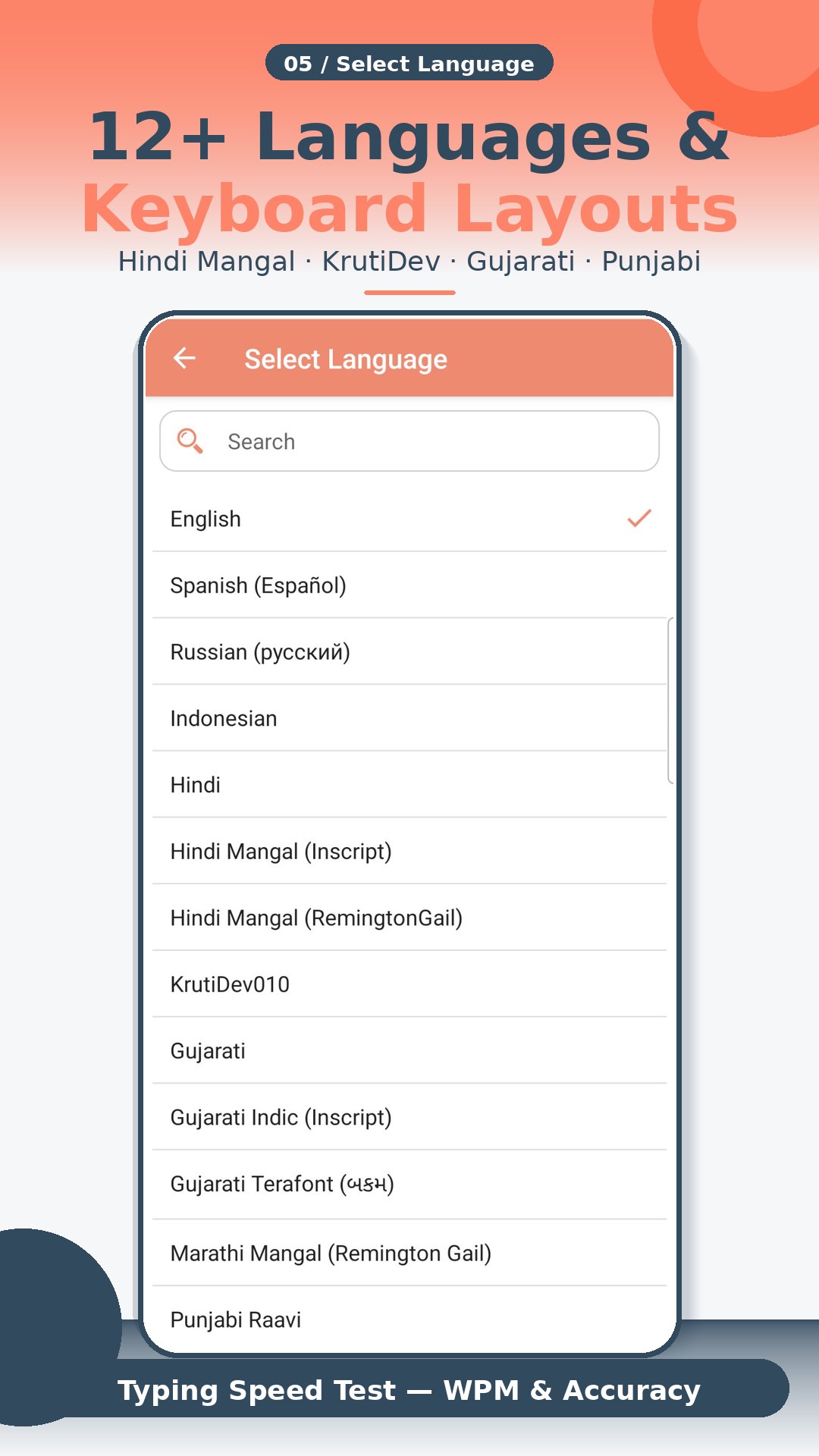
Languages available for typing:
» English
» Russian (русский)
» Indonesian
» Spanish
» Hindi
» Gujarati
» Marathi
» Punjabi
Typing speed practice lessons show you result with information like:
» Number of Correct Characters typed
» Number of Wrong Characters typed
» Typing Speed in Words Per Minute (WPM)
» Typing Speed in Key stroke per hour (KPH)
» Typing Accuracy in terms of Percentage (%)
Some of the key features of the app are:
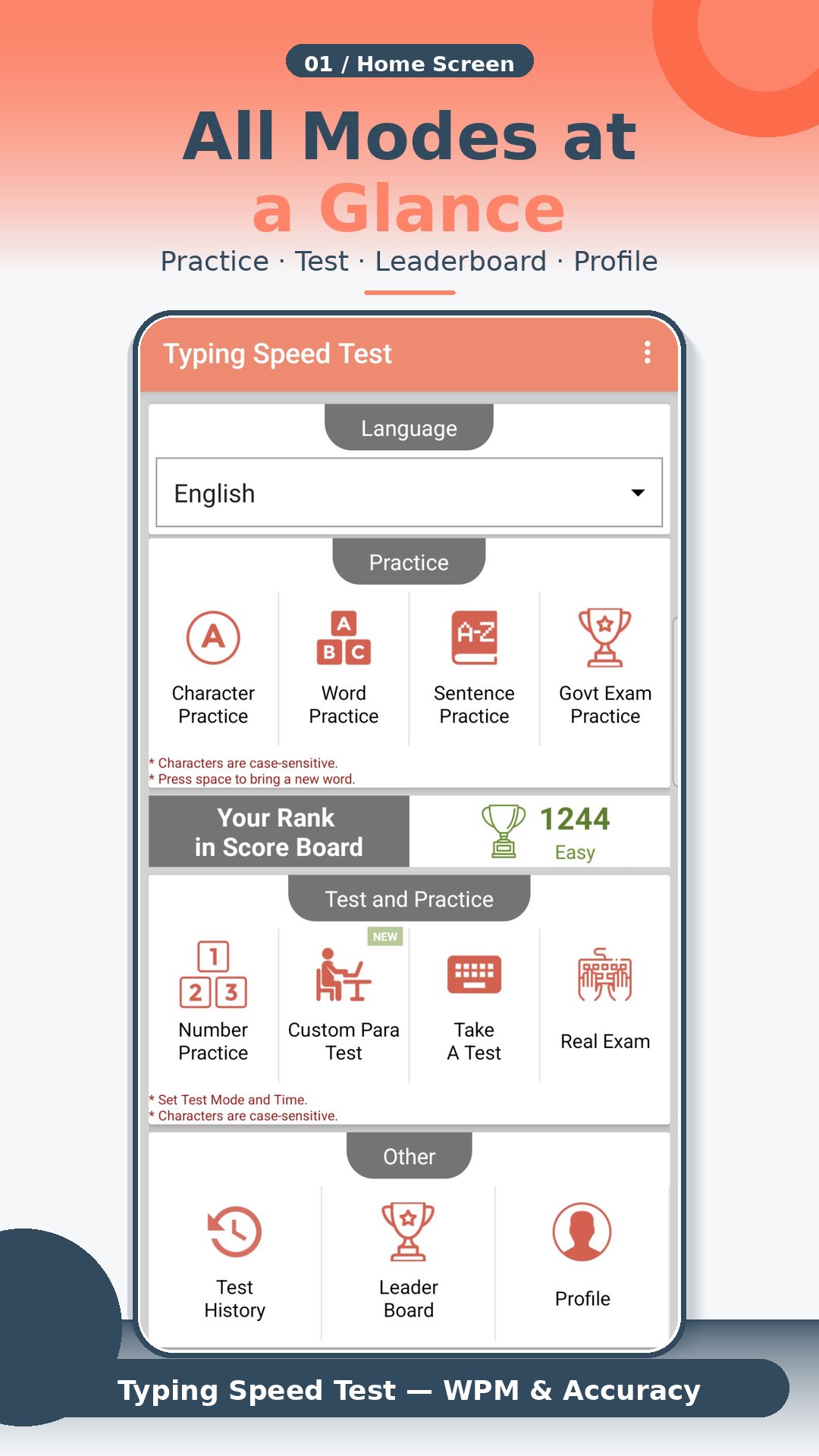
» Character Practice - You can use this practice to start learn to type. Get acquainted with the keypad and start speed typing. Get the statistics Characters Per Minute (CPM) of the typed character.
» Word Practice - Practice word, with typing lessons. Press "space" to get the next word on the screen. Statistics (WPM - Words Per Minute) will show your accuracy in words per minute (average WPM).
» Sentence Practice - Typing test paragraphs will help you increase your typing speed and help you become the fastest typer. Practice the paragraphs by fast typing it and appear for typing test.
» Goverment Exam - If you are in india then you can do it for govt exam preparation for different government exams.
» Take A Test - Test timing options are one/two/five/ten minutes or you can set custom timing. The test will start after you type the first character of the paragraph shown. Use the typing master test and challenge your friend for a typing test game.
» Test History - Save the result of the test for future referral. You can even download and share the result with your friends and family members.
» Custom Para Test - Paste your custom paragraph, select time or exam then start exam.
» Score Board - App shows top scorer around the world. Take part in typing test challenge and show your typing speed to all.
» The App shows your Rank in the scoreboard for the test you appeared
» User can connect the physical keyboard with a phone using OTG Cable.
» You can share the free typing test app with your friends and family members.
------------------------------------------------------------------------------------------------------------------------------------
This App is developed at ASWDC by Kaushalya Mandaliya (150543107015), the 7th Sem CE Student. ASWDC is Apps, Software, and Website Development Center @ Darshan University, Rajkot run by students & staff of Computer Science and Engineering Department.
Call us: +91-97277-47317
Write to us: aswdc@darshan.ac.in
Visit: http://www.aswdc.in http://www.darshan.ac.in
Follow us on Facebook: https://www.facebook.com/DarshanUniversity
Follows us on Twitter: https://twitter.com/darshanuniv
Follows us on Instagram: https://www.instagram.com/darshanuniversity/
Avance
Etiquetas
PersonalizaciónProductividadEducaciónInformación
Desarrollador
Darshan University
La última versión
12.1
Última actualización
2026-04-16
Categoría
Personalización
Disponible en
Google Play
Mostrar más
Cómo jugar Typing Speed Test For Exam con GameLoop en PC
1. Descargue GameLoop desde el sitio web oficial, luego ejecute el archivo exe para instalar GameLoop.
2. Abra GameLoop y busque "Typing Speed Test For Exam", busque Typing Speed Test For Exam en los resultados de búsqueda y haga clic en "Instalar".
3. Disfruta jugando Typing Speed Test For Exam en GameLoop.
Minimum requirements
OS
Windows 8.1 64-bit or Windows 10 64-bit
GPU
GTX 1050
CPU
i3-8300
Memory
8GB RAM
Storage
1GB available space
Recommended requirements
OS
Windows 8.1 64-bit or Windows 10 64-bit
GPU
GTX 1050
CPU
i3-9320
Memory
16GB RAM
Storage
1GB available space