Chat Style Fonts & Fancy Text para PC
Mega Apps Developers
Descarga Chat Style Fonts & Fancy Text en PC con GameLoop Emulator
Chat Style Fonts & Fancy Text en PC
Chat Style Fonts & Fancy Text, proveniente del desarrollador Mega Apps Developers, se ejecuta en el sistema Android en el pasado.
Ahora, puedes jugar Chat Style Fonts & Fancy Text en PC con GameLoop sin problemas.
Descárgalo en la biblioteca de GameLoop o en los resultados de búsqueda. No más mirar la batería o llamadas frustrantes en el momento equivocado nunca más.
Simplemente disfrute de Chat Style Fonts & Fancy Text PC en la pantalla grande de forma gratuita!
Chat Style Fonts & Fancy Text Introducción
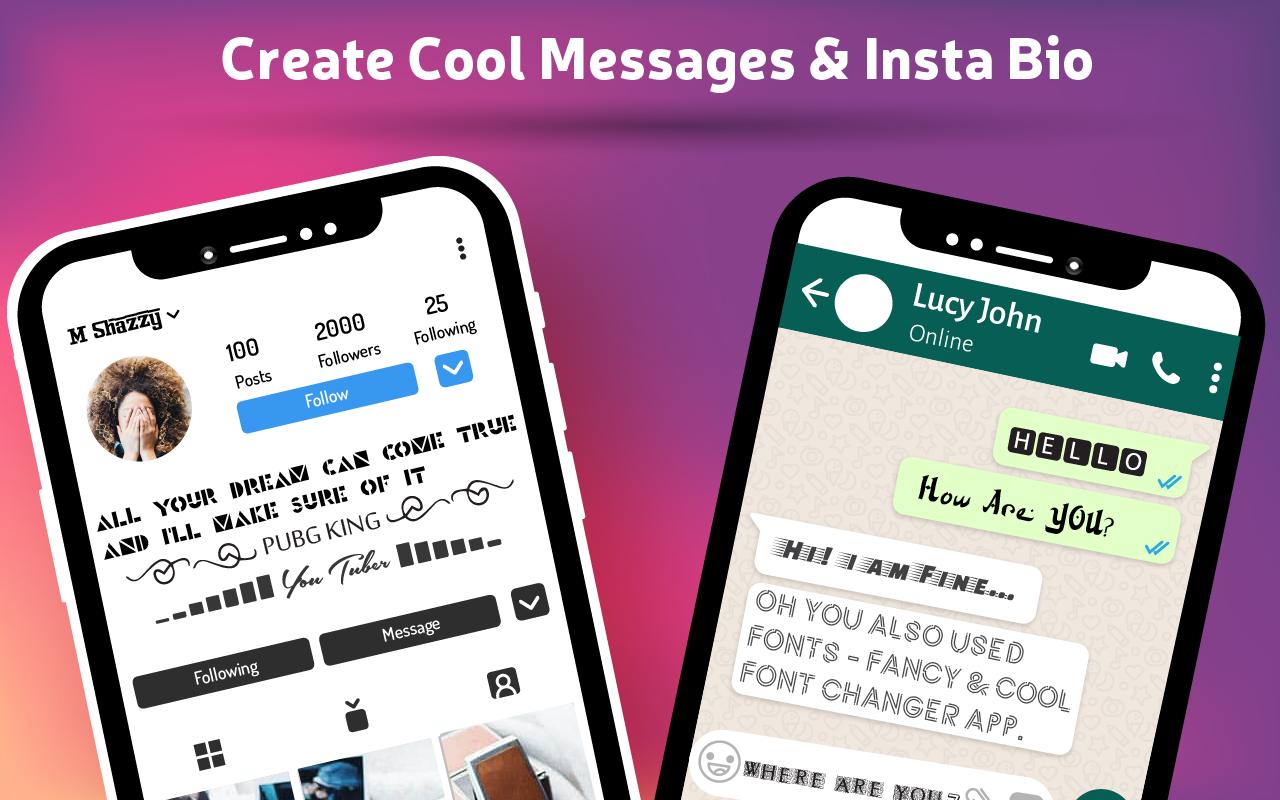
Texts reflect the personality and taste of a Persons, Raise your Standard by enabling Fancy and Cool Font Changer to make your text more attractive, which can help you to Grab more Likes, Followers and Fans on Social Media accounts like Instagram, Twitter, Snapchat. Best Font Changer app to make cool chat style fonts on Social Media even without change your Default Keyboard of Android Device.
Fancy Chat Style Font Changer Provide:
Fonts – Fancy & Cool Font Changer app not just provides you awesome and cursive fonts style for free but with some other wonderful features. You can also decorate your simple written font to post it on any Social Media Account or you can also send that Decorated Text to someone directly to impress them. You Can Set your Decorated Text as your Watsapp Status also.
It also provides you a feature to Add Emotions in your Text to show your feelings to your loved once. You can add any kind of Emotion in your Text to make it even more beautiful and fancy. It also provides you a Wonderful Feature to Encrypt your Text in Glitch Text Feature. By Using Glitch Text you can Encrypt your simple written Message and can send to Desired one directly.
How to Change Fonts:
• Can Easily turn your Simple text in any of the Fancy Fonts style to make it look cool
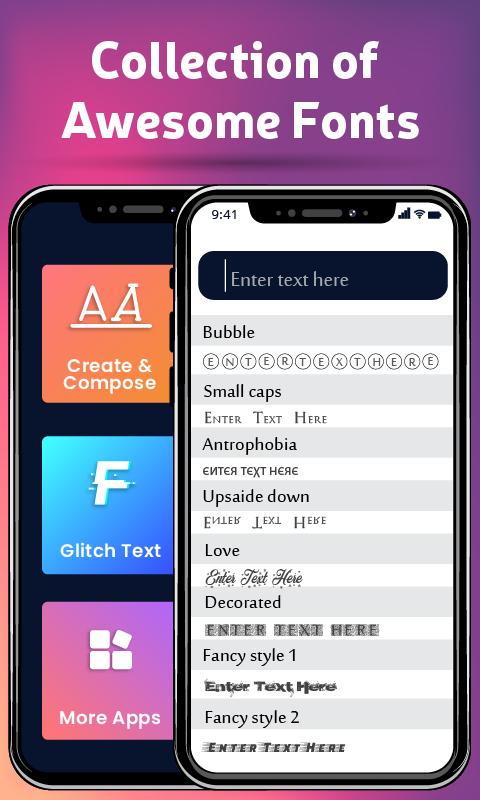
• Just Type your Simple Text and Select the Desired Font Under hebar
• Hundreds of Cool Fonts & Stylish Fonts will be available for free.
• After Selecting your Desired Font, Your Written Text will turn into that cool Font.
• Simply Just Copy from there and paste wherever you want to use that.
• You can use that cool font written text as a description of your Instagram Post.
• You can also put that Cool font written text at your Watsapp Status or can Post on Twitter to impress your Followers
• You Can also decorate your Text to make it look cooler
• The decorated text will surely attract the reader.
Main Features of Fancy & Cool Font Changer:
This Advanced app provides the following Features,
• Provides you Cool Fonts to turn your Simple Text into an Attractive one.
• These Hundreds of Fonts are free.
• Just Write your Text in the box and select the Desired Font style from bellow.
• You Can also Decorate your Text.
• Decorated Text will Surely attract the Reader.
• You can also add Emotions in Your Text.
• Hundreds of Emotions are available for free.
• One can also encrypt its text.
• You can use the Glitch Text Feature of the app to encrypt your simple written text.
• You can Enjoy all these Features on a single Keyboard.
• All These Features are Available on your Default Keyboard of Android Device.
Download and Start to Use this Chat Style Font Changer App to Make your Text more Attractive and leave a positive impact of your Personality and Taste on the Reader.
Note:
This app is not affiliated with any other app.
Avance
Etiquetas
PersonalizaciónInformación
Desarrollador
Mega Apps Developers
La última versión
1.2
Última actualización
2022-08-30
Categoría
Personalización
Disponible en
Google Play
Mostrar más
Cómo jugar Chat Style Fonts & Fancy Text con GameLoop en PC
1. Descargue GameLoop desde el sitio web oficial, luego ejecute el archivo exe para instalar GameLoop.
2. Abra GameLoop y busque "Chat Style Fonts & Fancy Text", busque Chat Style Fonts & Fancy Text en los resultados de búsqueda y haga clic en "Instalar".
3. Disfruta jugando Chat Style Fonts & Fancy Text en GameLoop.
Minimum requirements
OS
Windows 8.1 64-bit or Windows 10 64-bit
GPU
GTX 1050
CPU
i3-8300
Memory
8GB RAM
Storage
1GB available space
Recommended requirements
OS
Windows 8.1 64-bit or Windows 10 64-bit
GPU
GTX 1050
CPU
i3-9320
Memory
16GB RAM
Storage
1GB available space