
LaunchTime (Homescreen) para PC
Quaap, my free-time FOSS apps
Descarga LaunchTime (Homescreen) en PC con GameLoop Emulator
LaunchTime (Homescreen) en PC
LaunchTime (Homescreen), proveniente del desarrollador Quaap, my free-time FOSS apps, se ejecuta en el sistema Android en el pasado.
Ahora, puedes jugar LaunchTime (Homescreen) en PC con GameLoop sin problemas.
Descárgalo en la biblioteca de GameLoop o en los resultados de búsqueda. No más mirar la batería o llamadas frustrantes en el momento equivocado nunca más.
Simplemente disfrute de LaunchTime (Homescreen) PC en la pantalla grande de forma gratuita!
LaunchTime (Homescreen) Introducción
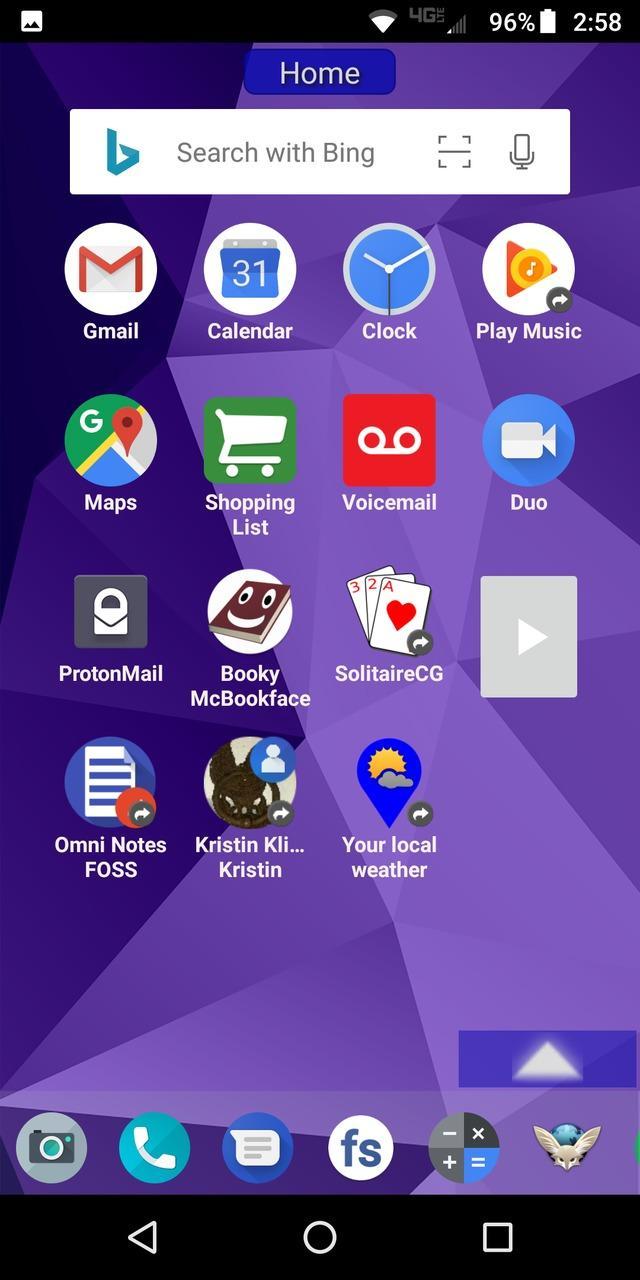
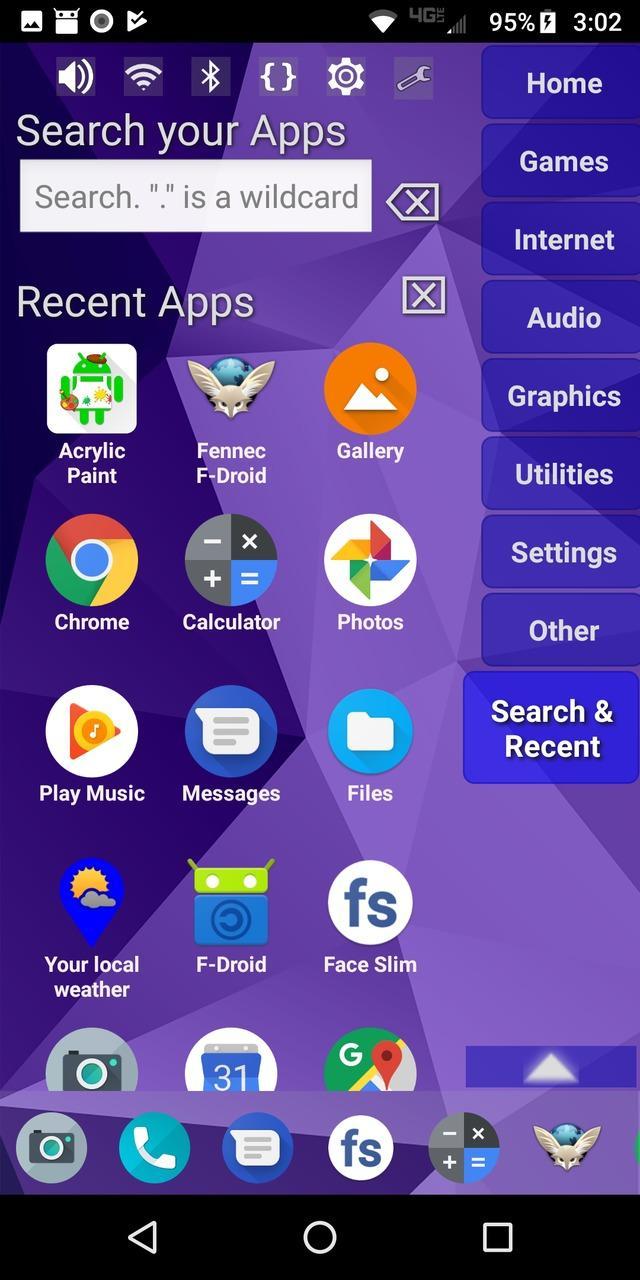
Highly configurable alternative homescreen/launcher which features a side menu to automatically and/or manually organize your apps into common-sense and customizable categories.
Latest features: Resizable widgets, hideable side menu, action menus, appinfo, better appearance, animated transitions, and an experimental "dumbphone" mode.
More features:
* Configurable app categories in a scrollable/hideable side menu.
* Scrolling QuickBar on the bottom for easy access to your favorite apps.
* Text search to find apps.
* List of recent apps.
* Quick access to settings.
* Multiple widget support.
* Rearrange/sort icons and menu items.
* Toddler/child mode
* Shortcut/link and Oreo Pinned shortcut support.
* Android 7.1+ shortcut actions / menus.
* Unread badges.
* Adw/nova/apex icon-packs.
* Supports both portrait and landscape mode.
* Can hide apps you don't want but can't uninstall.
* Back up and restore your settings.
* Configurable colors.
* Customize icons and labels.
* Built-in themes.
Avance
Etiquetas
PersonalizaciónInformación
Desarrollador
Quaap, my free-time FOSS apps
La última versión
0.8.5
Última actualización
2019-08-26
Categoría
Personalización
Disponible en
Google Play
Mostrar más
Cómo jugar LaunchTime (Homescreen) con GameLoop en PC
1. Descargue GameLoop desde el sitio web oficial, luego ejecute el archivo exe para instalar GameLoop.
2. Abra GameLoop y busque "LaunchTime (Homescreen)", busque LaunchTime (Homescreen) en los resultados de búsqueda y haga clic en "Instalar".
3. Disfruta jugando LaunchTime (Homescreen) en GameLoop.
Minimum requirements
OS
Windows 8.1 64-bit or Windows 10 64-bit
GPU
GTX 1050
CPU
i3-8300
Memory
8GB RAM
Storage
1GB available space
Recommended requirements
OS
Windows 8.1 64-bit or Windows 10 64-bit
GPU
GTX 1050
CPU
i3-9320
Memory
16GB RAM
Storage
1GB available space