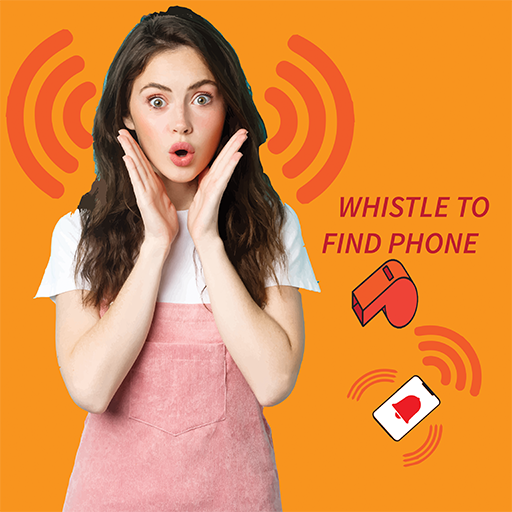
Find My Phone by Whistle, Clap para PC
Mega1 Fun Apps
Descarga Find My Phone by Whistle, Clap en PC con GameLoop Emulator
Find My Phone by Whistle, Clap en PC
Find My Phone by Whistle, Clap, proveniente del desarrollador Mega1 Fun Apps, se ejecuta en el sistema Android en el pasado.
Ahora, puedes jugar Find My Phone by Whistle, Clap en PC con GameLoop sin problemas.
Descárgalo en la biblioteca de GameLoop o en los resultados de búsqueda. No más mirar la batería o llamadas frustrantes en el momento equivocado nunca más.
Simplemente disfrute de Find My Phone by Whistle, Clap PC en la pantalla grande de forma gratuita!
Find My Phone by Whistle, Clap Introducción
Find My Phone by Whistle app is a professional tool
which helps you locate and find your phone. Whenever you lost your phone, simply whistle to find phone. It efficiently detects whistle sound, it rings a loud alarm to find my device. There you can easily locate your phone. Gadget finder tool can locate your device easily. It can locate phone without GPS or internet signals. Whistle phone finder is the best, fastest & easiest way to quickly find phone. Next wondering, where is my phone? No need to remember. Phone can also be found by speaking. You can simply use your voice to find your phone. So, a whistle and free cell phone finder will help to locate your phone.
Find my Phone by Whistle is phone tracker, phone finder app. If you have ever lost phone in your room, office, restaurant, bag, desk or car and you couldn't find it. so, this find my device app is helps you to find my phone location and search mobile phones with a clear whistle recognition application.
Locate my phone app is an android phone locator app that helps you to search your phone after losing it, forgetting it somewhere or being hidden. Just whistle up and your phone will tell you where it is.
How to use Clap Or Whistle To Find My Phone app?
Don't confuse about how to find my phone. We already provided total procedure in Information tag under the “Clap to Find” section. Here it is:
1. Click on the “Find My Phone” button to enable this feature.
2. Enable the toggle button. Now you are able to use this feature.
3. You can adjust the sound frequency, notification and flash blink speed in “Setting”
4. ”Select Tone” to set your desired tone.
5. Frequency/Sensitivity is based on surrounding to detect your phone that you can set from 1 to 10.
6. You can set the flash on/off or set interval timing to vary from 50 to 1500 ms
Features of Find My Phone by Whistle:-
● it enables you to find phone by whistle.
● simply, whistle to find phone.
● Sound recognition feature activates its alarm system.
● Even if your phone is in silent mode it will resound an alarm.
● following the alarm sound you can easily locate your device.
● Whistling app assists to find your device in darkness pretty easily.
● Hence, you can effortlessly locate your phone without GPS.
ATTENTION!
You can find your phone only by a loud and distinct whistle. Extraneous noise, loud background sound and conversations interfere with the application.
Avance


Etiquetas
PersonalizaciónInformación
Desarrollador
Mega1 Fun Apps
La última versión
1.1.0
Última actualización
2023-10-21
Categoría
Personalización
Disponible en
Google Play
Mostrar más
Cómo jugar Find My Phone by Whistle, Clap con GameLoop en PC
1. Descargue GameLoop desde el sitio web oficial, luego ejecute el archivo exe para instalar GameLoop.
2. Abra GameLoop y busque "Find My Phone by Whistle, Clap", busque Find My Phone by Whistle, Clap en los resultados de búsqueda y haga clic en "Instalar".
3. Disfruta jugando Find My Phone by Whistle, Clap en GameLoop.
Minimum requirements
OS
Windows 8.1 64-bit or Windows 10 64-bit
GPU
GTX 1050
CPU
i3-8300
Memory
8GB RAM
Storage
1GB available space
Recommended requirements
OS
Windows 8.1 64-bit or Windows 10 64-bit
GPU
GTX 1050
CPU
i3-9320
Memory
16GB RAM
Storage
1GB available space