
App Support para PC
East-Hino
Descarga App Support en PC con GameLoop Emulator
App Support en PC
App Support, proveniente del desarrollador East-Hino, se ejecuta en el sistema Android en el pasado.
Ahora, puedes jugar App Support en PC con GameLoop sin problemas.
Descárgalo en la biblioteca de GameLoop o en los resultados de búsqueda. No más mirar la batería o llamadas frustrantes en el momento equivocado nunca más.
Simplemente disfrute de App Support PC en la pantalla grande de forma gratuita!
App Support Introducción
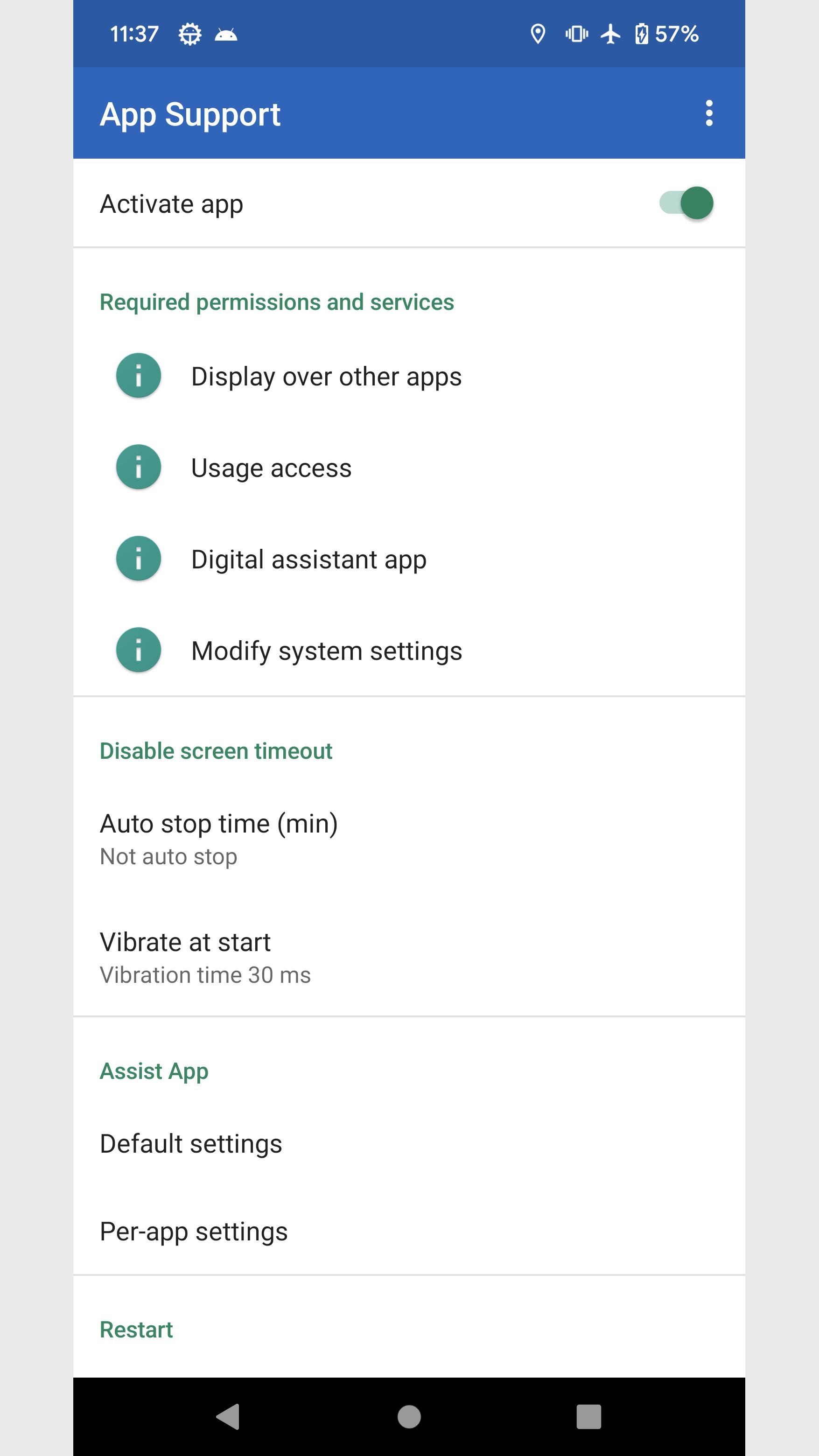
I summarized the functions that I think would be convenient if I could set them for each app.
Configure using the panel that appears in the notification area.
■Settings panel
・Screen orientation
You can forcibly change the screen orientation of apps and home screens whose screen orientation is fixed.
・Screen timeout
Keep screen on and disable screen timeout.
・Check Wi-Fi
Check the Wi-Fi connection when switching apps to prevent inadvertent mass communication.
・Assist app
You can set apps and shortcuts to launch when you press and hold the home button.
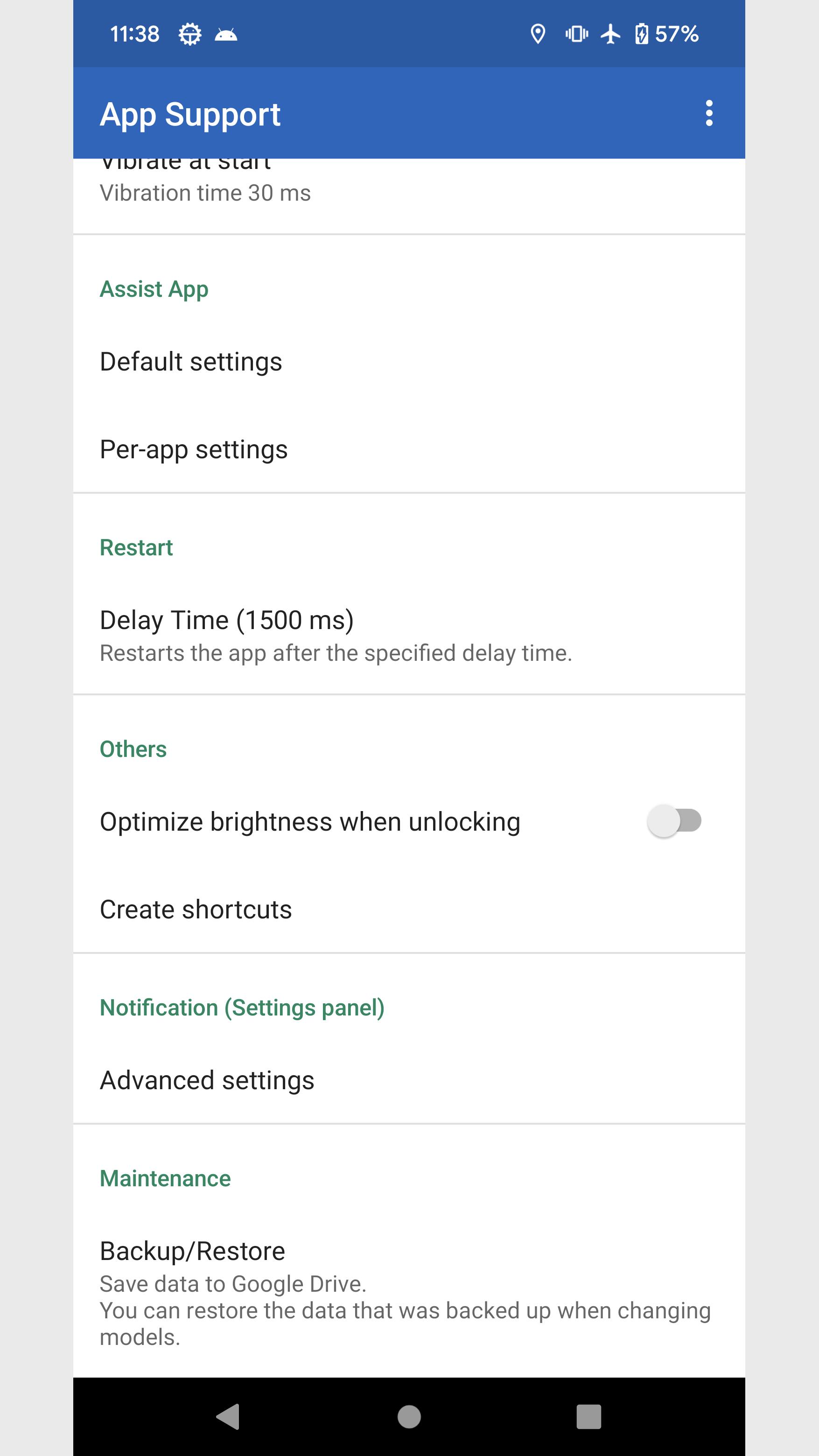
・Restart
Force the app to restart.
■Other support
・Optimize brightness when unlocking
・Create shortcuts
Flashlight *
Volume control *
Brightness Min *
Brightness Fix *
Brightness Max *
File
Activity (deprecated)
* Can be placed on the quick settings panel of the device
■Manually run disable screen timeout
Long press the app icon and tap the shortcut that appears.
Disable screen timeout continues during manual execution instead of per app.
To exit, tap the shortcut again or tap Stop Notifications.
■About permissions
This app uses the following permissions to provide various services. Personal information will not be sent outside the app or provided to third parties.
・Post Notifications
Required to realize the main functionality of the app.
・Get list of apps
Necessary to obtain information about the running app and to implement the launcher function.
・Search for accounts on this device
You will need it when backing up your data to Google Drive.
■Notes
Please note that we are not responsible for any troubles or damages caused by this app.
Avance
Etiquetas
PersonalizaciónInformación
Desarrollador
East-Hino
La última versión
6.1
Última actualización
2023-11-12
Categoría
Personalización
Disponible en
Google Play
Mostrar más
Cómo jugar App Support con GameLoop en PC
1. Descargue GameLoop desde el sitio web oficial, luego ejecute el archivo exe para instalar GameLoop.
2. Abra GameLoop y busque "App Support", busque App Support en los resultados de búsqueda y haga clic en "Instalar".
3. Disfruta jugando App Support en GameLoop.
Minimum requirements
OS
Windows 8.1 64-bit or Windows 10 64-bit
GPU
GTX 1050
CPU
i3-8300
Memory
8GB RAM
Storage
1GB available space
Recommended requirements
OS
Windows 8.1 64-bit or Windows 10 64-bit
GPU
GTX 1050
CPU
i3-9320
Memory
16GB RAM
Storage
1GB available space