
Baby Tracker - Newborn Log para PC
NIGHP SOFTWARE
Descarga Baby Tracker - Newborn Log en PC con GameLoop Emulator
Baby Tracker - Newborn Log en PC
Baby Tracker - Newborn Log, proveniente del desarrollador NIGHP SOFTWARE, se ejecuta en el sistema Android en el pasado.
Ahora, puedes jugar Baby Tracker - Newborn Log en PC con GameLoop sin problemas.
Descárgalo en la biblioteca de GameLoop o en los resultados de búsqueda. No más mirar la batería o llamadas frustrantes en el momento equivocado nunca más.
Simplemente disfrute de Baby Tracker - Newborn Log PC en la pantalla grande de forma gratuita!
Baby Tracker - Newborn Log Introducción
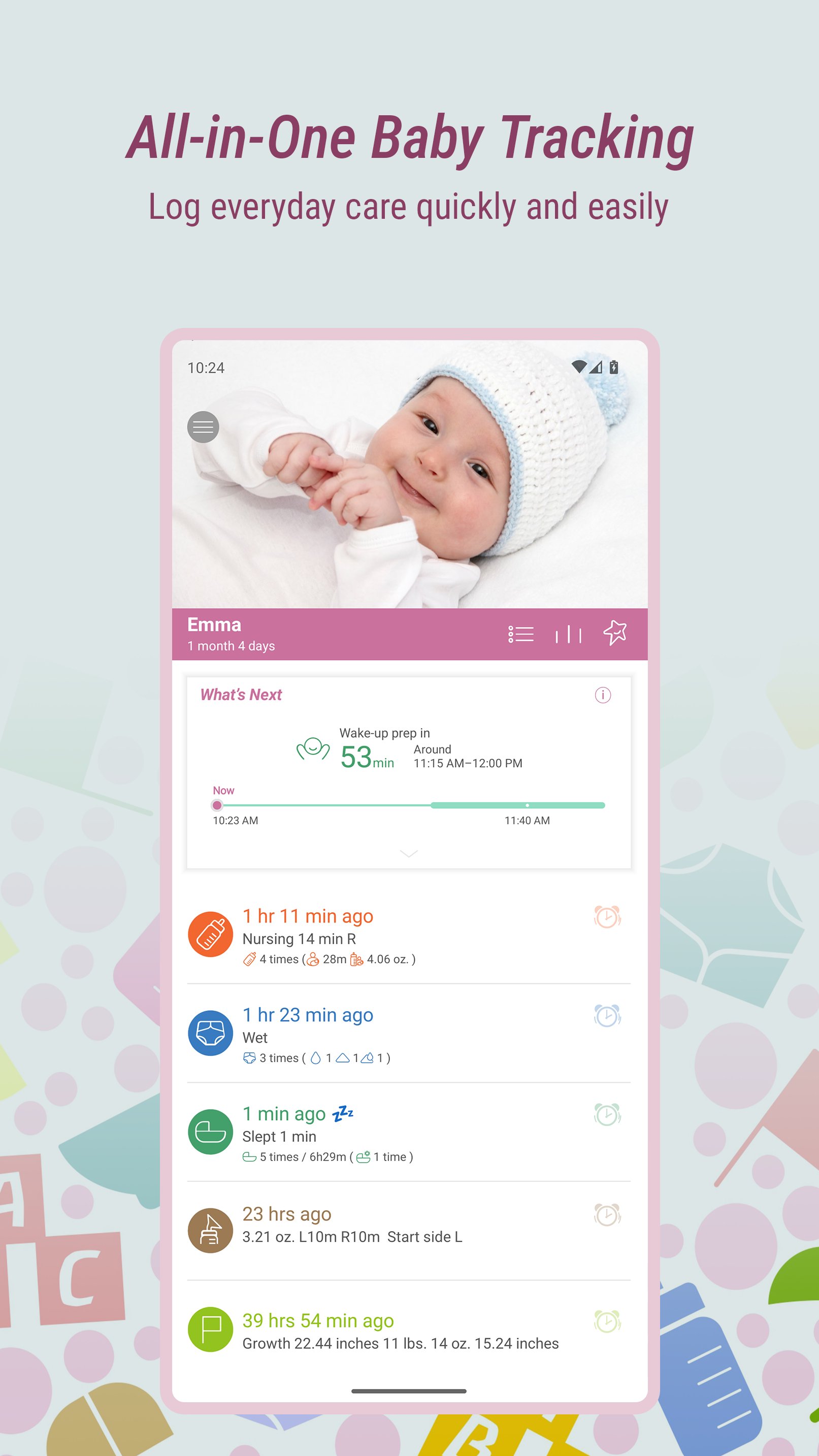
Baby Tracker brings a baby feeding tracker, sleep tracker and diaper log together in one easy-to-use newborn diary. Record breastfeeding, bottles, pumping, growth, health and milestones, and share your baby’s daily routine with caregivers.
Designed by busy parents, for busy parents, it keeps everyday tracking quick and clear—from late-night nursing to the first steps.
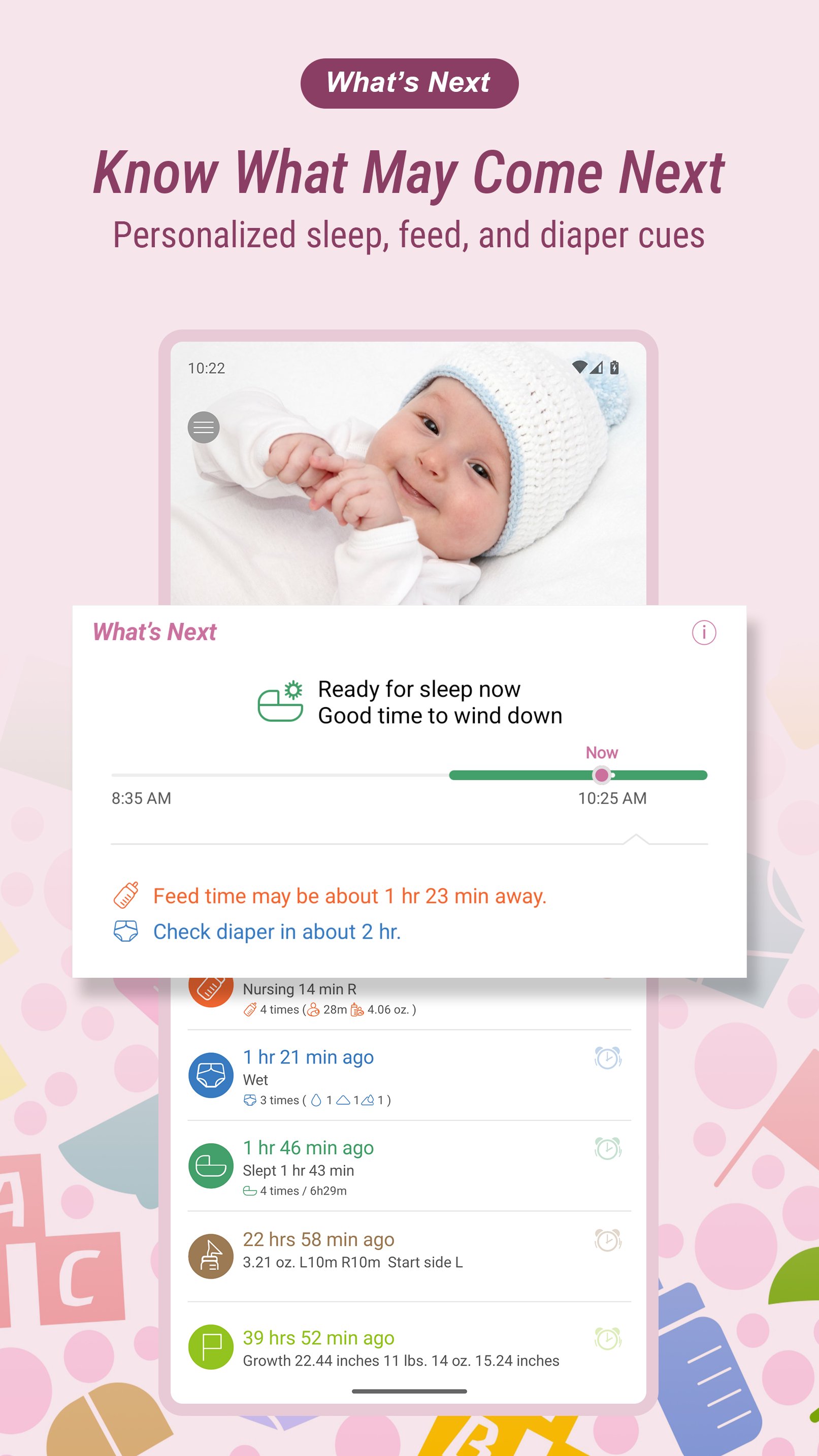
WHAT’S NEXT
One more helpful cue for your baby’s day.
What’s Next uses on-device AI to turn recent activity logs into personalized timing cues. Depending on what you’ve logged, it may show:
• A likely wind-down window before sleep
• An estimated length for the next nap or sleep
• An approximate wake-up window
• An estimated time for the next feed
• A suggested time to check the diaper
Cues can start appearing after just a few logs. Regular, complete logging helps make them more personal to your baby’s developing routine.
What’s Next is optional. All core tracking features remain free.
GUIDANCE, NOT A SCHEDULE
Use What’s Next alongside your baby’s own cues and your judgment—not as a fixed schedule or instruction.
What’s Next is not medical advice. Contact a healthcare professional if you have concerns about your baby’s health, sleep or feeding.
PRIVATE BY DESIGN
What’s Next cues are created directly on your device. Your baby’s logs aren’t sent to us to generate them.
BABY FEEDING & BREASTFEEDING TRACKER
• Use the breastfeeding timer to track nursing on each breast
• Quickly see which side you last used
• Keep a bottle feeding log for formula and expressed breast milk
• Record solid foods and notes about preferences or reactions
• Review feeding times and your baby’s changing routine
PUMPING & BREAST MILK TRACKER
• Record pumping sessions and milk amounts
• Keep a breast pump log alongside your feeding records
BABY SLEEP TRACKER & NAP LOG
• Record daytime naps and nighttime sleep
• Use the sleep timer to keep a baby sleep log
• Review sleep patterns as your baby’s sleep schedule changes
• Set reminders and alarms
• See personalized What’s Next sleep and wake-up cues
DIAPER TRACKER
• Log wet, dirty and mixed diapers
• Quickly see when the last diaper change occurred
• Keep a diaper log with a clear history of changes
BABY GROWTH TRACKER
• Track weight, height and head circumference
• Follow infant growth charts based on World Health Organization standards
HEALTH & DEVELOPMENT
• Record medications, vaccinations and temperature
• Keep baby health records and notes together
• Use the baby milestone tracker to save first smiles, words and steps
• Add photos and notes to your baby journal
CHARTS & REPORTS
• Review daily, weekly and monthly activity charts
• Recognize patterns across sleep, feeding and diaper records
• Share useful information with caregivers and healthcare professionals
SYNC & SHARING
• Sync baby records across multiple devices
• Keep parents, family members and other caregivers up to date
• Track the same baby together without maintaining separate logs
BABY TRACKER PLUS
Baby Tracker Plus is an optional auto-renewing subscription that includes ad-free tracking and personalized What’s Next sleep, feed and diaper cues.
Pricing, billing periods and renewal terms are shown in the app before you subscribe. You can manage or cancel your subscription through Google Play.
All core tracking remains free without Plus. Existing purchases, including the one-time Remove Ads purchase, continue to work as before.
Spend less time managing records and more time with your baby.
Avance
Etiquetas
Paternidad y maternidadInformación
Desarrollador
NIGHP SOFTWARE
La última versión
6.03
Última actualización
2026-09-30
Categoría
Paternidad y maternidad
Disponible en
Google Play
Mostrar más
Cómo jugar Baby Tracker - Newborn Log con GameLoop en PC
1. Descargue GameLoop desde el sitio web oficial, luego ejecute el archivo exe para instalar GameLoop.
2. Abra GameLoop y busque "Baby Tracker - Newborn Log", busque Baby Tracker - Newborn Log en los resultados de búsqueda y haga clic en "Instalar".
3. Disfruta jugando Baby Tracker - Newborn Log en GameLoop.
Minimum requirements
OS
Windows 8.1 64-bit or Windows 10 64-bit
GPU
GTX 1050
CPU
i3-8300
Memory
8GB RAM
Storage
1GB available space
Recommended requirements
OS
Windows 8.1 64-bit or Windows 10 64-bit
GPU
GTX 1050
CPU
i3-9320
Memory
16GB RAM
Storage
1GB available space