
Voice Reader reads texts aloud para PC
kapron-ap
Descarga Voice Reader reads texts aloud en PC con GameLoop Emulator
Voice Reader reads texts aloud en PC
Voice Reader reads texts aloud, proveniente del desarrollador kapron-ap, se ejecuta en el sistema Android en el pasado.
Ahora, puedes jugar Voice Reader reads texts aloud en PC con GameLoop sin problemas.
Descárgalo en la biblioteca de GameLoop o en los resultados de búsqueda. No más mirar la batería o llamadas frustrantes en el momento equivocado nunca más.
Simplemente disfrute de Voice Reader reads texts aloud PC en la pantalla grande de forma gratuita!
Voice Reader reads texts aloud Introducción
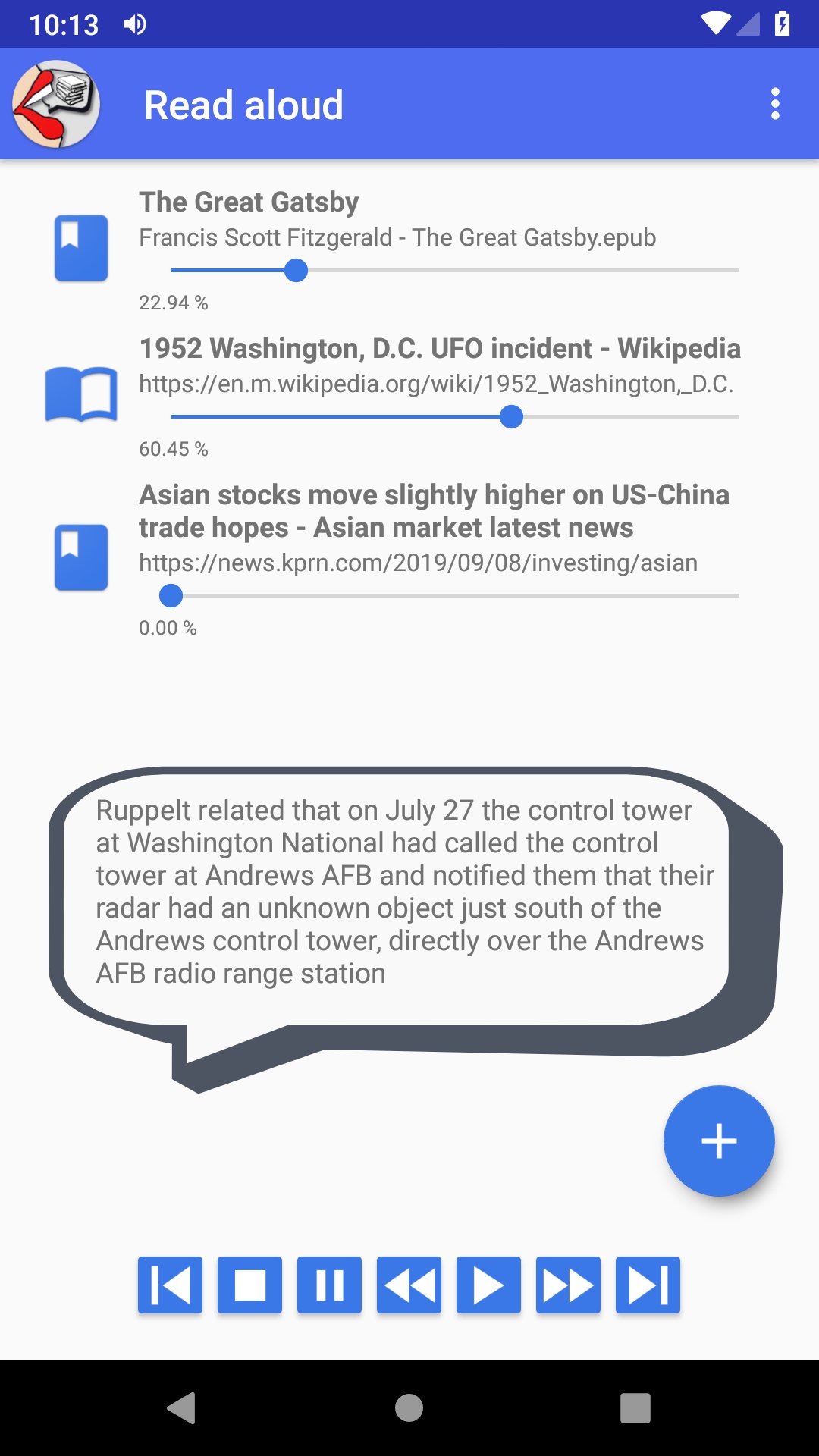
Listen anywhere to any web page, ebook, document, text file. Turn your books, news, magazines, scientific articles into audiobooks and audio podcast. Easily create playlist with web pages or any text files and listen to them later, even without an internet connection.
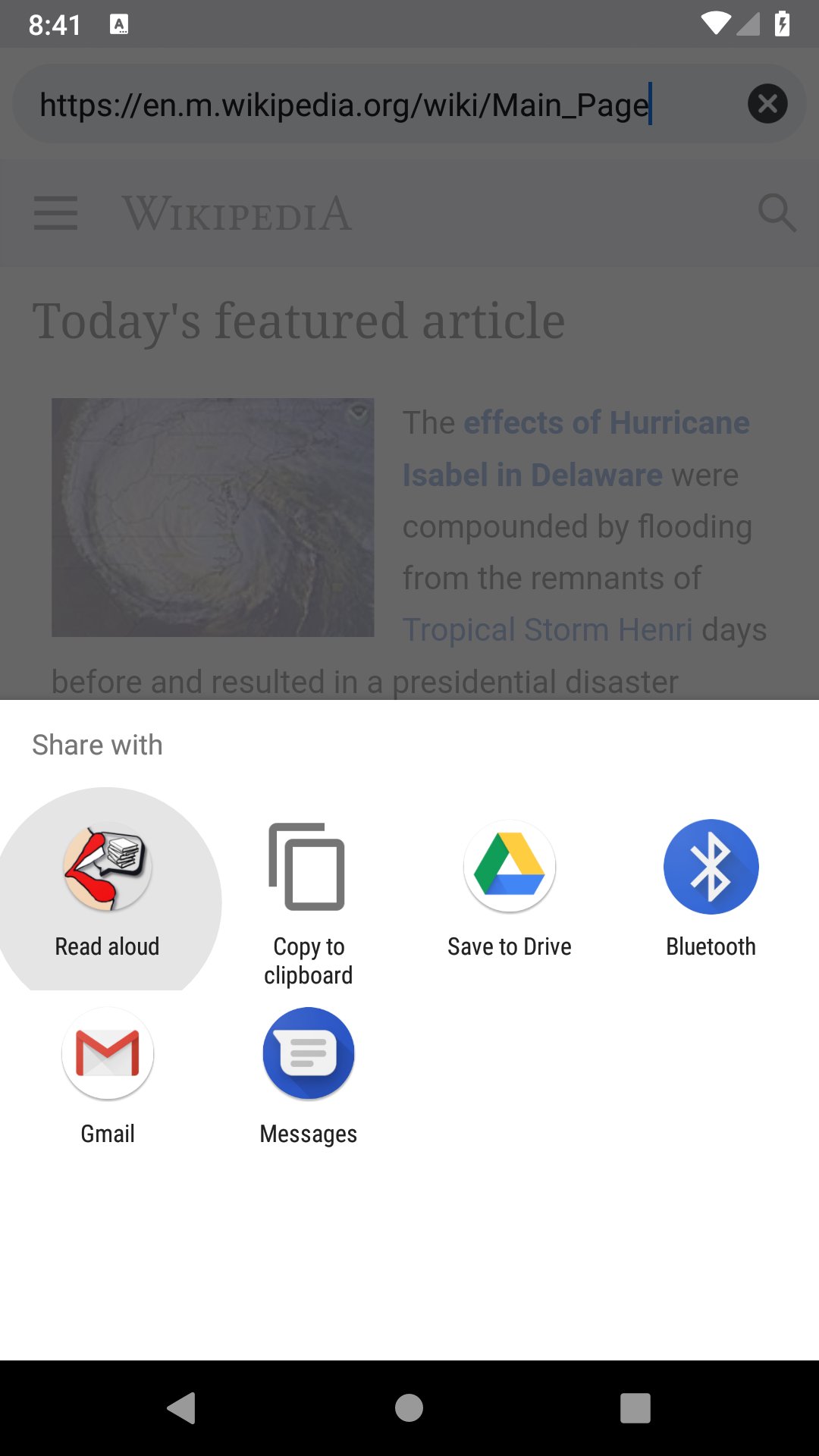
Simply share a URL from your browser, paste text from the clipboard, or open a file directly in the app. It supports various e-book and document formats like PDF, EPUB, TXT, HTML, RTF, ODT, DOC, DOCX, FB2. With added support for RSS feeds, you can now listen to your favorite blogs and news sites on the go.
The reader continues reading even when your screen is locked, it reads aloud in the background even if you are using other applications. It also works seamlessly with Bluetooth headsets.
The application does not require internet connection, you can add web pages and download text files to read later, even when offline.
Voice Reader is compatible with the Google Text-to-Speech engine, giving you access to high-quality, natural voices in over 50 languages. Choose between male and female voices, adjust speech speed, and customize tone and intonation. It’s also a great tool for improving foreign language pronunciation.
Save your eyes and let the app read for you. Whether it’s a chapter of your favorite novel or a scientific book during your commute, or journals and news digests before bedtime, Voice Reader makes it all effortless.
Avance
Etiquetas
News-&Books-&Información
Desarrollador
kapron-ap
La última versión
8.5.7
Última actualización
2026-09-13
Categoría
News-magazines
Disponible en
Google Play
Mostrar más
Cómo jugar Voice Reader reads texts aloud con GameLoop en PC
1. Descargue GameLoop desde el sitio web oficial, luego ejecute el archivo exe para instalar GameLoop.
2. Abra GameLoop y busque "Voice Reader reads texts aloud", busque Voice Reader reads texts aloud en los resultados de búsqueda y haga clic en "Instalar".
3. Disfruta jugando Voice Reader reads texts aloud en GameLoop.
Minimum requirements
OS
Windows 8.1 64-bit or Windows 10 64-bit
GPU
GTX 1050
CPU
i3-8300
Memory
8GB RAM
Storage
1GB available space
Recommended requirements
OS
Windows 8.1 64-bit or Windows 10 64-bit
GPU
GTX 1050
CPU
i3-9320
Memory
16GB RAM
Storage
1GB available space