
Widgets Radio para PC
Quick Web Solutions
Descarga Widgets Radio en PC con GameLoop Emulator
Widgets Radio en PC
Widgets Radio, proveniente del desarrollador Quick Web Solutions, se ejecuta en el sistema Android en el pasado.
Ahora, puedes jugar Widgets Radio en PC con GameLoop sin problemas.
Descárgalo en la biblioteca de GameLoop o en los resultados de búsqueda. No más mirar la batería o llamadas frustrantes en el momento equivocado nunca más.
Simplemente disfrute de Widgets Radio PC en la pantalla grande de forma gratuita!
Widgets Radio Introducción
Latest Android Audio API to work with Watch 5 Pro, Galaxy Watch 5, Google. Pixel Watch, Watch 4, Watch 4 Classic.
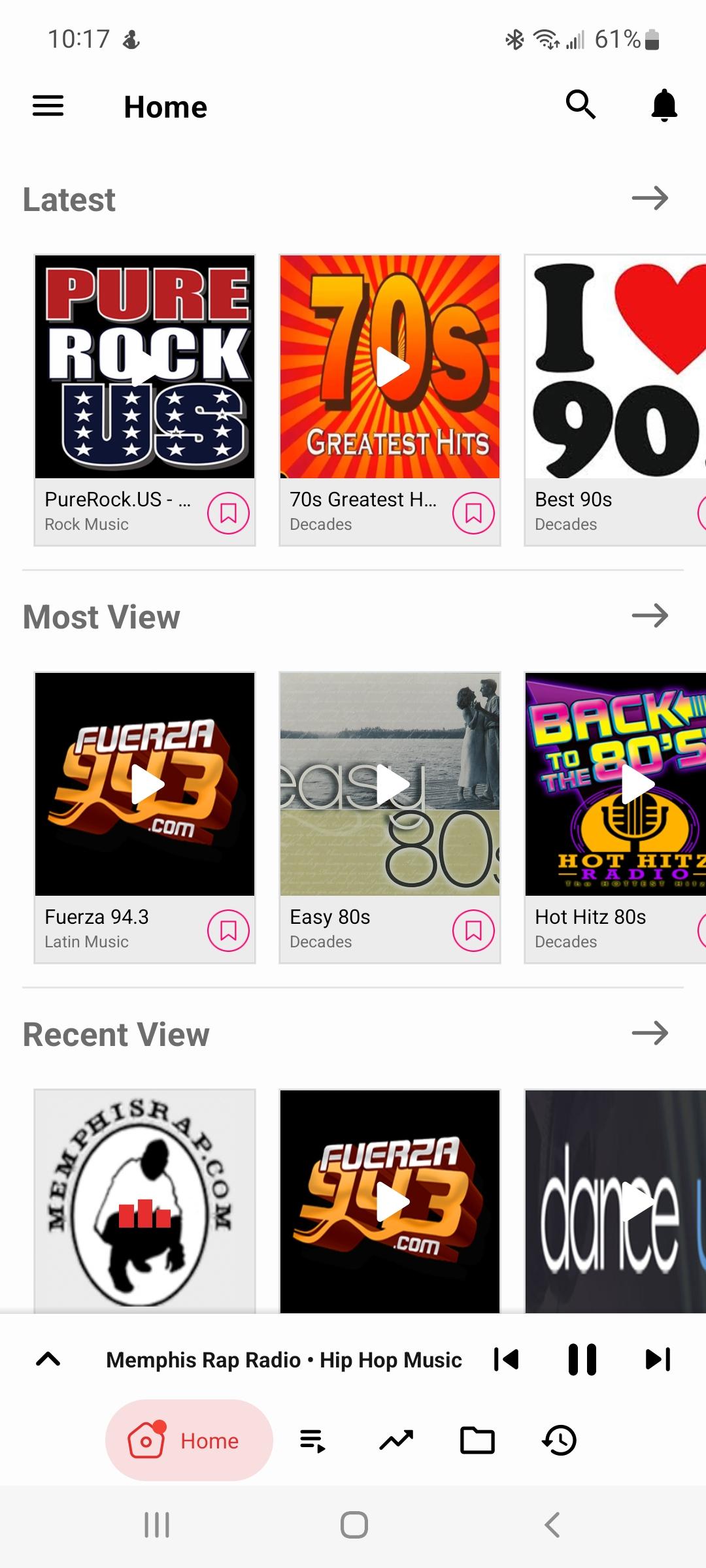
Widgets Radio is a free online radio station network with live streams all over the world. Widgets Radio features over 100 of the most popular internet and FM radio stations with CD quality sound. The Widgets Radio Android app is designed with the music lover in mind. Quickly find and switch streams, bookmark your favorites and build your own custom directory.
Hip Hop - 10+ of the hottest hip hop & rap old school to new.
Decades - Widgets Radio has 20+ streams with the best music from the 70's 80's 90's & 2000's bringing back great musical memories.
Widgets Radio has your R&B Soul Caribbean & Reggae music covered with over 10 of the most popular stations on the net.
Widgets Radio includes both private and in house streams. All clients of our popular Shoutcast Widgest which is a type of add on for any Shout cast stream are automatically included in the app.
More information about Shout cast Widgets can be found here https://hiredhosting.com/ShoutcastWidgets.html
Want to list your online radio station in the Widgets Radio app? Email your stream url and logo to myautodj@gmail.com
Avance
Etiquetas
Music-&Información
Desarrollador
Quick Web Solutions
La última versión
2.0.9
Última actualización
2024-11-21
Categoría
Music-audio
Disponible en
Google Play
Mostrar más
Cómo jugar Widgets Radio con GameLoop en PC
1. Descargue GameLoop desde el sitio web oficial, luego ejecute el archivo exe para instalar GameLoop.
2. Abra GameLoop y busque "Widgets Radio", busque Widgets Radio en los resultados de búsqueda y haga clic en "Instalar".
3. Disfruta jugando Widgets Radio en GameLoop.
Minimum requirements
OS
Windows 8.1 64-bit or Windows 10 64-bit
GPU
GTX 1050
CPU
i3-8300
Memory
8GB RAM
Storage
1GB available space
Recommended requirements
OS
Windows 8.1 64-bit or Windows 10 64-bit
GPU
GTX 1050
CPU
i3-9320
Memory
16GB RAM
Storage
1GB available space