
Music Player - MP3 Player para PC
MusicCrush.com - Music Player, MP3 & Video Player
Descarga Music Player - MP3 Player en PC con GameLoop Emulator
Music Player - MP3 Player en PC
Music Player - MP3 Player, proveniente del desarrollador MusicCrush.com - Music Player, MP3 & Video Player, se ejecuta en el sistema Android en el pasado.
Ahora, puedes jugar Music Player - MP3 Player en PC con GameLoop sin problemas.
Descárgalo en la biblioteca de GameLoop o en los resultados de búsqueda. No más mirar la batería o llamadas frustrantes en el momento equivocado nunca más.
Simplemente disfrute de Music Player - MP3 Player PC en la pantalla grande de forma gratuita!
Music Player - MP3 Player Introducción
Introducing the ultimate music companion, our innovative Music Player App seamlessly combines the functionalities of a state-of-the-art MP3 player with the convenience of an offline music player. Elevate your auditory experience with a feature-rich interface that goes beyond the ordinary, offering an intuitive design to effortlessly navigate your music library. Enjoy the freedom to play music anytime, anywhere, with our music player for Android.
Key Features:
Music Player - MP3 Player: Enjoy seamless playback of your favorite tracks in MP3 format, ensuring uncompromised audio quality.
Offline Music Player: Break from the constraints of the online world and take your music with you wherever you go.
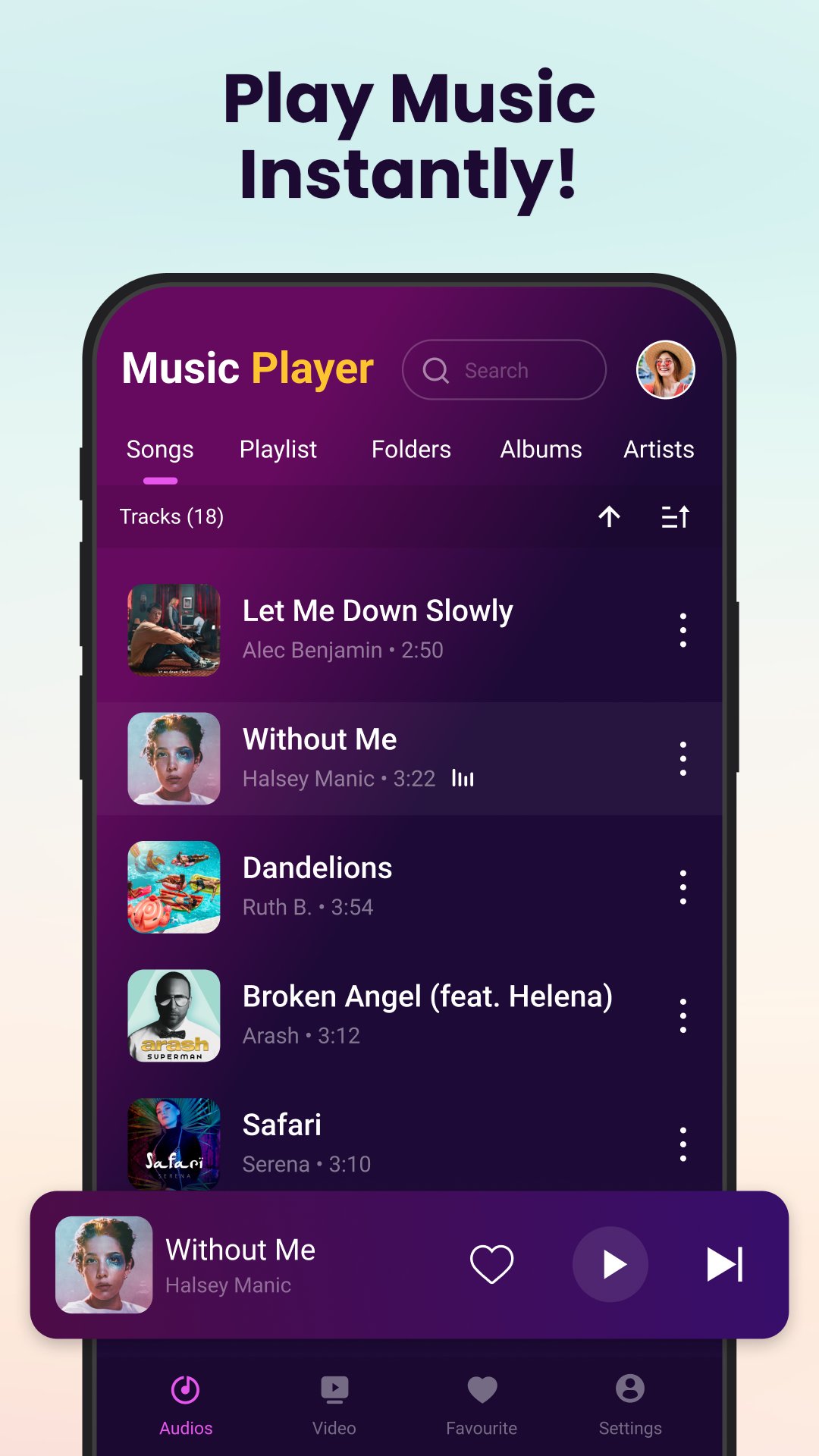
Music Library: Organize your music effortlessly with our intuitive music library feature. Explore your music list with ease, as our app categorizes your songs based on artists, folders, albums, and playlists, ensuring that you can navigate your musical landscape effortlessly.
Play Music Anytime, Anywhere: With the Music Player app, there are no limits to when and where you can enjoy your favorite tunes. Whether you're on a crowded subway or in the solitude of your room, the app ensures that your music is always at your fingertips.
Music Center: Transform your device into a music hub with our integrated Music Center. Access all your audio needs in one place, from creating playlists to managing your entire music library effortlessly.
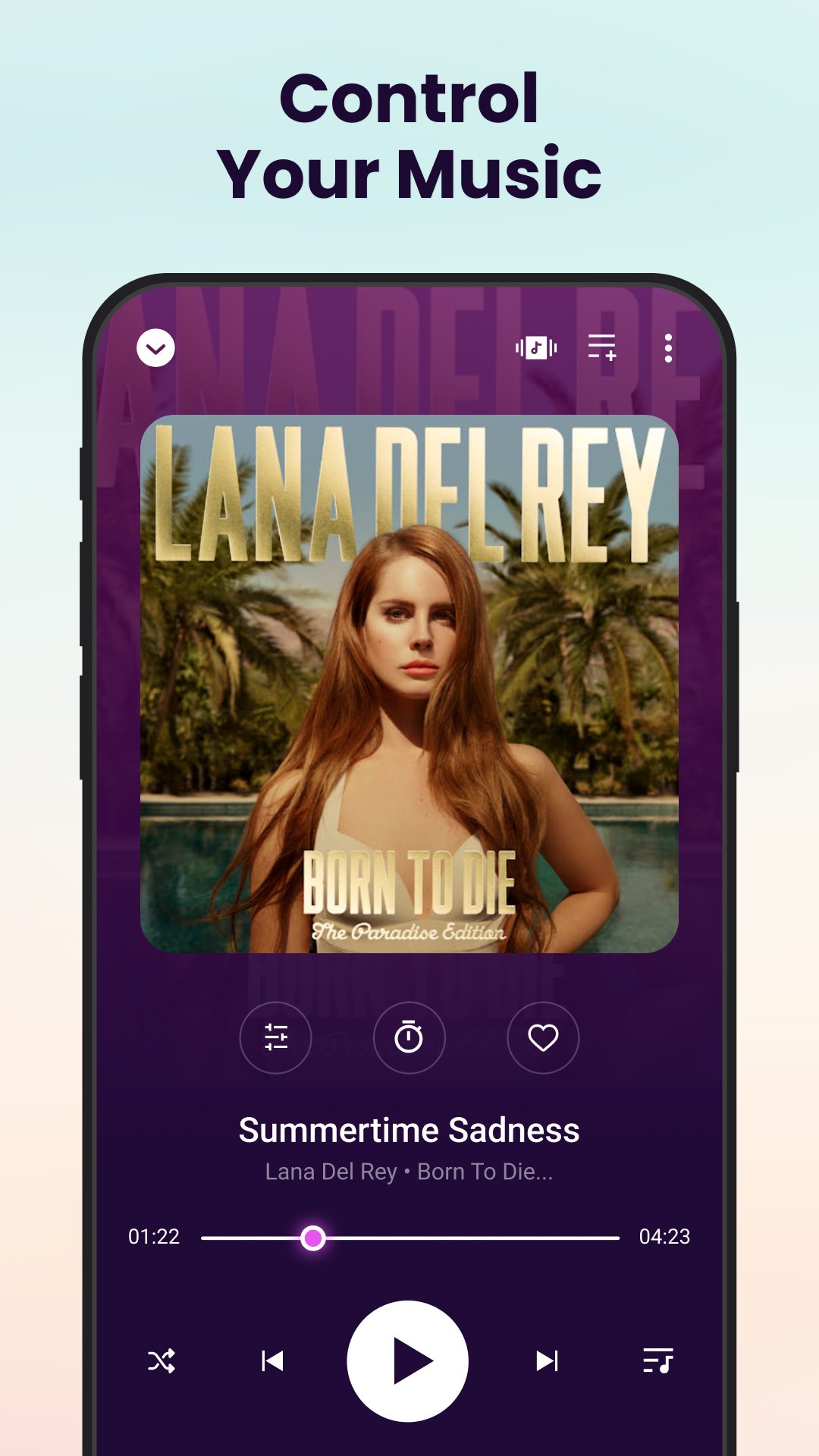
Shake to change music: With just a simple shake of your device, you can effortlessly switch tracks, creating a dynamic and interactive way to enjoy your favorite music.
Drive Mode: Drive mode offers a seamless and intuitive interface, allowing you to access and control your favorite tunes effortlessly while keeping your focus on the road ahead.
Language Selection: Users can effortlessly switch between languages, whether it's English, Spanish, French, or any other supported language, with just a few taps.
User Profile: Customize your music experience with personalized profiles, featuring avatars and unique usernames for tailored settings and preferences.
Casting: Allowing you to share your music on compatible devices effortlessly.
Picture-in-picture (PiP): Allowing users to watch videos or view content in a small window while using other apps.
Player Styles: Customize your music player interface with various visual designs, elevating your listening experience to match your unique preferences.
App Themes: Choose from a diverse range of pre-designed themes, each offering unique color schemes and background images to personalize your music player experience.
Widget Selection: Choose from a variety of widget sizes and designs to match your home screen aesthetic, and effortlessly control playback, skip tracks, and adjust volume with just a tap.
Video Player: Seamlessly integrated for uninterrupted enjoyment of your favorite music videos and visual content.
Here's a list of potential benefits and features you might consider:
User-Friendly Interface:
Design an intuitive and easy-to-navigate interface for a seamless user experience.
File Format Compatibility:
Support a wide range of audio file formats, including MP3, WAV, FLAC, AAC, etc.
MP3 Music Player Functionality:
Include a dedicated MP3 player with advanced playback controls (play, pause, repeat, shuffle).
Offline Music Playback:
Enable users to play music offline, reducing dependence on an internet connection.
Playlist Management:
Allow users to create and manage playlists, providing a personalized music listening experience.
Search and Filters:
Incorporate a powerful search functionality and filters to help users quickly find their favorite songs
Avance
Etiquetas
Music-&Información
Desarrollador
MusicCrush.com - Music Player, MP3 & Video Player
La última versión
1.4.2
Última actualización
2025-11-24
Categoría
Music-audio
Disponible en
Google Play
Mostrar más
Cómo jugar Music Player - MP3 Player con GameLoop en PC
1. Descargue GameLoop desde el sitio web oficial, luego ejecute el archivo exe para instalar GameLoop.
2. Abra GameLoop y busque "Music Player - MP3 Player", busque Music Player - MP3 Player en los resultados de búsqueda y haga clic en "Instalar".
3. Disfruta jugando Music Player - MP3 Player en GameLoop.
Minimum requirements
OS
Windows 8.1 64-bit or Windows 10 64-bit
GPU
GTX 1050
CPU
i3-8300
Memory
8GB RAM
Storage
1GB available space
Recommended requirements
OS
Windows 8.1 64-bit or Windows 10 64-bit
GPU
GTX 1050
CPU
i3-9320
Memory
16GB RAM
Storage
1GB available space