
My IDC para PC
OrbiTechnology
Descarga My IDC en PC con GameLoop Emulator
My IDC en PC
My IDC, proveniente del desarrollador OrbiTechnology, se ejecuta en el sistema Android en el pasado.
Ahora, puedes jugar My IDC en PC con GameLoop sin problemas.
Descárgalo en la biblioteca de GameLoop o en los resultados de búsqueda. No más mirar la batería o llamadas frustrantes en el momento equivocado nunca más.
Simplemente disfrute de My IDC PC en la pantalla grande de forma gratuita!
My IDC Introducción
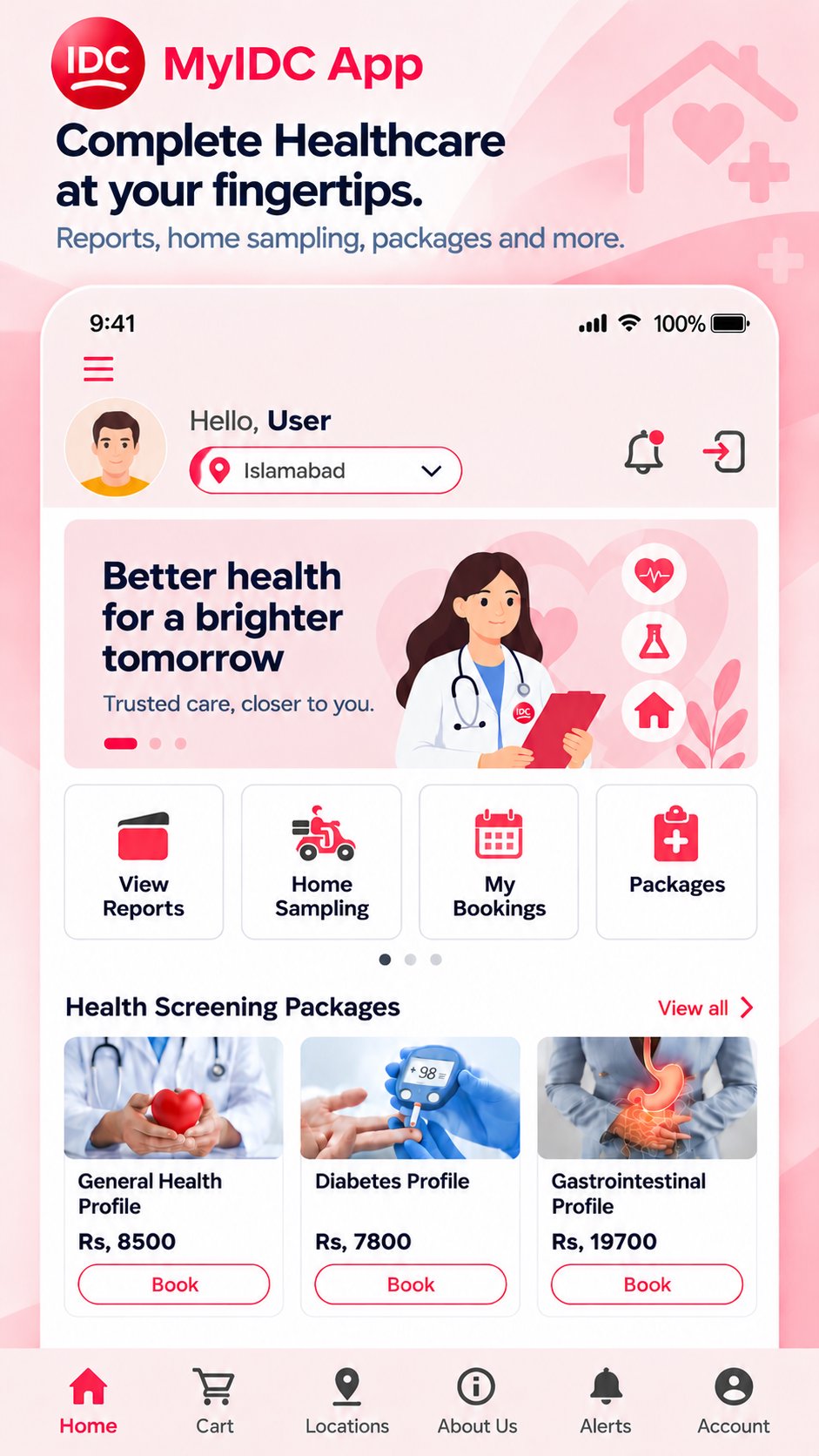
The My IDC App is a patient-friendly digital healthcare platform designed to make diagnostic services more convenient, secure, and accessible. It brings reports, radiology images, home sampling, family healthcare, medical records, health tracking, bookings, and other IDC services together in one place.
Easy Access to Reports
View your diagnostic reports, visit history, and report history directly in the app. Reports can be downloaded, shared, and saved for offline access. When all reports for a visit are finalized, the Full Report feature lets you download, share, or save the complete set in one action.
Radiology Images
Access available radiology images through the app for convenient review of previous investigations and diagnostic history.
Offline Access
Save supported healthcare information while online and access it later without an active internet connection. Patient visits, history, associated family members, and selected reports can be made available offline.
Home Sampling Book
IDC Home Sampling from the app by selecting tests or health packages and submitting your details. IDC’s team can visit the location you provided to collect samples.
Flexible & Secure Login
Access your account through QR Scan, PIN/Password, Cell/Password/OTP, Username/Password, or Email/Password. Biometric authentication is supported for eligible methods and compatible devices, while Switch Account makes moving between linked accounts easier.
Family Healthcare
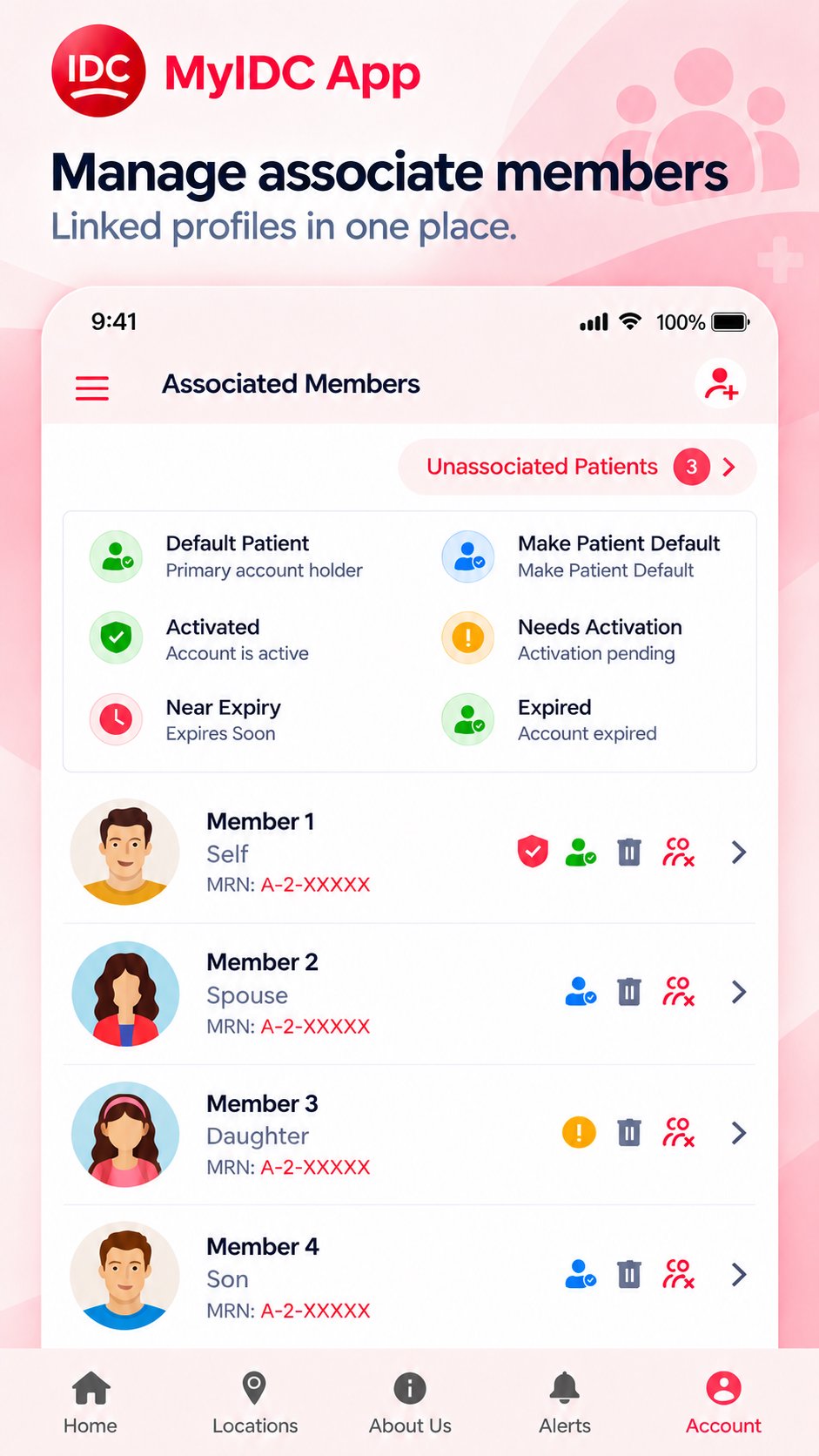
Associate or disassociate family members, verify associations through OTP, and access available reports, visits, health information, medical records, and Health Watch data for linked members. OTP auto-fetch is supported where available.
Health Watch
Record and monitor BMI, Blood Pressure, and Glucose, review previous readings, and use the same health-tracking features for associated family members.
Medical Records
Capture or upload supported images and PDF medical records to the Medical Records Gallery, then view, rename, share, or delete them whenever required.
IDC Branch Locations
Find IDC branches using the integrated map and locate convenient laboratory, radiology, and other diagnostic services.
Secure & Confidential Reports
Confidential Report Code (CRC) support provides an additional verification layer for protected reports, while security-focused controls help safeguard your account and healthcare information.
Discounts, Promotions & Support
Access available IDC discount cards, promotions, special offers, and WhatsApp Support directly through the app.
FIT Scheme
Eligible patients can view information and applicable terms for IDC’s Free Indoor Treatment (FIT) Scheme for road traffic accident victims.
Bookings & Notifications
View current bookings, booking history, and relevant updates in one place. Real-time notifications help keep you informed about visit registration, report activity, bookings, account activity, and other relevant IDC services.
More Features
The app also includes Patient History, Patient Feedback, Account Switching, Family Member Management, and access to other IDC services and information.
With the My IDC App, you can manage reports, radiology images, bookings, family healthcare, medical records, health readings, discounts, support, and essential diagnostic services wherever you are.
My IDC — your health, reports, diagnostic services, and family healthcare management in one convenient digital experience.
Avance
Etiquetas
MedicinaInformación
Desarrollador
OrbiTechnology
La última versión
1.2.1
Última actualización
2026-09-16
Categoría
Medicina
Disponible en
Google Play
Mostrar más
Cómo jugar My IDC con GameLoop en PC
1. Descargue GameLoop desde el sitio web oficial, luego ejecute el archivo exe para instalar GameLoop.
2. Abra GameLoop y busque "My IDC", busque My IDC en los resultados de búsqueda y haga clic en "Instalar".
3. Disfruta jugando My IDC en GameLoop.
Minimum requirements
OS
Windows 8.1 64-bit or Windows 10 64-bit
GPU
GTX 1050
CPU
i3-8300
Memory
8GB RAM
Storage
1GB available space
Recommended requirements
OS
Windows 8.1 64-bit or Windows 10 64-bit
GPU
GTX 1050
CPU
i3-9320
Memory
16GB RAM
Storage
1GB available space