![Geographica [Offline GPS APP]](https://static.gameloop.com/img/8eae2b30799b15983f37b1eaa9ca5698.png?imageMogr2/thumbnail/172.8x172.8/format/webp)
Geographica [Offline GPS APP] para PC
keiziweb
Descarga Geographica [Offline GPS APP] en PC con GameLoop Emulator
Geographica [Offline GPS APP] en PC
Geographica [Offline GPS APP], proveniente del desarrollador keiziweb, se ejecuta en el sistema Android en el pasado.
Ahora, puedes jugar Geographica [Offline GPS APP] en PC con GameLoop sin problemas.
Descárgalo en la biblioteca de GameLoop o en los resultados de búsqueda. No más mirar la batería o llamadas frustrantes en el momento equivocado nunca más.
Simplemente disfrute de Geographica [Offline GPS APP] PC en la pantalla grande de forma gratuita!
Geographica [Offline GPS APP] Introducción
- Geographica: GPS map app which can use even offline.
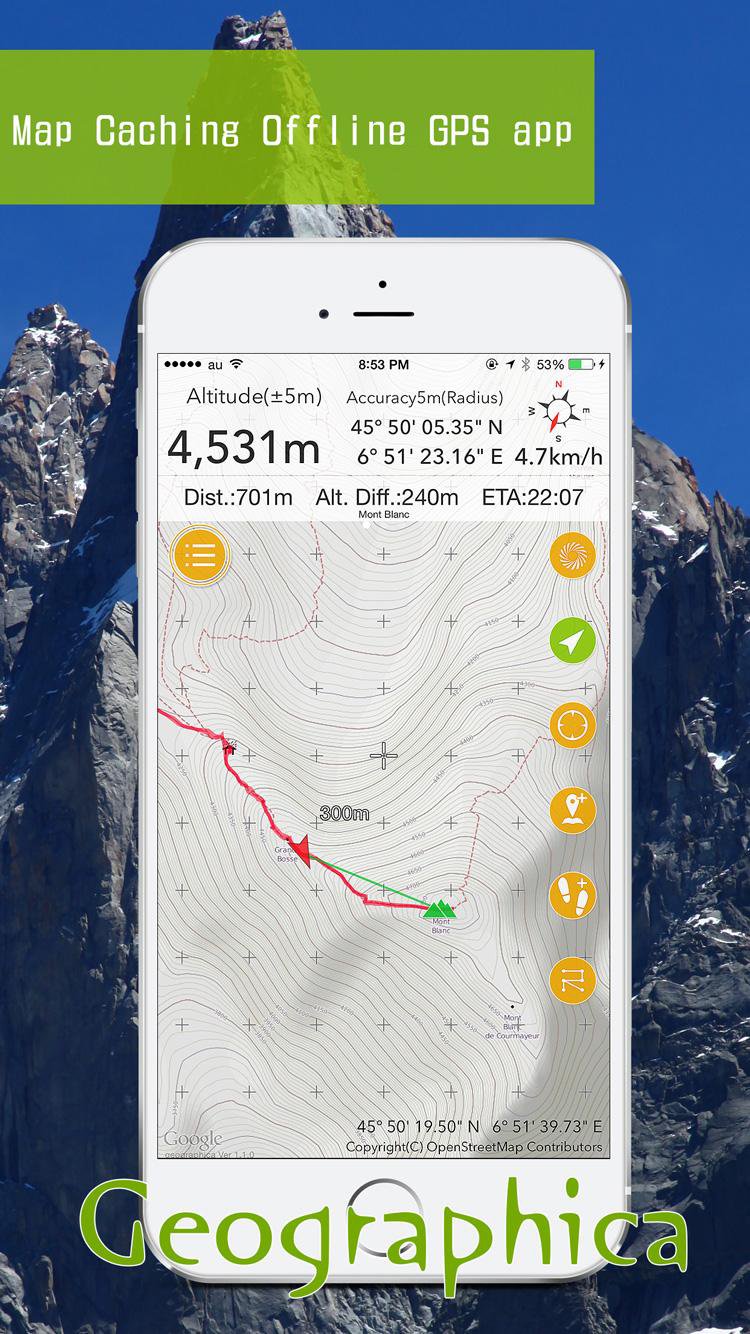
Geographica is a [Map Caching Offline GPS app] for mountaineering. Once you viewed a map image on the screen, that will be stored in your device. Therefore with this app you can check maps even in the wilderness without mobile phone signal or internet connection. Moreover, you can use GPS navigation offline.
*Features
-Cached Maps are usable even though offline.
-Several types of maps available such as OpenStreetMap, etc.
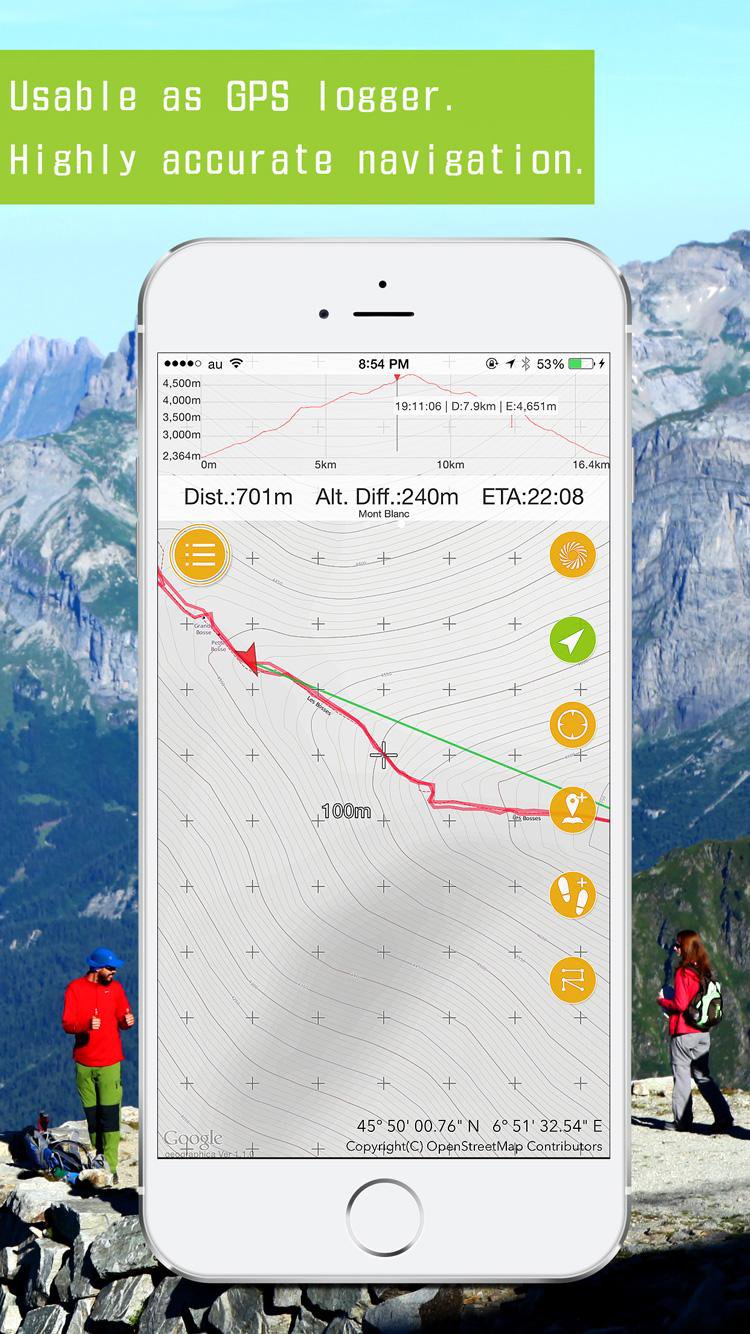
-Usable as GPS logger.
-Create Markers, a.k.a. POI, and show them.
-Navigation function using Markers and Routes.
-UTM coordinate format available.
-Support units; meter, mile, nautical mile, knot, foot
-Speech function lets you know time, coordinates, speed, etc. with a voice.
*System Requirements
-Android OS 4.0 or later.Required GPS,e-compass,Accelerometer.
*Cautions; Please be sure to read the following.
- Developer do not take any responsibility for damage caused by using Geographica (will write as "this app" in the following).
- Developer do not take any responsibility for accuracy, reliability and usefulness of the information provided by this app. Please use at your own risk.
- At the time of the first start-up, iPhone would ask you whether you allow this app to use the Location Services. Although you should allow always. If you do not allow, your device cannot receive the Location information. In that case, set your SmartPhone as below;
Turn on [Access my location] and , [Settings] > [Location access(service)] > [Location mode] > Turn on [Use GPS,Wi-Fi,mobile network] or [Use GPS only(Device onky)]
- Continued use of GPS running in the background can dramatically decrease battery life.
- This app use the background audio. For the record confirmation of track log and voice guide.
- This app is using Google Maps SDK, and web services from Geographical Survey Institute, OpenStreetMaps, etc.
- Please note that this app may be in unusable status due to each web service's operation status or specification changes.
- This app use Apache Software License 2.0 CWAC,TouchListView.
*Maps license
- Geographical Survey Institute of Japan
- Asia Air Survey Co., Ltd.
- Open street map.
- Thunderforest
Avance
Etiquetas
Maps-&Información
Desarrollador
keiziweb
La última versión
2.1.31
Última actualización
2025-11-24
Categoría
Maps-navigation
Disponible en
Google Play
Mostrar más
Cómo jugar Geographica [Offline GPS APP] con GameLoop en PC
1. Descargue GameLoop desde el sitio web oficial, luego ejecute el archivo exe para instalar GameLoop.
2. Abra GameLoop y busque "Geographica [Offline GPS APP]", busque Geographica [Offline GPS APP] en los resultados de búsqueda y haga clic en "Instalar".
3. Disfruta jugando Geographica [Offline GPS APP] en GameLoop.
Minimum requirements
OS
Windows 8.1 64-bit or Windows 10 64-bit
GPU
GTX 1050
CPU
i3-8300
Memory
8GB RAM
Storage
1GB available space
Recommended requirements
OS
Windows 8.1 64-bit or Windows 10 64-bit
GPU
GTX 1050
CPU
i3-9320
Memory
16GB RAM
Storage
1GB available space