
MyACUVUE® Russia para PC
J&J Vision Care
Descarga MyACUVUE® Russia en PC con GameLoop Emulator
MyACUVUE® Russia en PC
MyACUVUE® Russia, proveniente del desarrollador J&J Vision Care, se ejecuta en el sistema Android en el pasado.
Ahora, puedes jugar MyACUVUE® Russia en PC con GameLoop sin problemas.
Descárgalo en la biblioteca de GameLoop o en los resultados de búsqueda. No más mirar la batería o llamadas frustrantes en el momento equivocado nunca más.
Simplemente disfrute de MyACUVUE® Russia PC en la pantalla grande de forma gratuita!
MyACUVUE® Russia Introducción
• Vision management and ACUVUE® shopping in one app
• Schedule exams, order lenses, and earn bonuses
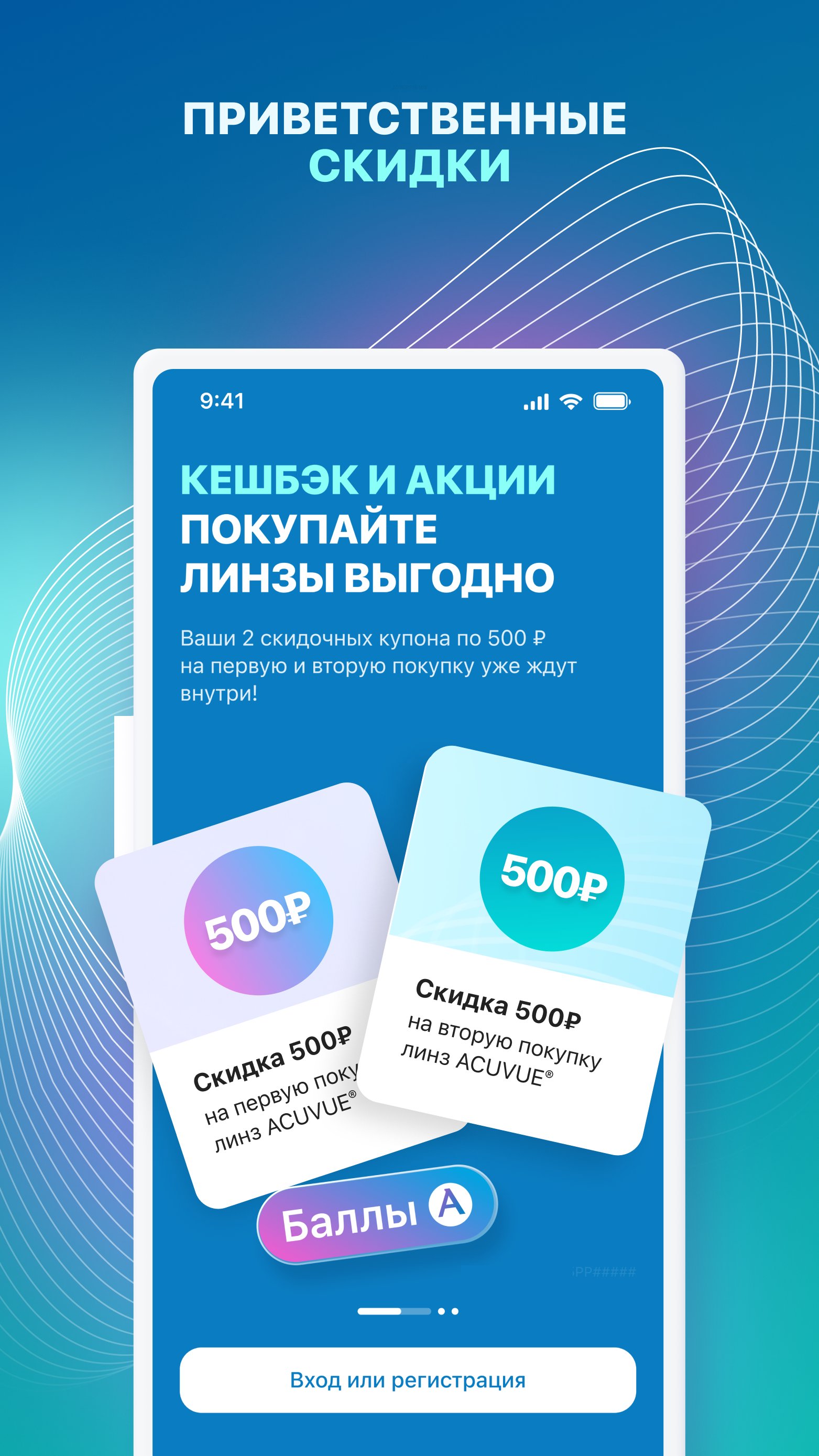
• Discounts on your first order and cashback on every purchase
DOWNLOAD THE MyACUVUE® APP AND GET ACCESS TO CONVENIENT SERVICES AND VISION CARE ANYTIME
VISION CARE
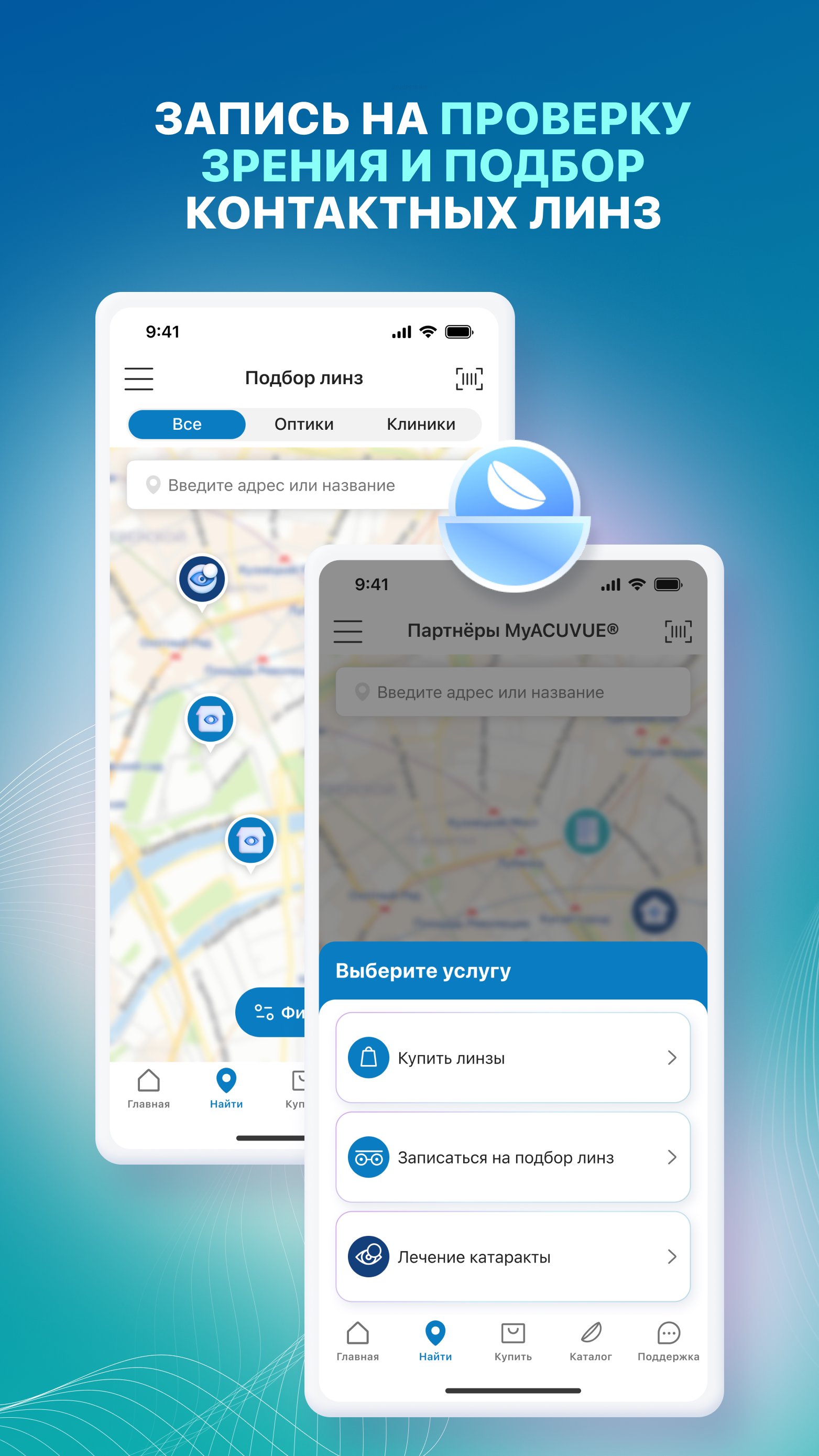
• Schedule an eye exam and ACUVUE® lens fitting
• Reminders for follow-up and annual exams
EVERYTHING NEARBY
• Locator of MyACUVUE® partner opticians and clinics
BONUSES FROM YOUR FIRST PURCHASES
• ₽500 off your first and second purchases
• Cashback points for purchases — use them for discounts (₽300/₽500/₽1000)
• Regular Promotions and special offers
FOR THE WHOLE FAMILY
• Children's profile – convenient for use with your child
EASY TO ORDER
• Order ACUVUE® lenses from partner opticians and clinics
SUPPORT AND TRAINING
• Video instructions on how to insert and remove lenses
• Vision simulators in lenses
• Exercises and meditations for eye relaxation
MORE OPPORTUNITIES
• Points for friends and additional bonuses
Full MyACUVUE® program rules are available in the app and on the website https://www.acuvue.ru
Eye exams and lens fitting services may incur a fee.
2026PP12055
Avance
Etiquetas
Estilo de vidaInformación
Desarrollador
J&J Vision Care
La última versión
4.4.3
Última actualización
2026-09-11
Categoría
Estilo de vida
Disponible en
Google Play
Mostrar más
Cómo jugar MyACUVUE® Russia con GameLoop en PC
1. Descargue GameLoop desde el sitio web oficial, luego ejecute el archivo exe para instalar GameLoop.
2. Abra GameLoop y busque "MyACUVUE® Russia", busque MyACUVUE® Russia en los resultados de búsqueda y haga clic en "Instalar".
3. Disfruta jugando MyACUVUE® Russia en GameLoop.
Minimum requirements
OS
Windows 8.1 64-bit or Windows 10 64-bit
GPU
GTX 1050
CPU
i3-8300
Memory
8GB RAM
Storage
1GB available space
Recommended requirements
OS
Windows 8.1 64-bit or Windows 10 64-bit
GPU
GTX 1050
CPU
i3-9320
Memory
16GB RAM
Storage
1GB available space