
Lovely Handwritten Cards para PC
WriteOn
Descarga Lovely Handwritten Cards en PC con GameLoop Emulator
Lovely Handwritten Cards en PC
Lovely Handwritten Cards, proveniente del desarrollador WriteOn, se ejecuta en el sistema Android en el pasado.
Ahora, puedes jugar Lovely Handwritten Cards en PC con GameLoop sin problemas.
Descárgalo en la biblioteca de GameLoop o en los resultados de búsqueda. No más mirar la batería o llamadas frustrantes en el momento equivocado nunca más.
Simplemente disfrute de Lovely Handwritten Cards PC en la pantalla grande de forma gratuita!
Lovely Handwritten Cards Introducción
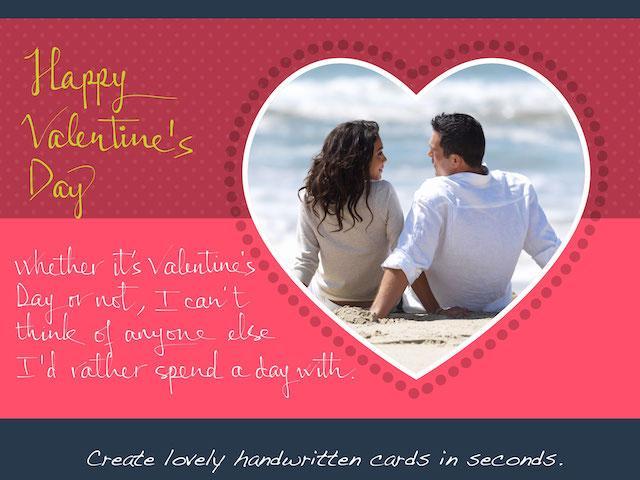
Make lovely greeting cards in seconds, with your own photos and HANDWRITING, for FREE.
***** Introductory prices offered for in-app purchases. *****
A personalized handwritten card will mean much more to your loved ones than a pre-printed one. You can do it in a matter of seconds with Lovely! app. Here is how:
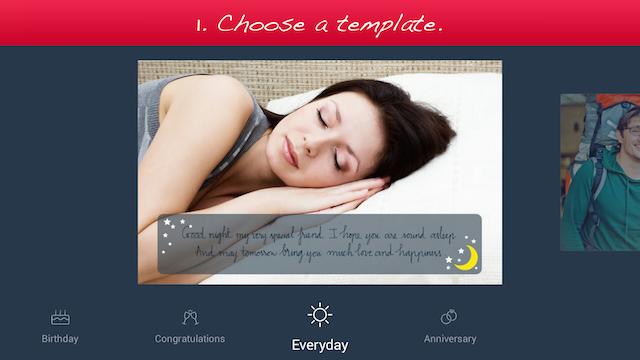
1. Choose a template (free or paid) from one of the 6 available categories: Holiday, Birthday, Congratulations, Love, Everyday, and Anniversary.
2. Add your own photo, scale and rotate it as you wish.
3. Add your own handwriting. Simply write with your finger, right on the touch screen. Lovely!'s special ink effects will make your handwriting look great.
4. Send the complete card to your loved ones via email or social networks.
Extras:
- You can choose from different colors and thicknesses for your handwriting. You can even choose one of the four different pen nibs for FREE: Fountain Pen, Ballpoint Pen, Wet Brush, and Calligraphy Pen.
- You can save your card as a photo to print it out or send it to your loved ones later.
Please try out Lovely! today and let us know your feedback at lovelysupport@writeon.cool.
Avance
Información
Desarrollador
WriteOn
La última versión
1.1
Última actualización
2015-03-03
Categoría
Estilo de vida
Disponible en
Google Play
Mostrar más
Cómo jugar Lovely Handwritten Cards con GameLoop en PC
1. Descargue GameLoop desde el sitio web oficial, luego ejecute el archivo exe para instalar GameLoop.
2. Abra GameLoop y busque "Lovely Handwritten Cards", busque Lovely Handwritten Cards en los resultados de búsqueda y haga clic en "Instalar".
3. Disfruta jugando Lovely Handwritten Cards en GameLoop.
Minimum requirements
OS
Windows 8.1 64-bit or Windows 10 64-bit
GPU
GTX 1050
CPU
i3-8300
Memory
8GB RAM
Storage
1GB available space
Recommended requirements
OS
Windows 8.1 64-bit or Windows 10 64-bit
GPU
GTX 1050
CPU
i3-9320
Memory
16GB RAM
Storage
1GB available space