
Switchmate para PC
SimplySmart Home by Switchmate
Descarga Switchmate en PC con GameLoop Emulator
Switchmate en PC
Switchmate, proveniente del desarrollador SimplySmart Home by Switchmate, se ejecuta en el sistema Android en el pasado.
Ahora, puedes jugar Switchmate en PC con GameLoop sin problemas.
Descárgalo en la biblioteca de GameLoop o en los resultados de búsqueda. No más mirar la batería o llamadas frustrantes en el momento equivocado nunca más.
Simplemente disfrute de Switchmate PC en la pantalla grande de forma gratuita!
Switchmate Introducción
The Switchmate app allows you to interact with our full suite of Switchmate Devices!
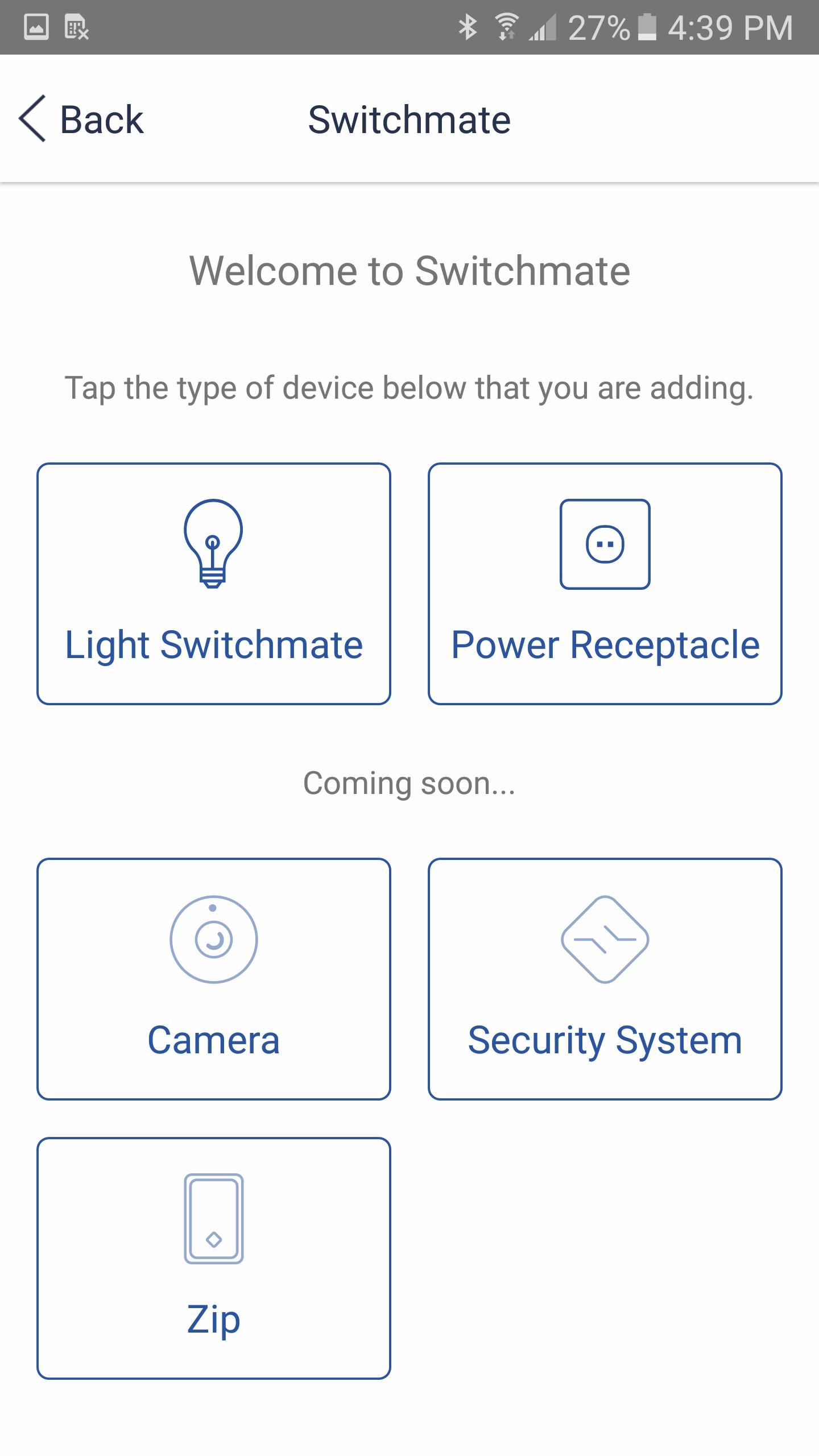
Connect, Configure & Control Switchmate, SWMbright/Slim, SWMpower, Zip, Cube Camera, and our future devices all in one place. Setup, toggling, setting preferences like timers and Welcome Home, and more!
We are currently hard at work on a MAJOR ground-up rebuild (v4.0) and would love to hear your feedback, we're listening!
Support/Need Help? support@switchmatehome.com
Feedback/Suggestions? reqs@switchmatehome.com
Features:
- Control your existing switches or power ports
- Timers: automatically turn your switches or plugs on/off at preset times
- Welcome Home: automatically turn on switches or plugs of your choosing when you get home
- View, Record, and Manage your Cube IP Camera
- Remote Control from anywhere with a Bridge Device (Power or Zip)
- Full Alexa Integration: "SimplySmart Home by Switchmate" Skill (Requires Power or Zip bridge) "Alexa, turn on my porch light"
- Full Google Home, Home Control Integration: "SimplySmart Home by Switchmate" Action under GH Home Control (Requires Power or Zip bridge) "Hey Google, turn on my living room fan"
- Google Assistant Integration: "Switchmate" action under Google Assistant Explore - Separate from our primary GH integration above we offer limited GH/GA functionality for users without a Power or Zip device! "Hey Google, talk to Switchmate"
- Updates: get over the air firmware updates for your Switchmate device(s) to make sure you have the latest/greatest
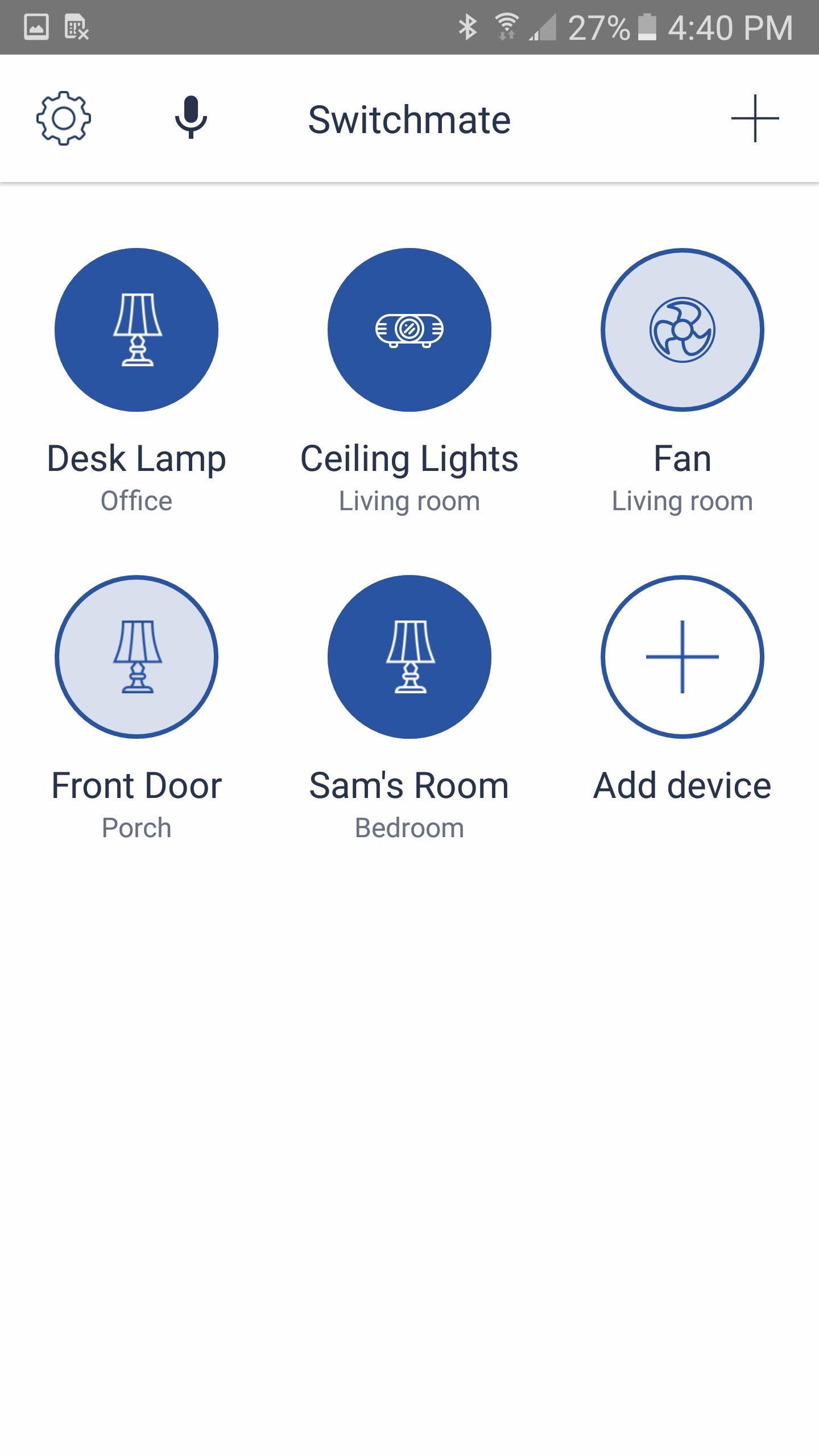
- Voice Control: Use the mic icon in the app to control your lights with your voice, see below for more details!
Some of the Features we're working on:
- Widgets: Add them to your Home Screen so you don't have to open the app to toggle switches or use voice commands!
- Grouping: Create & control groups of devices together.
- Timeout: Automatically turn off a switch after X amount of time!
- Android Wear: Because who doesn't want to use their watch to do all this?
- API & Tasker/IFTTT Plugins: Per your requests, we're still in the early planning stages on this one but we're working on it!
Voice Control Feature:
You can click the Microphone icon in the app and simply say your command - voice activation tries to first match by the switch name that shows in your list of devices (and you can change under Device Settings), but if it can't find that it will try to match to the location you selected when you first setup your Switchmate(s). And you can even use "all" to control all switches within range! Here are some examples:
"Turn Kenny's Room light off"
"Turn on my living room lights"
"Turn all my lights off"
"Bedroom on"
Permissions:
- Location Permissions are unfortunately required for BLE by Android - we're huge on privacy and unfortunately there is no way around not requiring Location to be enabled on Android because we cannot scan for BLE devices without it, and that is why the app will not function without it. Beyond that we do use location data only when Welcome Home is enabled so we can tell you're nearing home in order to optimize battery (so we're not looking for Switchmates all the time!). This data is often cached from other apps and we simply grab that data so in most cases we aren't making new location checks - and that data is NEVER transmitted off your phone/to us at all.
- Background Service & Waking your device permissions are also used for Welcome Home so we can ping your Switchmate to let it know you're home without the app needing to be open.
- Internet permissions are used for checking for firmware updates & sending us crash reports (via Google Crashlytics)
- Bluetooth & WiFi permissions are required for communicating with your Switchmate devices.
Requirements:
- Switchmate Device(s) of course!
- Android 4.4.4+ is required so we can use Bluetooth Low Energy in order to save a lot of battery!
Switchmate devices are currently only sold in the US and Canada
Avance
Etiquetas
House-&Información
Desarrollador
SimplySmart Home by Switchmate
La última versión
3.3.2
Última actualización
2019-09-24
Categoría
House-home
Disponible en
Google Play
Mostrar más
Cómo jugar Switchmate con GameLoop en PC
1. Descargue GameLoop desde el sitio web oficial, luego ejecute el archivo exe para instalar GameLoop.
2. Abra GameLoop y busque "Switchmate", busque Switchmate en los resultados de búsqueda y haga clic en "Instalar".
3. Disfruta jugando Switchmate en GameLoop.
Minimum requirements
OS
Windows 8.1 64-bit or Windows 10 64-bit
GPU
GTX 1050
CPU
i3-8300
Memory
8GB RAM
Storage
1GB available space
Recommended requirements
OS
Windows 8.1 64-bit or Windows 10 64-bit
GPU
GTX 1050
CPU
i3-9320
Memory
16GB RAM
Storage
1GB available space