AIFA Smart para PC
AIFA TECHNOLOGY CORP.
Descarga AIFA Smart en PC con GameLoop Emulator
AIFA Smart en PC
AIFA Smart, proveniente del desarrollador AIFA TECHNOLOGY CORP., se ejecuta en el sistema Android en el pasado.
Ahora, puedes jugar AIFA Smart en PC con GameLoop sin problemas.
Descárgalo en la biblioteca de GameLoop o en los resultados de búsqueda. No más mirar la batería o llamadas frustrantes en el momento equivocado nunca más.
Simplemente disfrute de AIFA Smart PC en la pantalla grande de forma gratuita!
AIFA Smart Introducción
Welcome to AIFA Smart Home!
Allows you to quickly and easily connect and control all traditional home appliances, and enjoy the new life of cloud intelligence.
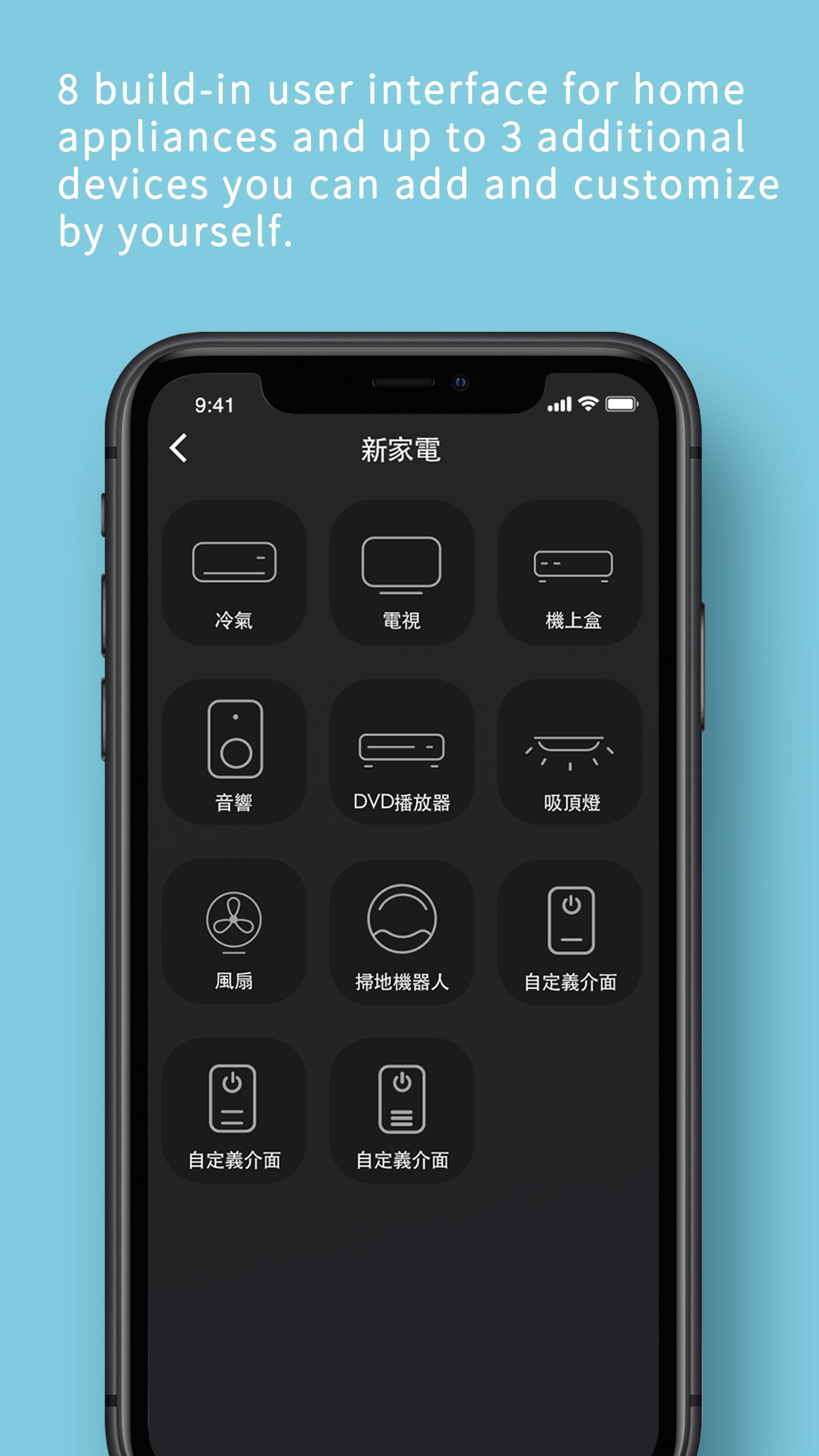
Now with the help of AIFA Smart App or through voice assistants like Siri, Google Assistant or Amazon Alexa, you can remotely control TV, set-top box, DVD&Blu-ray players, stereos, amplifiers, air-conditioners, vacuum cleaners, lights and fans.
For more information, please visit https://aifatechnology.com.
i-Ctrl Pro Smart Home remote control , brand new A.I. upgrade
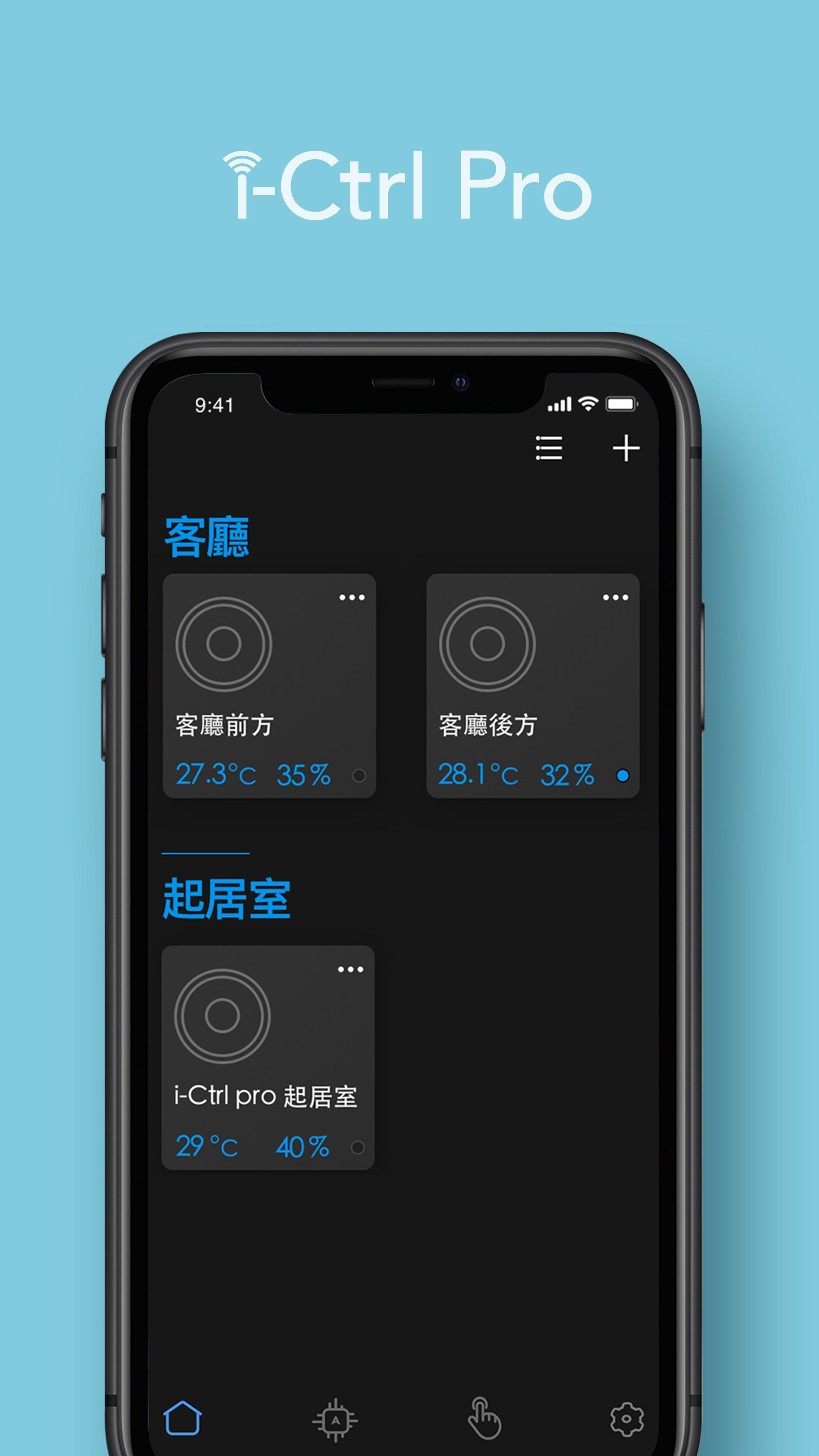
i-Ctrl Pro with temperature and humidity sensors, enables you to get your real-time home temperature and humidity data and manage anytime, anywhere. You can use AIFA Smart Home app to control the air conditioner and other infrared appliances remotely via your smartphone or voice control.
You can also use the A.I. function to improve your comfortness, help you to detect and adjust to your favorite comfortable temperature and humidity automatically, creating a personalized schedule with i-Ctrl Pro intelligent adjustment function to upgrade your room .
i-Ctrl Pro Smart Home functions:
1. Supports TVs, set-top boxes, DVD and Blu-ray players, stereos, amplifiers, air conditioners, ceiling lights, Dyson fans, iRobot sweepers, etc.
2. Customize other remote controls, free to add and personalize easily. (Up to 3 remote controls)
3. Supports voice control via Google Home, Amazon Echo and Siri
4. 7-day unlimited smart scheduling
5. GPS function, no action is required when arriving home, the air conditioner can turn on automatically
6. You can share your device control with family and friends
7. Easy account management
8. Energy saving, carbon reduction and electricity bill reduction
9. AI function, forgot to turn off air conditioner reminder, pet mode, etc.
---
You need to purchase i-Ctrl Pro hardware equipment to remotely control all traditional infrared equipment.
If you encounter any problems while using the app, please contact us.
We will try our best to make it easy for everyone to use our app.
‧If you need support, please email us: aifa@aifa.com.tw
‧Like and share our Facebook page: https://www.facebook.com/AIFATW
Avance
Etiquetas
House-&Información
Desarrollador
AIFA TECHNOLOGY CORP.
La última versión
1.2.4
Última actualización
2025-12-02
Categoría
House-home
Disponible en
Google Play
Mostrar más
Cómo jugar AIFA Smart con GameLoop en PC
1. Descargue GameLoop desde el sitio web oficial, luego ejecute el archivo exe para instalar GameLoop.
2. Abra GameLoop y busque "AIFA Smart", busque AIFA Smart en los resultados de búsqueda y haga clic en "Instalar".
3. Disfruta jugando AIFA Smart en GameLoop.
Minimum requirements
OS
Windows 8.1 64-bit or Windows 10 64-bit
GPU
GTX 1050
CPU
i3-8300
Memory
8GB RAM
Storage
1GB available space
Recommended requirements
OS
Windows 8.1 64-bit or Windows 10 64-bit
GPU
GTX 1050
CPU
i3-9320
Memory
16GB RAM
Storage
1GB available space