RunCline para PC
Pascal Carrieres
Descarga RunCline en PC con GameLoop Emulator
RunCline en PC
RunCline, proveniente del desarrollador Pascal Carrieres, se ejecuta en el sistema Android en el pasado.
Ahora, puedes jugar RunCline en PC con GameLoop sin problemas.
Descárgalo en la biblioteca de GameLoop o en los resultados de búsqueda. No más mirar la batería o llamadas frustrantes en el momento equivocado nunca más.
Simplemente disfrute de RunCline PC en la pantalla grande de forma gratuita!
RunCline Introducción
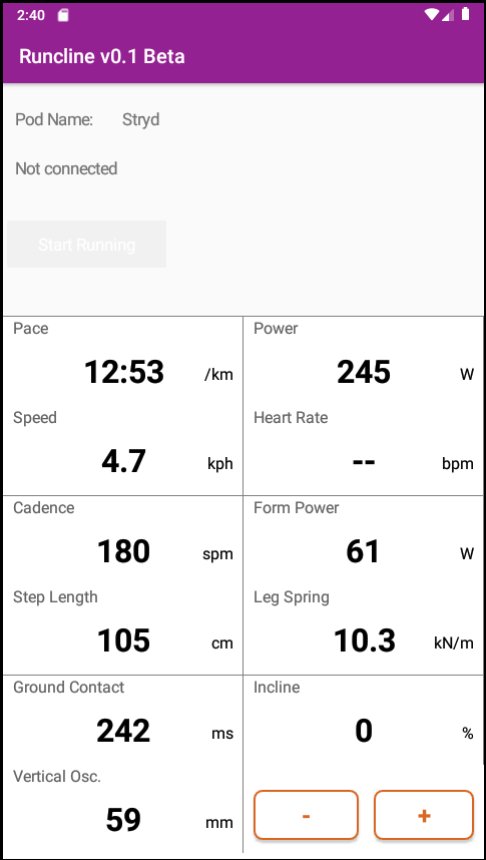
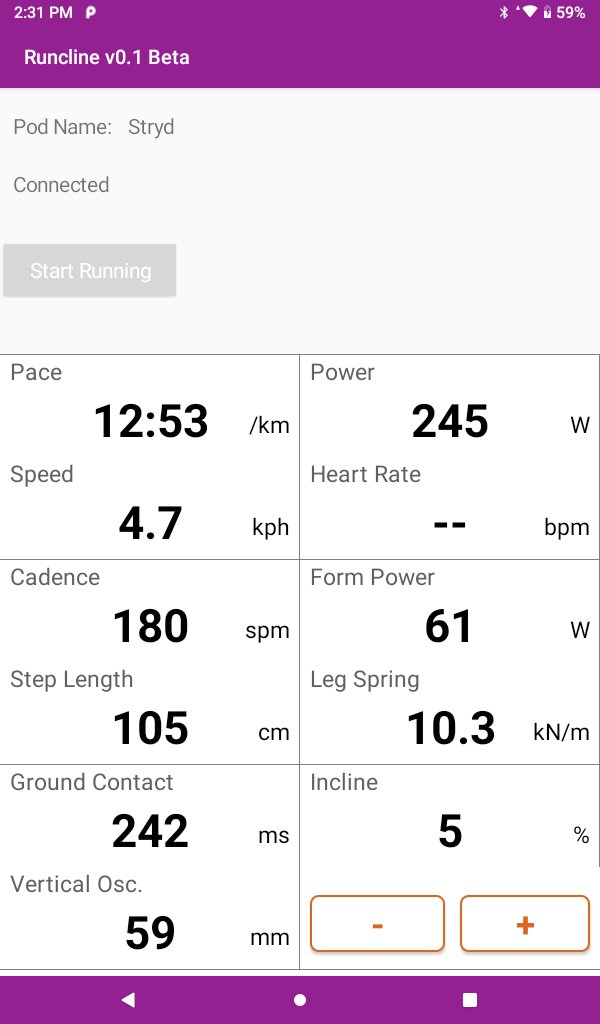
RunCline provides incline information entered manually in the app and transmits it automatically over Bluetooth. It will also connect to an external foot pod and re-transmit the collected metrics over Bluetooth. What's the purpose? You can pair the phone or tablet running RunCline with Zwift and get elevation, power, speed and cadence. RunCline will also display all metrics on screen for you to view during your running.
Requirements: You need to pair a Bluetooh compliant foot pod or device to RunCline to use the app.
Pairing: In this beta, RunCline can pair automatically with Stryd, Zwift RunPod, MilestonePod foot pods, Runn, UA HOVR shoes, Garmin Fenix and Forerunner watches with Virtual Run feature, and Sole smart treadmills like F63, F65, F80, F85 and TT8. Start RunCline and wait for the pairing to occur. Pairing is completed when you get a "Connected" status. If you have multiple devices, RunCline will pair with the first it sees. Pair Zwift with RunCline after pairing it to your foot pod or other devices. For Sole treadmills, you need to start the treadmill and make it move before you pair with RunCline.
The running metrics from the foot pod will be displayed on screen and re-transmitted over Bluetooth. RunCline does not log or save any of these metrics locally. Use the + and - buttons to select the incline or let the magic happens by itself when paired with a Sole treadmill.
Feedback is more than welcomed and will contribute to make RunCline better for everyone.
Avance
Etiquetas
Health-&Información
Desarrollador
Pascal Carrieres
La última versión
141
Última actualización
2023-02-19
Categoría
Health-fitness
Disponible en
Google Play
Mostrar más
Cómo jugar RunCline con GameLoop en PC
1. Descargue GameLoop desde el sitio web oficial, luego ejecute el archivo exe para instalar GameLoop.
2. Abra GameLoop y busque "RunCline", busque RunCline en los resultados de búsqueda y haga clic en "Instalar".
3. Disfruta jugando RunCline en GameLoop.
Minimum requirements
OS
Windows 8.1 64-bit or Windows 10 64-bit
GPU
GTX 1050
CPU
i3-8300
Memory
8GB RAM
Storage
1GB available space
Recommended requirements
OS
Windows 8.1 64-bit or Windows 10 64-bit
GPU
GTX 1050
CPU
i3-9320
Memory
16GB RAM
Storage
1GB available space