
Spirit & Witch Board Simulator para PC
First Class Media B.V.
Descarga Spirit & Witch Board Simulator en PC con GameLoop Emulator
Spirit & Witch Board Simulator en PC
Spirit & Witch Board Simulator, proveniente del desarrollador First Class Media B.V., se ejecuta en el sistema Android en el pasado.
Ahora, puedes jugar Spirit & Witch Board Simulator en PC con GameLoop sin problemas.
Descárgalo en la biblioteca de GameLoop o en los resultados de búsqueda. No más mirar la batería o llamadas frustrantes en el momento equivocado nunca más.
Simplemente disfrute de Spirit & Witch Board Simulator PC en la pantalla grande de forma gratuita!
Spirit & Witch Board Simulator Introducción
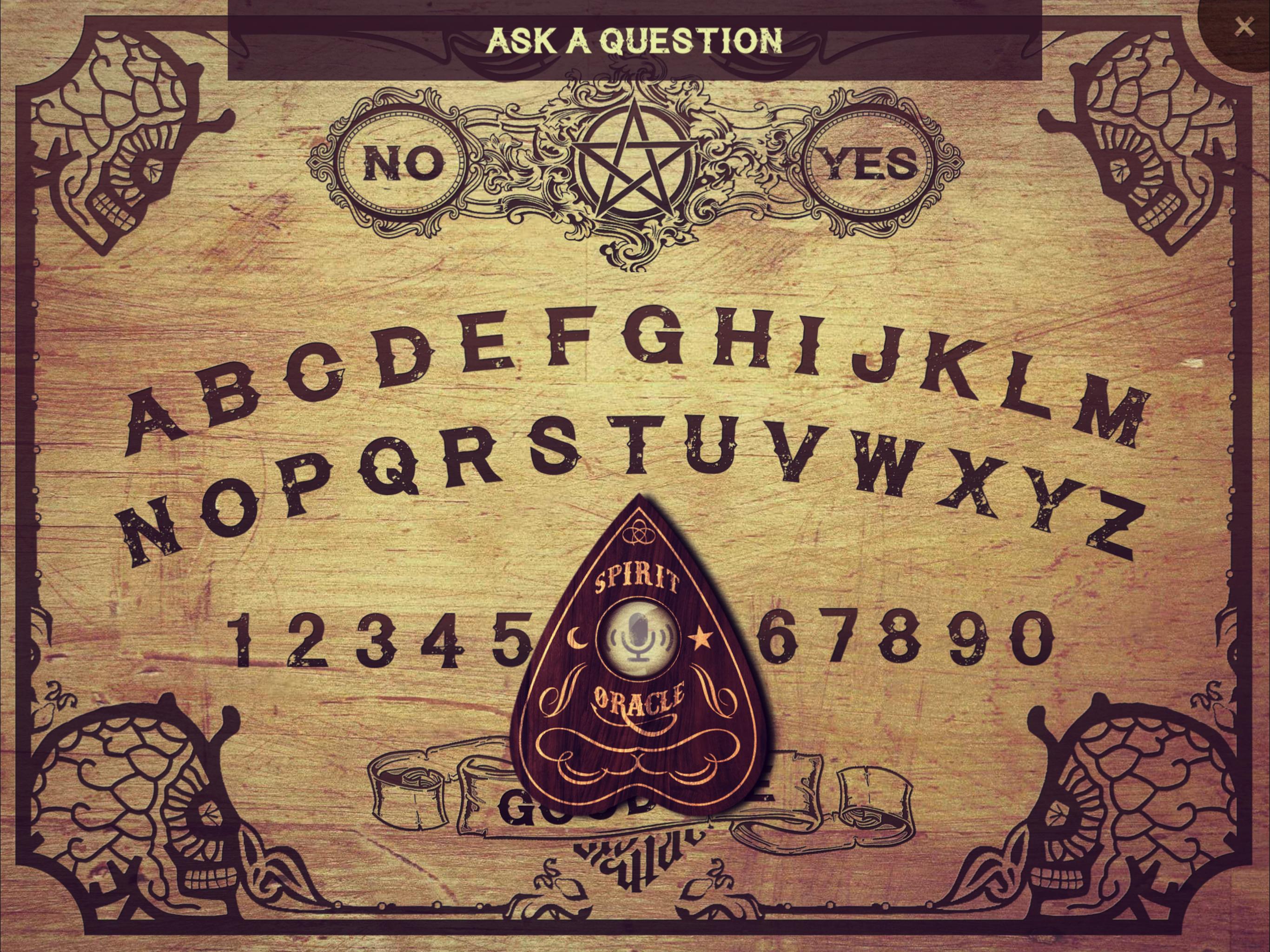
The only Spirit Board that actually listens to your voice! Ask any question and wait for spirits or ghosts to respond!
INSTRUCTIONS
1) If possible, darken the room you are in and light some candles before starting a séance.
2) Place your finger on the planchette (the wooden piece) in order to initiate the spiritual connection to the other side.
3) Ask the spirit your question loud and clear. Always start a séance with the question “Is anyone there?”.
4) Wait for the spirit to respond. The planchette will start moving across the spirit board to show you the spirit’s answer. Warning: keep your fingers on the planchette at all times!
5) Always be polite and ask normal questions. Be careful to not upset any spirit. Examples of questions you can ask: What’s your name? How old are you? Are you a good spirit? How did you die? Are you male? Do you mean us any harm? Where are you?
6) In case you have angered a spirit, quickly move the planchette to “Goodbye” before the countdown is over - or unexplained things might happen. Sometimes an angry ghost refuses a “Goodbye”. In that case, be persistent and try again.
Disclaimer: since paranormal activity can't be scientifically proven, we can't guarantee that this spirit board communicates with real spirits.
Avance
Etiquetas
EntretenimientoInformación
Desarrollador
First Class Media B.V.
La última versión
2.0.4
Última actualización
2025-05-22
Categoría
Entretenimiento
Disponible en
Google Play
Mostrar más
Cómo jugar Spirit & Witch Board Simulator con GameLoop en PC
1. Descargue GameLoop desde el sitio web oficial, luego ejecute el archivo exe para instalar GameLoop.
2. Abra GameLoop y busque "Spirit & Witch Board Simulator", busque Spirit & Witch Board Simulator en los resultados de búsqueda y haga clic en "Instalar".
3. Disfruta jugando Spirit & Witch Board Simulator en GameLoop.
Minimum requirements
OS
Windows 8.1 64-bit or Windows 10 64-bit
GPU
GTX 1050
CPU
i3-8300
Memory
8GB RAM
Storage
1GB available space
Recommended requirements
OS
Windows 8.1 64-bit or Windows 10 64-bit
GPU
GTX 1050
CPU
i3-9320
Memory
16GB RAM
Storage
1GB available space