First-Grade Games: Circus para PC
Family Play ltd
Descarga First-Grade Games: Circus en PC con GameLoop Emulator
First-Grade Games: Circus en PC
First-Grade Games: Circus, proveniente del desarrollador Family Play ltd, se ejecuta en el sistema Android en el pasado.
Ahora, puedes jugar First-Grade Games: Circus en PC con GameLoop sin problemas.
Descárgalo en la biblioteca de GameLoop o en los resultados de búsqueda. No más mirar la batería o llamadas frustrantes en el momento equivocado nunca más.
Simplemente disfrute de First-Grade Games: Circus PC en la pantalla grande de forma gratuita!
First-Grade Games: Circus Introducción
Circus First Grade Learning Games is full of entertaining wonder and educational content for your young ones to enjoy.
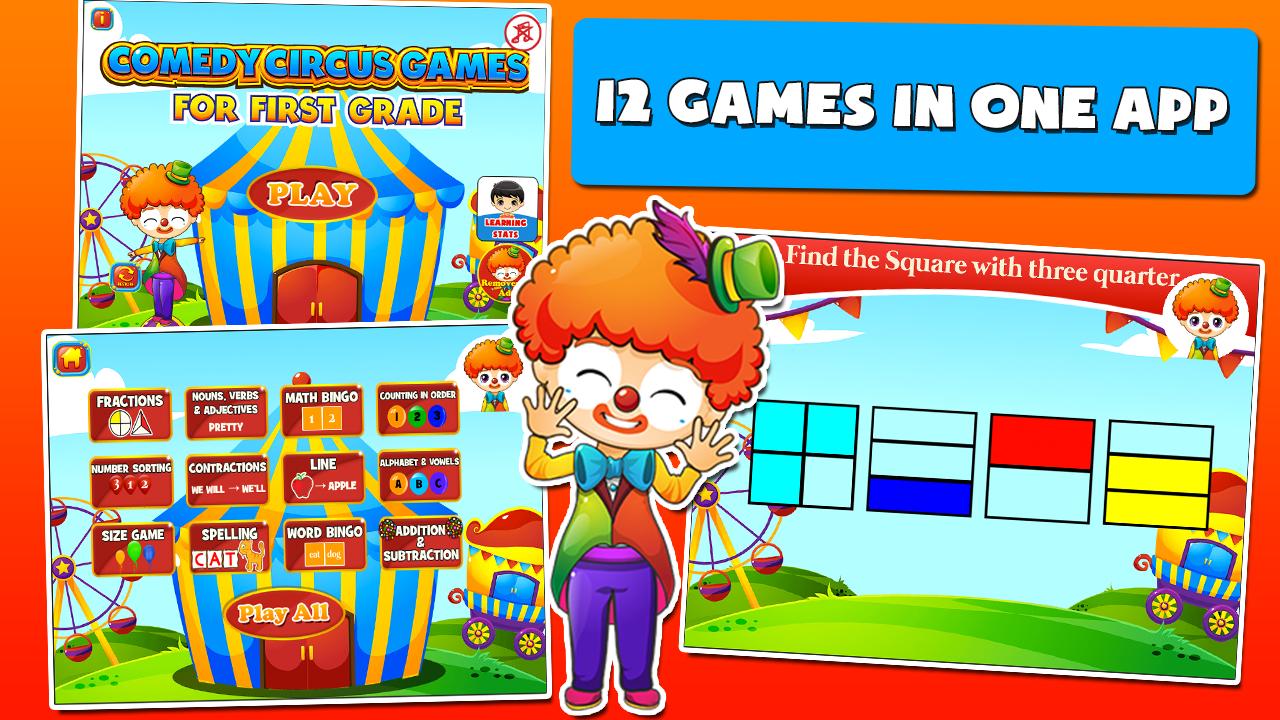
Featuring 12 carefully-designed activities that encourage young children's learning and imagination; this two-in-one app is infused with a circus-themed animation, set to capture your children’s attention for an exciting playtime and rewarding learning experience, hitting two birds in one stone. It’s a perfect educational tool for your first-grader so they can absorb and practice the key skills for First Grade Math and English.
The fun-filled English exercises highlights reading, writing and critical thinking skills through activities such involving vocabulary, contractions, spelling and more. The Math drills on one hand, focuses on problem solving, making connections and decisions in real life through activities that enhances your first graders’ facility in counting, comparison, math operations, etc..
Activities include are:
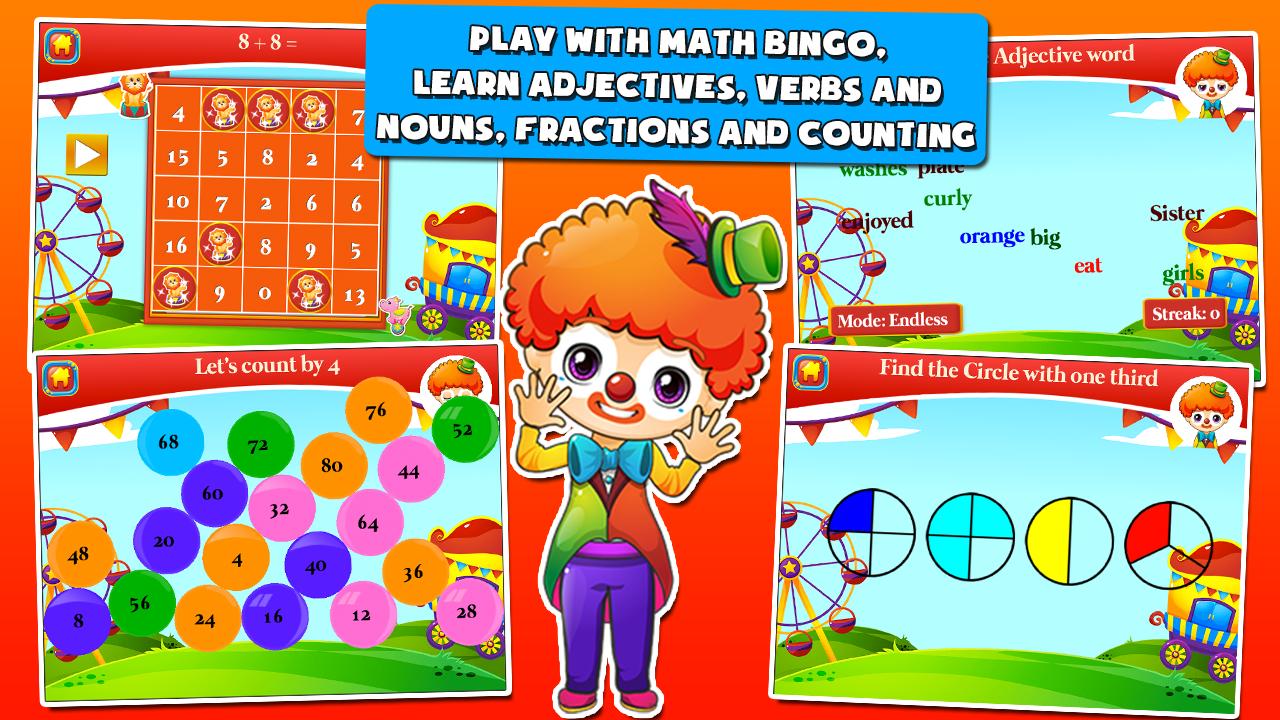
1. Fractions for 1st Grade– Choose the correct image of fractions. Which shows one third?
2. Number Sorting – Arrange the numbers of ascending or descending order.
3. Size Games – Arrange the sizes from smallest to biggest.
4. Nouns, Verbs, Adjectives – Practice on words by identifying which are nouns, verbs or adjectives
5. Contractions – Choose the correct words to join that makes up the contracted word.
6. 1st Grade Spelling – Drag the letters to spell the word correctly.
7. Math Bingo – Find the correct answer to the equation within the bingo board.
8. Matching Animals to its name – it may be animals, colors, shapes, letters or objects
9. Word Bingo – Be familiarized with simple words and sight words by searching the spoken word within the bingo board
10. Counting in order – Count out loud in order by twos, fours, fives or tens
11. Alphabet and vowels – Pop the alphabet or vowels in order
12. Addition and Subtraction – Complete the simple addition or subtraction equation
Features:
1. Clear and precise pronunciation of words
2. High quality graphics, kid-friendly interface and 12 fun educational games
3. Adorable character that will cheer on and guide all throughout the game play
4. Reinforces correct learning with animation for correct answers and gentle redirection for incorrect ones
5. Monitor your kids’ progress
While acting as a channel for parent’s to bond with their children during family play time it can also be a tool for parents to become involved in their child’s learning through coaching.
We believe that children learn best in a warm, fun and relaxed environment, hence this app features a variety of activities that will engage every child’s attention and is a surefire means to give your child’s learning skills a boost.
Like our Facebook Page, http://www.facebook.com/FamilyPlayApps, to get the latest updates, contests and some freebies like app codes.
You can also follow us on Twitter, @FamilyPlayApps, to get the latest news and new apps from Family Play.
No Sound?
If the sound is not working, make sure the mute is turned off, then turn up the volume and the sound will work.
Need Help?
Contact us with any questions or comments: support@familyplay.co
We Value Your Feedback
We always welcome your feedback, comments and suggestions, contact us at support@familyplay.co
If you do like our app, please take a minute to rate and write a great review, it truly does help us. If you find a problem, let us know so we can fix it for you.
Avance
Etiquetas
EducativosInformación
Desarrollador
Family Play ltd
La última versión
3.40
Última actualización
2022-01-25
Categoría
Educativos
Disponible en
Google Play
Mostrar más
Cómo jugar First-Grade Games: Circus con GameLoop en PC
1. Descargue GameLoop desde el sitio web oficial, luego ejecute el archivo exe para instalar GameLoop.
2. Abra GameLoop y busque "First-Grade Games: Circus", busque First-Grade Games: Circus en los resultados de búsqueda y haga clic en "Instalar".
3. Disfruta jugando First-Grade Games: Circus en GameLoop.
Minimum requirements
OS
Windows 8.1 64-bit or Windows 10 64-bit
GPU
GTX 1050
CPU
i3-8300
Memory
8GB RAM
Storage
1GB available space
Recommended requirements
OS
Windows 8.1 64-bit or Windows 10 64-bit
GPU
GTX 1050
CPU
i3-9320
Memory
16GB RAM
Storage
1GB available space