
School Age Calculator para PC
Ezzat Studios LLC
Descarga School Age Calculator en PC con GameLoop Emulator
School Age Calculator en PC
School Age Calculator, proveniente del desarrollador Ezzat Studios LLC, se ejecuta en el sistema Android en el pasado.
Ahora, puedes jugar School Age Calculator en PC con GameLoop sin problemas.
Descárgalo en la biblioteca de GameLoop o en los resultados de búsqueda. No más mirar la batería o llamadas frustrantes en el momento equivocado nunca más.
Simplemente disfrute de School Age Calculator PC en la pantalla grande de forma gratuita!
School Age Calculator Introducción
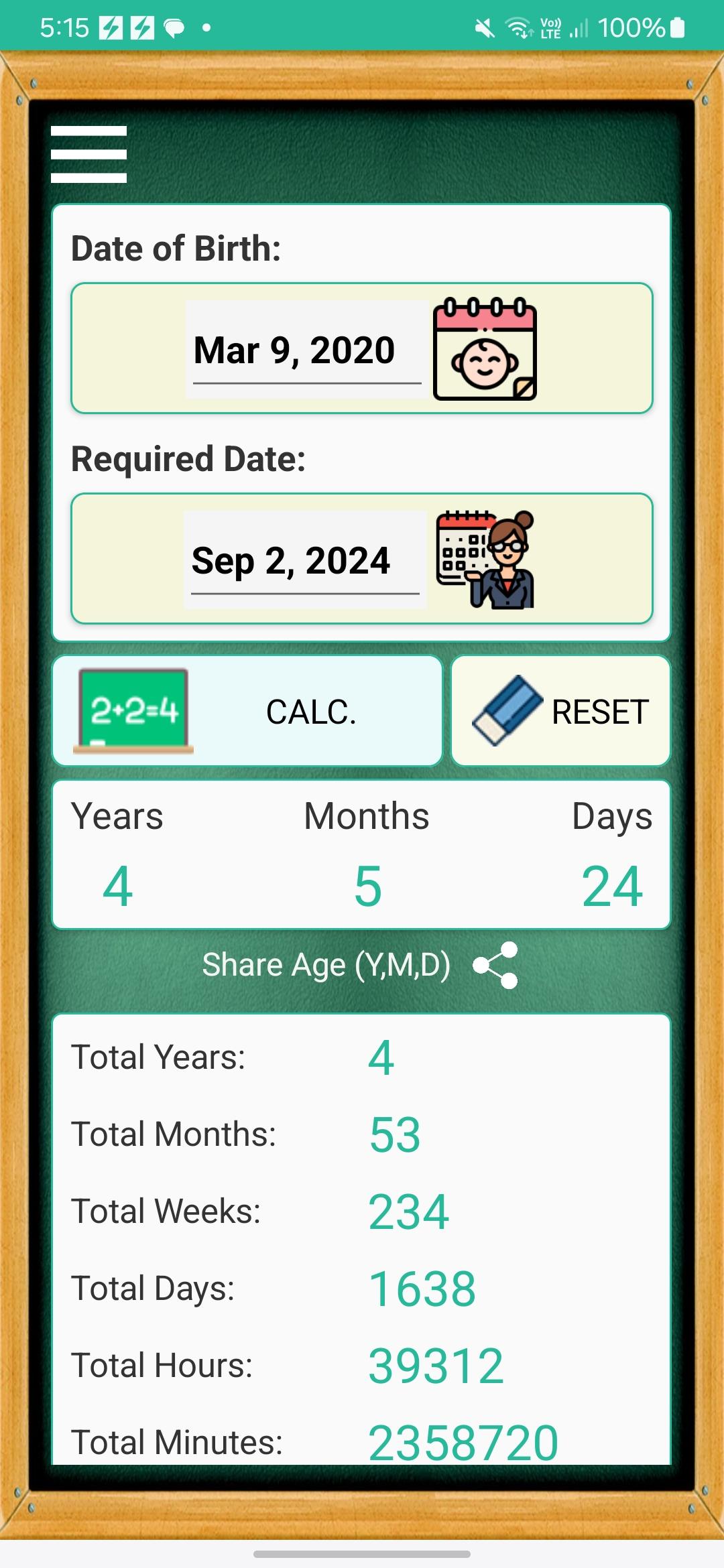
If you are a member of a school staff, this app will help you save a lot of time calculating the child's age for each application form. ;)
For Child's Parents:
Dear Parent,
Yes, it's hard, parenting is very hard, but you are a great hero, and it's my pleasure to give you a little support on your journey.
"School Age Calculator" is a useful app to answer the common question in every school application form for admission "What is your child's age on school start date in (Years, Months, Days) ?".
Sure, it's easy to calculate the age with date of birth, but it's not easy to calculate it accurately in (Years, Months, Days). For example some years are leap, while others are not.
Additionally, you can share the calculated age and send it via email, sms, or whats-app.
You really have a lot to do for school admission, so be prepared and let this app help you.
Your kid will be a student now :)
Thank You.
Best Regards,
The App Developer.
Avance
Etiquetas
EducaciónInformación
Desarrollador
Ezzat Studios LLC
La última versión
1.0.8
Última actualización
2024-11-24
Categoría
Educación
Disponible en
Google Play
Mostrar más
Cómo jugar School Age Calculator con GameLoop en PC
1. Descargue GameLoop desde el sitio web oficial, luego ejecute el archivo exe para instalar GameLoop.
2. Abra GameLoop y busque "School Age Calculator", busque School Age Calculator en los resultados de búsqueda y haga clic en "Instalar".
3. Disfruta jugando School Age Calculator en GameLoop.
Minimum requirements
OS
Windows 8.1 64-bit or Windows 10 64-bit
GPU
GTX 1050
CPU
i3-8300
Memory
8GB RAM
Storage
1GB available space
Recommended requirements
OS
Windows 8.1 64-bit or Windows 10 64-bit
GPU
GTX 1050
CPU
i3-9320
Memory
16GB RAM
Storage
1GB available space