
Pingo - International Calling para PC
Miron Enterprises, LLC
Descarga Pingo - International Calling en PC con GameLoop Emulator
Pingo - International Calling en PC
Pingo - International Calling, proveniente del desarrollador Miron Enterprises, LLC, se ejecuta en el sistema Android en el pasado.
Ahora, puedes jugar Pingo - International Calling en PC con GameLoop sin problemas.
Descárgalo en la biblioteca de GameLoop o en los resultados de búsqueda. No más mirar la batería o llamadas frustrantes en el momento equivocado nunca más.
Simplemente disfrute de Pingo - International Calling PC en la pantalla grande de forma gratuita!
Pingo - International Calling Introducción
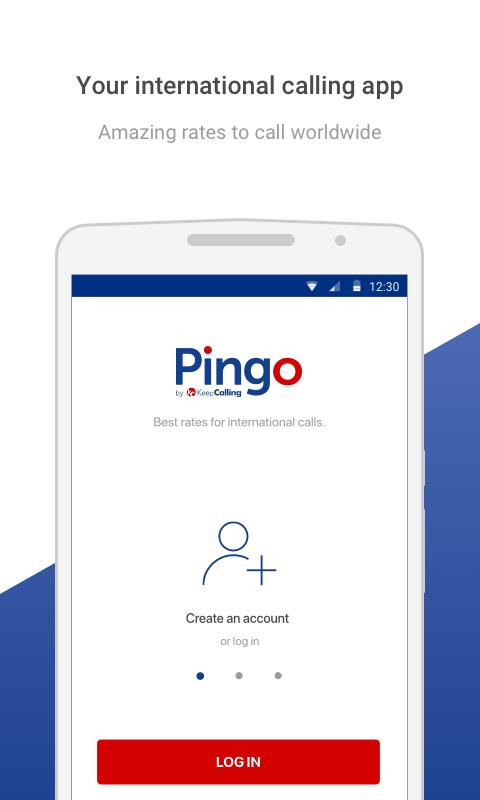
Save money on international calls with Pingo! Make cheap international calls or send SMSes at great rates. Enjoy high quality VoIP calls, low rates, and an easy to use online service.
Buy Voice Credit and pick your favorite plan, according to your calling needs. This way you can make cheap international calls to Mexico, India, China, Colombia, Cuba, Thailand, Vietnam, Saudi Arabia, Nigeria and many other countries worldwide.
NEW! Offline Calling - this feature is meant to allow app users to connect calls without WiFi or 3G/4G-LTE, through local access numbers.
This feature will help you call any contact number without an Internet connection. For any international contacts you may need to call, a local phone number will be instantly made available for you.
VOICE CALLS & SMS
• Optimized for iPhone, iPad and iPod Touch
• Use with WiFi & 3G/4G-LTE
• Pay per minute, no hidden fees
DOWNLOAD AND GET:
• Cheap rates for international phone calls
• Lowest rates
• No hidden fees
• 1 minute rounding
• $2 minimum order
• 100% call quality
• Access from any iPhone, iPad or iPod Touch
• Direct access to your contacts
• 24/7 Customer Service
EASY TO USE:
1. Create an account or log in
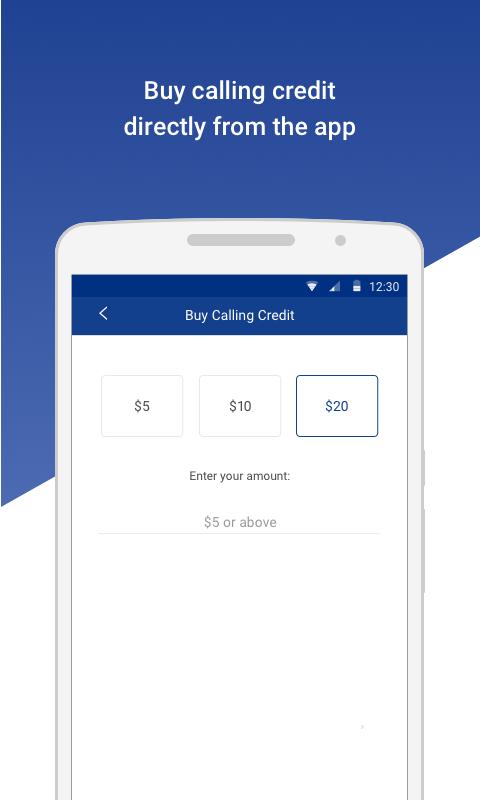
2. Buy Voice Credit if you don’t have a PIN yet
3. Start calling or texting using one of the calling plans available
EXTRA OPTIONS
Calling Rates
*Check the rate/min for the destination you want to call in our Rates tab!
Help Center
*Check out the answer to our frequently asked questions in our Help Center tab.
Set my Caller ID
*Let your friends know who’s calling them! Set your Caller ID directly from the app.
Rate our app
*We value your opinion. Please let us know if you like our app!
FEATURES:
• Use your own Contacts list
• Create new account from the app
• Use Speed Dial to call your favorite numbers faster
• Set Auto Recharge on our online store to make sure you never run out of credit
BACKUP CALLING METHOD:
• Use our access numbers from any mobile or landline.
It's time to save on international calls with Pingo!
We recommend that you turn off international calling with your mobile provider. This way, there will be no risk to make international calls by accident using your current provider at much higher rates.
Having issues with the Pingo app? Please email us at customerservice@pingo.com.
Avance
Etiquetas
ComunicacionesInformación
Desarrollador
Miron Enterprises, LLC
La última versión
3.11.9
Última actualización
2025-03-10
Categoría
Comunicaciones
Disponible en
Google Play
Mostrar más
Cómo jugar Pingo - International Calling con GameLoop en PC
1. Descargue GameLoop desde el sitio web oficial, luego ejecute el archivo exe para instalar GameLoop.
2. Abra GameLoop y busque "Pingo - International Calling", busque Pingo - International Calling en los resultados de búsqueda y haga clic en "Instalar".
3. Disfruta jugando Pingo - International Calling en GameLoop.
Minimum requirements
OS
Windows 8.1 64-bit or Windows 10 64-bit
GPU
GTX 1050
CPU
i3-8300
Memory
8GB RAM
Storage
1GB available space
Recommended requirements
OS
Windows 8.1 64-bit or Windows 10 64-bit
GPU
GTX 1050
CPU
i3-9320
Memory
16GB RAM
Storage
1GB available space