
MRF Dealer Partner Connect Pro para PC
MRF TYRES
Descarga MRF Dealer Partner Connect Pro en PC con GameLoop Emulator
MRF Dealer Partner Connect Pro en PC
MRF Dealer Partner Connect Pro, proveniente del desarrollador MRF TYRES, se ejecuta en el sistema Android en el pasado.
Ahora, puedes jugar MRF Dealer Partner Connect Pro en PC con GameLoop sin problemas.
Descárgalo en la biblioteca de GameLoop o en los resultados de búsqueda. No más mirar la batería o llamadas frustrantes en el momento equivocado nunca más.
Simplemente disfrute de MRF Dealer Partner Connect Pro PC en la pantalla grande de forma gratuita!
MRF Dealer Partner Connect Pro Introducción
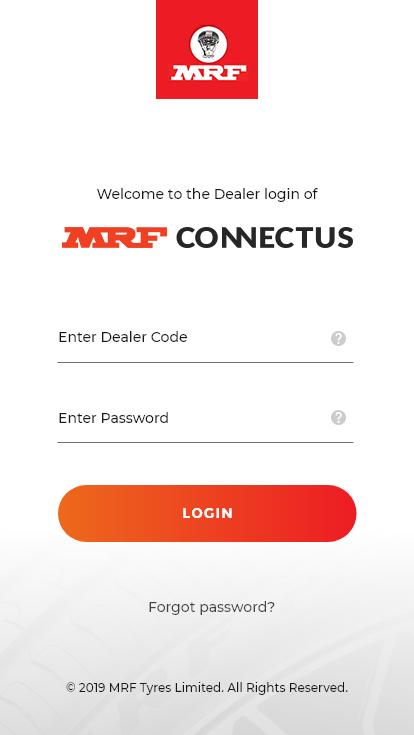
The MRF Connectus business app is designed exclusively for the use of its Authorized Dealer Partners to keep pace with a dynamic business environment.
As an Authorized Dealer Partner, you can login to the MRF Connectus Business App, and place orders, access account information, register claims, besides many other activities. There are also provisions to manage payments and provide feedback.
This app is another step by MRF Tyres towards creating a richer customer experience, ease of doing business, faster communication and quicker turnaround of business activities.
This app is password protected to ensure dealer account security.
Avance

Etiquetas
EmpresaInformación
Desarrollador
MRF TYRES
La última versión
0.0.3
Última actualización
2019-12-05
Categoría
Empresa
Disponible en
Google Play
Mostrar más
Cómo jugar MRF Dealer Partner Connect Pro con GameLoop en PC
1. Descargue GameLoop desde el sitio web oficial, luego ejecute el archivo exe para instalar GameLoop.
2. Abra GameLoop y busque "MRF Dealer Partner Connect Pro", busque MRF Dealer Partner Connect Pro en los resultados de búsqueda y haga clic en "Instalar".
3. Disfruta jugando MRF Dealer Partner Connect Pro en GameLoop.
Minimum requirements
OS
Windows 8.1 64-bit or Windows 10 64-bit
GPU
GTX 1050
CPU
i3-8300
Memory
8GB RAM
Storage
1GB available space
Recommended requirements
OS
Windows 8.1 64-bit or Windows 10 64-bit
GPU
GTX 1050
CPU
i3-9320
Memory
16GB RAM
Storage
1GB available space