
Chrome River para PC
Chrome River Technologies, Inc.
Descarga Chrome River en PC con GameLoop Emulator
Chrome River en PC
Chrome River, proveniente del desarrollador Chrome River Technologies, Inc., se ejecuta en el sistema Android en el pasado.
Ahora, puedes jugar Chrome River en PC con GameLoop sin problemas.
Descárgalo en la biblioteca de GameLoop o en los resultados de búsqueda. No más mirar la batería o llamadas frustrantes en el momento equivocado nunca más.
Simplemente disfrute de Chrome River PC en la pantalla grande de forma gratuita!
Chrome River Introducción
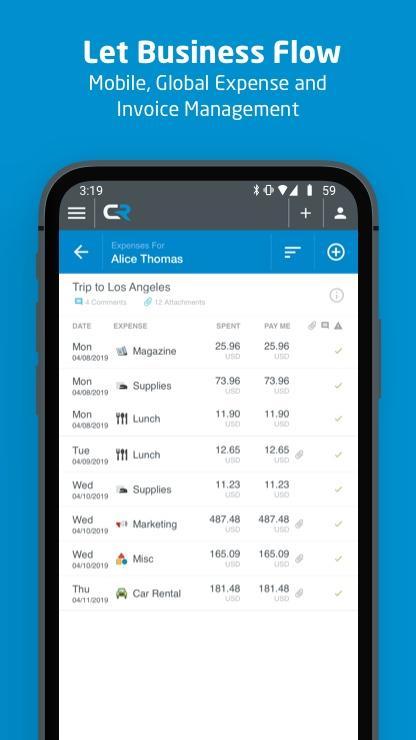
Chrome River provides highly-configurable cloud-based expense and invoice management solutions. Our suite of solutions offers a modern, elegant user experience to create, submit and approve expenses anywhere on any device. Now you can combine all the features of our solution with capabilities your mobile device provides, from biometrics to the camera, to easily access our web application. Because Chrome River is built with responsive design technology, you will always have a consistent user experience regardless of the device you are using. The Chrome River mobile app makes accessing the web application you know and love that much easier.
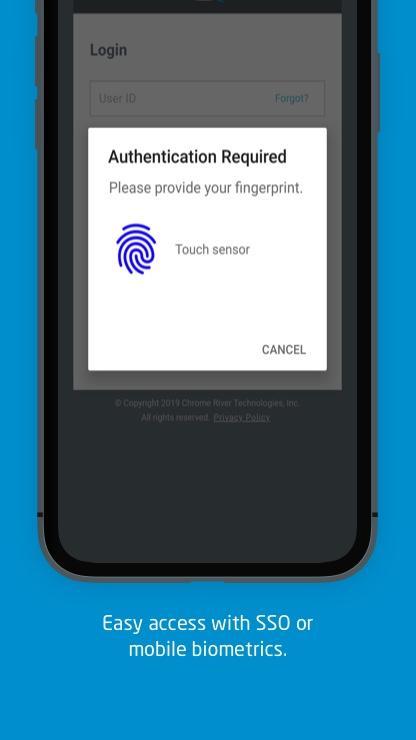
This is an optional mobile application that can be downloaded to your personal device to help provide easier access to the Chrome River web app. We have made it easier for our users to access Chrome River on the go by allowing you to easily log in with biometric authentication or leverage single sign-on capabilities required by your organization.
With Chrome River, you can:
• Create, submit, and approve expense reports and invoices on-the-go
• Capture and upload photos of your receipts with complete OCR functionality
• Let business rules ensure expenses and invoices comply with spending policies.
• Access your credit card data to quickly create expense reports.
• Itemize expenses including hotel receipts with Chrome River FOLIO
• Easily log in using single sign-on authentication (SSO) or enable mobile biometrics like touch and face identification for simplified access
• Much more
Learn more at www.chromeriver.com. Must be an existing Chrome River user.
System requirements: Chrome River is committed to provide support for mainstream Android devices, but we recognize that the Android hardware is so diverse that we cannot ensure adequate testing for all devices.
Avance
Etiquetas
EmpresaInformación
Desarrollador
Chrome River Technologies, Inc.
La última versión
2.0.18
Última actualización
2023-11-27
Categoría
Empresa
Disponible en
Google Play
Mostrar más
Cómo jugar Chrome River con GameLoop en PC
1. Descargue GameLoop desde el sitio web oficial, luego ejecute el archivo exe para instalar GameLoop.
2. Abra GameLoop y busque "Chrome River", busque Chrome River en los resultados de búsqueda y haga clic en "Instalar".
3. Disfruta jugando Chrome River en GameLoop.
Minimum requirements
OS
Windows 8.1 64-bit or Windows 10 64-bit
GPU
GTX 1050
CPU
i3-8300
Memory
8GB RAM
Storage
1GB available space
Recommended requirements
OS
Windows 8.1 64-bit or Windows 10 64-bit
GPU
GTX 1050
CPU
i3-9320
Memory
16GB RAM
Storage
1GB available space