
ELMScan JDM Diagnostics para PC
ELMScan Software
Descarga ELMScan JDM Diagnostics en PC con GameLoop Emulator
ELMScan JDM Diagnostics en PC
ELMScan JDM Diagnostics, proveniente del desarrollador ELMScan Software, se ejecuta en el sistema Android en el pasado.
Ahora, puedes jugar ELMScan JDM Diagnostics en PC con GameLoop sin problemas.
Descárgalo en la biblioteca de GameLoop o en los resultados de búsqueda. No más mirar la batería o llamadas frustrantes en el momento equivocado nunca más.
Simplemente disfrute de ELMScan JDM Diagnostics PC en la pantalla grande de forma gratuita!
ELMScan JDM Diagnostics Introducción
ATTENTION! Chinese ELM327 v2.1 clones are buggy and will not work with this application. If you have such an adapter, please do not rate and do not write about it in the comments!
Most Chinese fakes can be identified by the ELMScan Adapter Validator application.
Professional diagnostics of Toyota (Toyota / Lexus / Scion) cars of the Japanese, American, European and Thai markets, produced from 1998 to 2010.
Supported control units:
- Engine
- Automatic transmission
- Vehicle speed maintenance system (cruise control)
- Immobilizer
- Anti-lock braking system, anti-skid and directional stability system (ABS, VSC, TRC)
- Suspension (pneumatic, hydro, TEMS)
- Active Safety System (SRS)
- Variable Ratio Steering (VGRS)
- Rain sensor
* The application requires an ELM327 adapter (or compatible with it), or OBDLink.
Supported App Features:
- Read vehicle information: model code, engine name and size, VIN code and Calibration ID
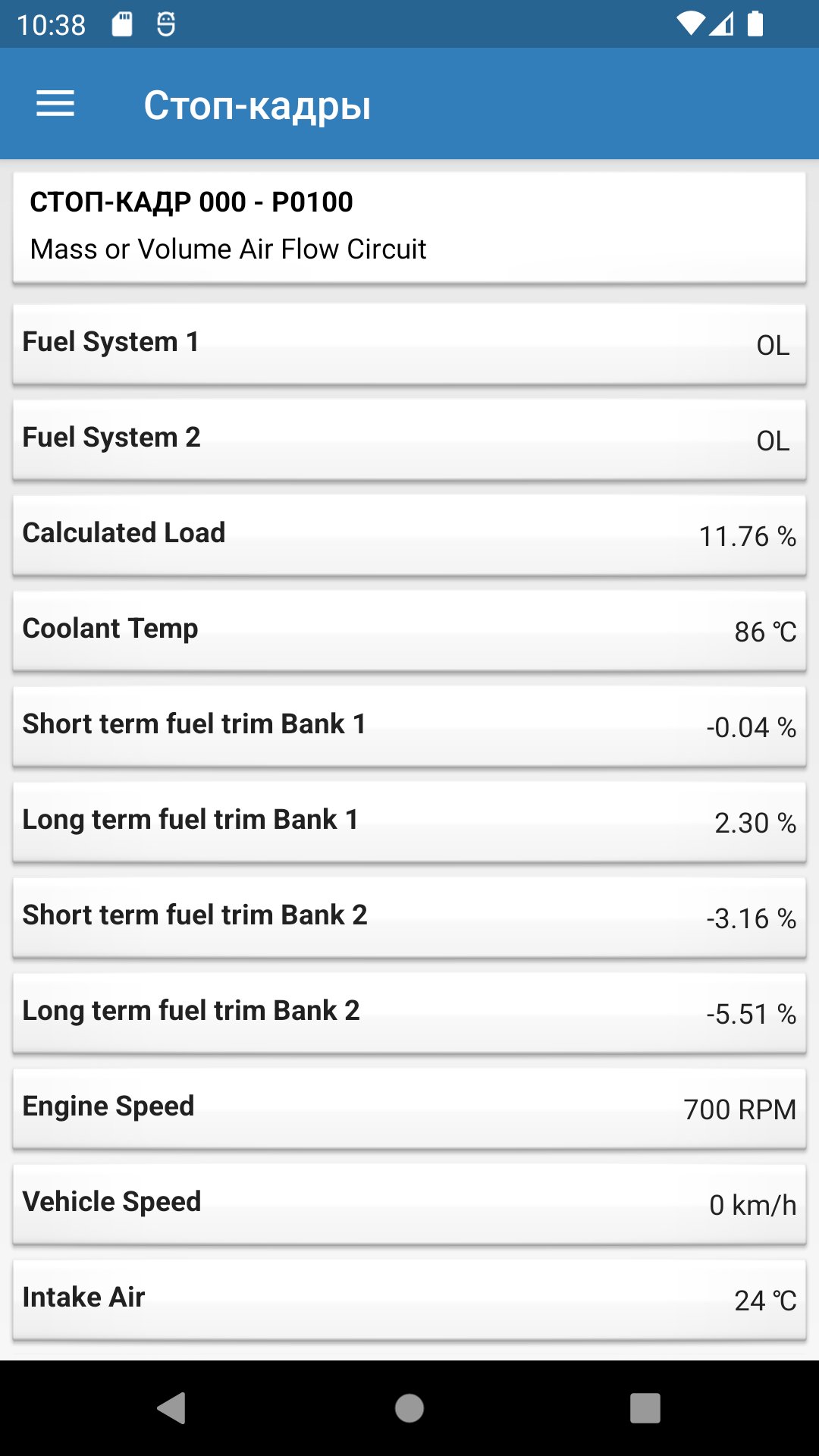
- Reading fault codes, freeze frames
- Deleting fault codes
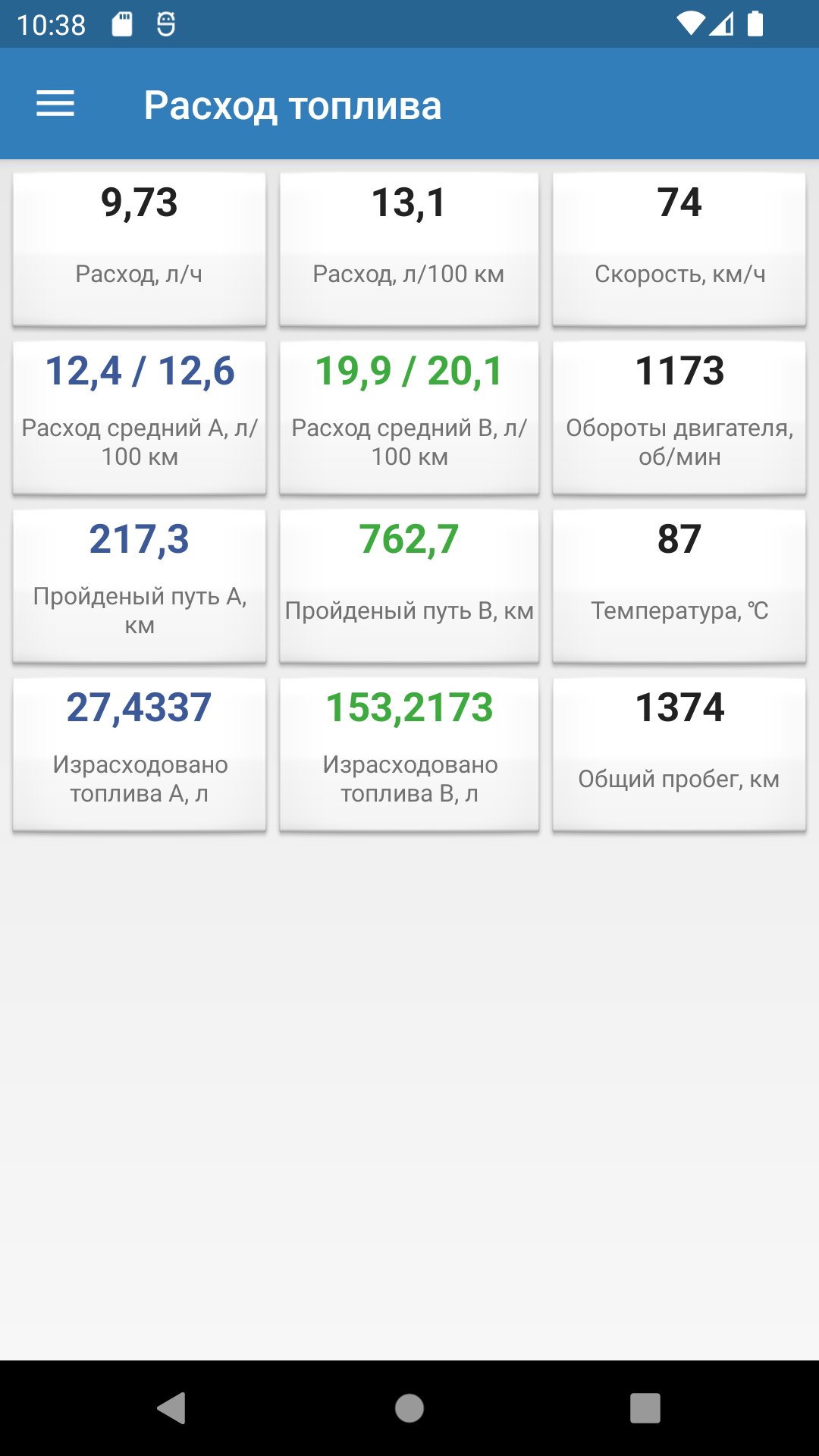
- View real-time parameters (vehicle speed, engine speed, coolant temperature, temperature and current automatic transmission, injection time, fuel corrections, VVTi steering angles and much more)
- Execution of active tests, control of actuators
- Numerical and graphical representation of real-time parameters
- Reset ECU adaptations
Avance
Etiquetas
Auto-&Información
Desarrollador
ELMScan Software
La última versión
1.13.1
Última actualización
2025-11-17
Categoría
Auto-vehicles
Disponible en
Google Play
Mostrar más
Cómo jugar ELMScan JDM Diagnostics con GameLoop en PC
1. Descargue GameLoop desde el sitio web oficial, luego ejecute el archivo exe para instalar GameLoop.
2. Abra GameLoop y busque "ELMScan JDM Diagnostics", busque ELMScan JDM Diagnostics en los resultados de búsqueda y haga clic en "Instalar".
3. Disfruta jugando ELMScan JDM Diagnostics en GameLoop.
Minimum requirements
OS
Windows 8.1 64-bit or Windows 10 64-bit
GPU
GTX 1050
CPU
i3-8300
Memory
8GB RAM
Storage
1GB available space
Recommended requirements
OS
Windows 8.1 64-bit or Windows 10 64-bit
GPU
GTX 1050
CPU
i3-9320
Memory
16GB RAM
Storage
1GB available space