
WhatsPrank - Prank Conversations PC
musapp
GameLoopエミュレーターを使用してPCにWhatsPrank - Prank Conversationsをダウンロードします
WhatsPrank - Prank Conversations PC版
開発者musappからのWhatsPrank - Prank Conversationsは、過去にAndroidsystermで実行されています。
これで、GameLoopを搭載したPCでWhatsPrank - Prank Conversationsをスムーズにプレイできます。
GameLoopライブラリまたは検索結果にダウンロードしてください。 バッテリーに目を向けたり、間違った時間にイライラしたりすることはもうありません。
大画面でWhatsPrank - Prank ConversationsPCを無料でお楽しみください!
WhatsPrank - Prank Conversations 序章
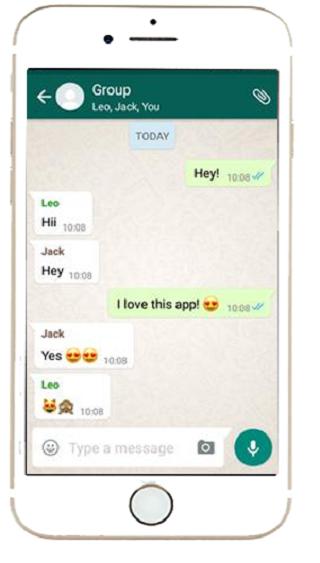
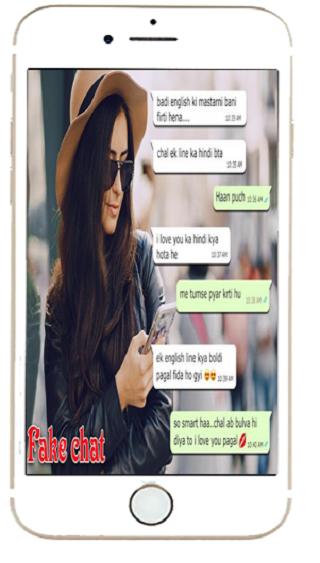
★ fake chat for whatsapp Application Which Creates Fake Chat!
★ Using This Fake Chat WHTSP Application You Can Create A Fake Chat Which Looks Like WHTSP Messenger Chat Then You Can Take Fake Chat Screenshot And Send It To Your Friends
★ In a simple and easy way, you can create fake chats identical to the ones from the most used chat app at the moment. The trolling fun is ensured!
Fake Chat Features:
★ Unlimited messages
★ Fake Calls
★ Up to date features and layouts
★ Realistic chats
★ No watermarks
★ Easy to use interface
★ Stickers Available
★ Simple to use
★ One click chat Screenshot
★ You can create chats with any person you want.
★ You can create screenshots identical to the chat app and your friends might not tell the difference.
★ You can control the two sides of the chat.
★ Besides, you can send pictures and audio.
★ Photos to make it look real
★ Minimal storage usage
プレビュー
情報
デベロッパー
musapp
最新バージョン
1.0
最終更新
2020-01-14
カテゴリー
ツール
上で利用可能
Google Play
もっと見せる
PCでGameLoopを使用してWhatsPrank - Prank Conversationsをプレイする方法
1. 公式WebサイトからGameLoopをダウンロードし、exeファイルを実行してGameLoopをインストールします
2. GameLoopを開いて「WhatsPrank - Prank Conversations」を検索し、検索結果でWhatsPrank - Prank Conversationsを見つけて、「インストール」をクリックします。
3. GameLoopでWhatsPrank - Prank Conversationsを楽しんでください
Minimum requirements
OS
Windows 8.1 64-bit or Windows 10 64-bit
GPU
GTX 1050
CPU
i3-8300
Memory
8GB RAM
Storage
1GB available space
Recommended requirements
OS
Windows 8.1 64-bit or Windows 10 64-bit
GPU
GTX 1050
CPU
i3-9320
Memory
16GB RAM
Storage
1GB available space