
Volume Manager : Volume administer per app PC
Scorpion Infosoft
GameLoopエミュレーターを使用してPCにVolume Manager : Volume administer per appをダウンロードします
Volume Manager : Volume administer per app PC版
開発者Scorpion InfosoftからのVolume Manager : Volume administer per appは、過去にAndroidsystermで実行されています。
これで、GameLoopを搭載したPCでVolume Manager : Volume administer per appをスムーズにプレイできます。
GameLoopライブラリまたは検索結果にダウンロードしてください。 バッテリーに目を向けたり、間違った時間にイライラしたりすることはもうありません。
大画面でVolume Manager : Volume administer per appPCを無料でお楽しみください!
Volume Manager : Volume administer per app 序章
Volume manager helps you to manage automate volume levels and ringer modes based on the app you open in your device.
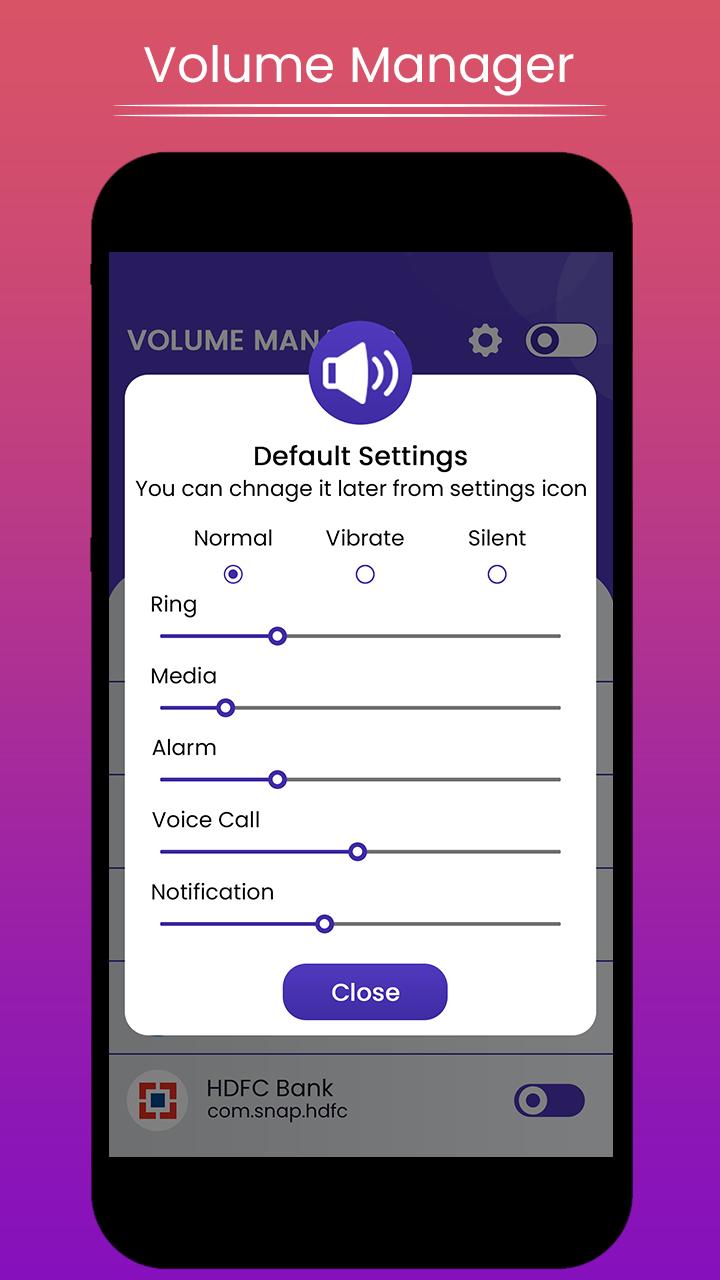
Volume Manager makes its easy to control different volume levels for android such as Ring, music, alarm, in call voice, notification etc.App also offers automate ringer modes, such as silent, vibrate or normal mode based on the app you open.
How to use:
1. App list all installed and system apps from your device.Enable the mode you want.It will be automatically off once you leave the app.
2. App shows normal.ringer,vibrate and silent mode with their different volume levels.
choose the mode and volume set for particular application.
That's all, easy and quick.
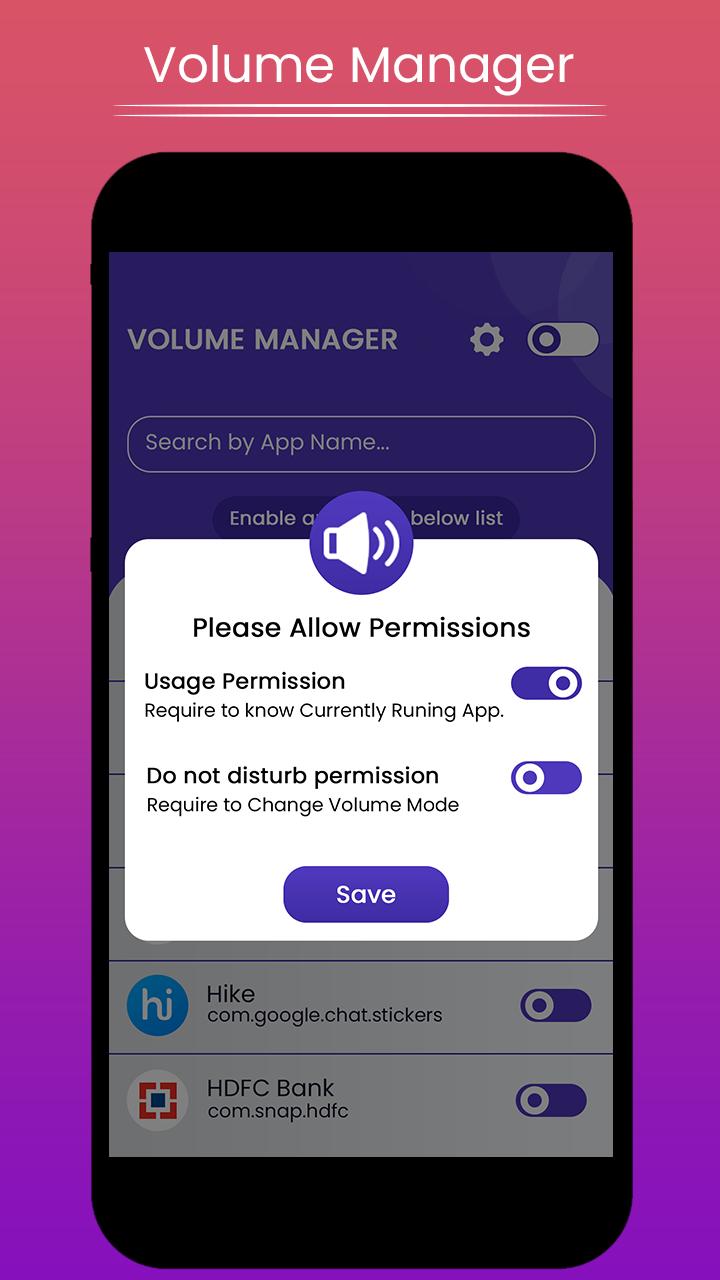
App need following permissions to complete the task, please allow these permissions for the app when you first time open the app.
Permissions:
Do Not Disturb: permission need to change volume modes.
Usage access: permission needed to check currently running app for applying volume level changes.
How to configure:
1. Give all require permissions app asks for.
2. That's all.Now you can set the volume set and modes as per your application.
Note:
✔ Please make sure Volume Manager Service is ON, please check the toggle
at top right corner.
Please try atleast once and let us know so that we can make our better for all users.
And if like the app please leave rating & review for the same.
Thank you...
プレビュー
情報
デベロッパー
Scorpion Infosoft
最新バージョン
1.5
最終更新
2020-07-19
カテゴリー
ツール
上で利用可能
Google Play
もっと見せる
PCでGameLoopを使用してVolume Manager : Volume administer per appをプレイする方法
1. 公式WebサイトからGameLoopをダウンロードし、exeファイルを実行してGameLoopをインストールします
2. GameLoopを開いて「Volume Manager : Volume administer per app」を検索し、検索結果でVolume Manager : Volume administer per appを見つけて、「インストール」をクリックします。
3. GameLoopでVolume Manager : Volume administer per appを楽しんでください
Minimum requirements
OS
Windows 8.1 64-bit or Windows 10 64-bit
GPU
GTX 1050
CPU
i3-8300
Memory
8GB RAM
Storage
1GB available space
Recommended requirements
OS
Windows 8.1 64-bit or Windows 10 64-bit
GPU
GTX 1050
CPU
i3-9320
Memory
16GB RAM
Storage
1GB available space