
Timestamp Camera 2022 PC
AppCrown
GameLoopエミュレーターを使用してPCにTimestamp Camera 2022をダウンロードします
Timestamp Camera 2022 PC版
開発者AppCrownからのTimestamp Camera 2022は、過去にAndroidsystermで実行されています。
これで、GameLoopを搭載したPCでTimestamp Camera 2022をスムーズにプレイできます。
GameLoopライブラリまたは検索結果にダウンロードしてください。 バッテリーに目を向けたり、間違った時間にイライラしたりすることはもうありません。
大画面でTimestamp Camera 2022PCを無料でお楽しみください!
Timestamp Camera 2022 序章
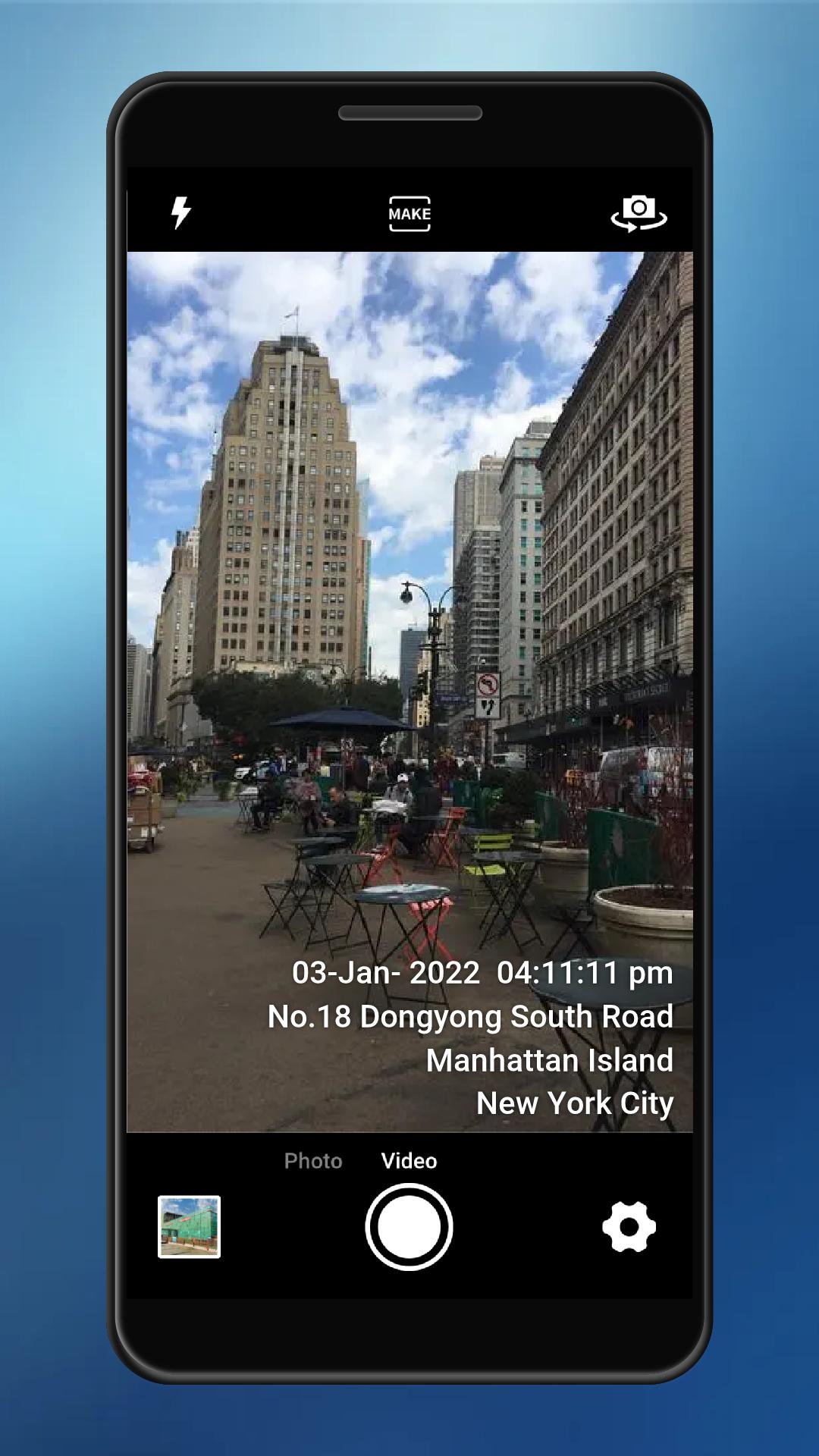
Timestamp Camera can add timestamp watermark on camera in real time.The difference is that you can modify the time and GPS location.
This GPS camera can add time and location text watermark to photo. The location is GPS Loction and coordinates.
Main Feature:
⭐️Support auto add time stamp and GPS location address
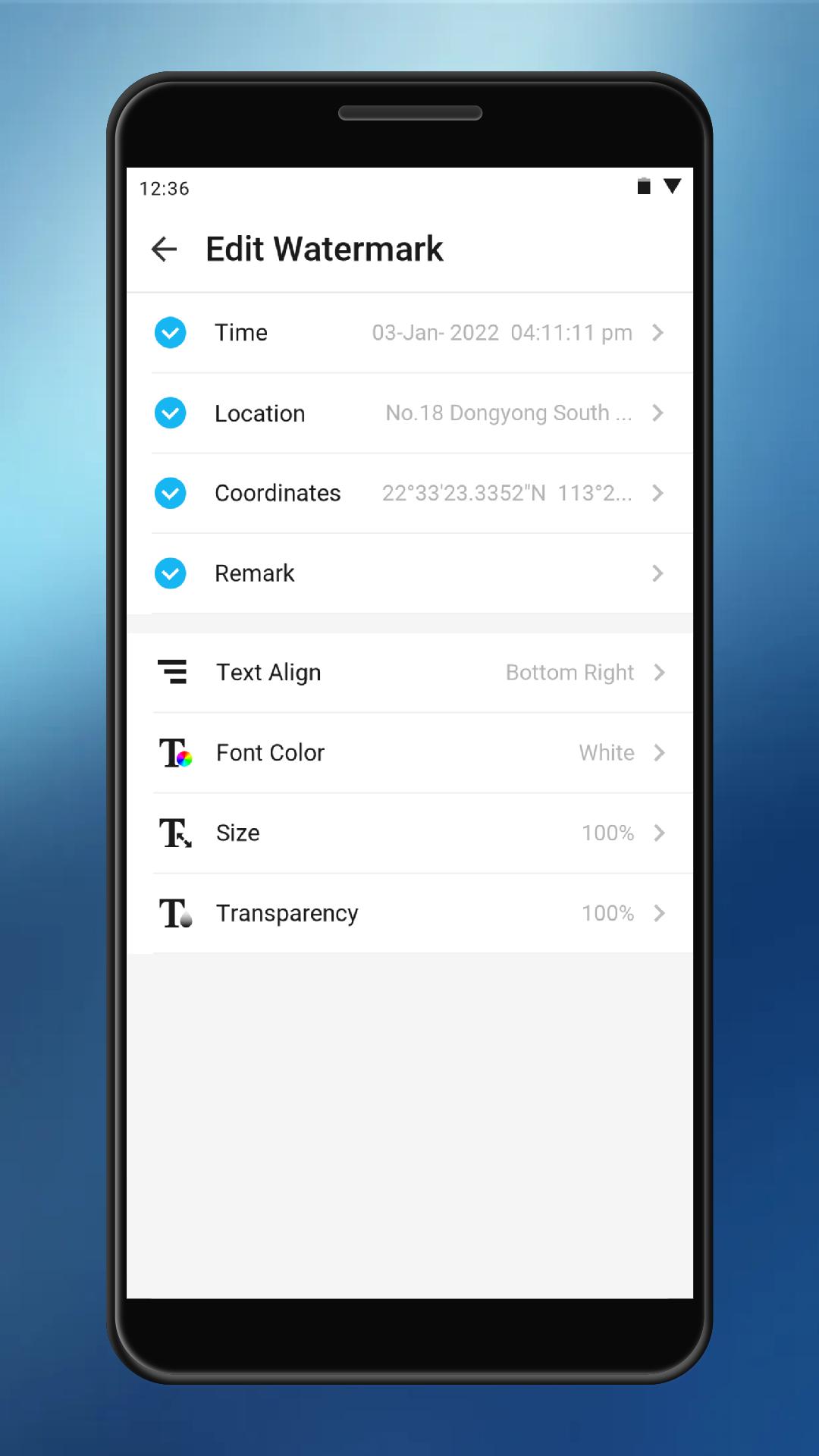
⭐️Support modify time
⭐️Support modify location address
⭐️Support change watermark align
⭐️Support change font color
⭐️Support change font size
⭐️Support change watermark background
⭐️Support add coordinates to watermark camera
⭐️Support add remark to watermark to the open camera
⭐️Support adding watermark to photos
プレビュー
タグ
ツール情報
デベロッパー
AppCrown
最新バージョン
3.8.0
最終更新
2022-05-04
カテゴリー
ツール
上で利用可能
Google Play
もっと見せる
PCでGameLoopを使用してTimestamp Camera 2022をプレイする方法
1. 公式WebサイトからGameLoopをダウンロードし、exeファイルを実行してGameLoopをインストールします
2. GameLoopを開いて「Timestamp Camera 2022」を検索し、検索結果でTimestamp Camera 2022を見つけて、「インストール」をクリックします。
3. GameLoopでTimestamp Camera 2022を楽しんでください
Minimum requirements
OS
Windows 8.1 64-bit or Windows 10 64-bit
GPU
GTX 1050
CPU
i3-8300
Memory
8GB RAM
Storage
1GB available space
Recommended requirements
OS
Windows 8.1 64-bit or Windows 10 64-bit
GPU
GTX 1050
CPU
i3-9320
Memory
16GB RAM
Storage
1GB available space