Qnotes HD PC
QNAP
GameLoopエミュレーターを使用してPCにQnotes HDをダウンロードします
Qnotes HD PC版
開発者QNAPからのQnotes HDは、過去にAndroidsystermで実行されています。
これで、GameLoopを搭載したPCでQnotes HDをスムーズにプレイできます。
GameLoopライブラリまたは検索結果にダウンロードしてください。 バッテリーに目を向けたり、間違った時間にイライラしたりすることはもうありません。
大画面でQnotes HDPCを無料でお楽しみください!
Qnotes HD 序章
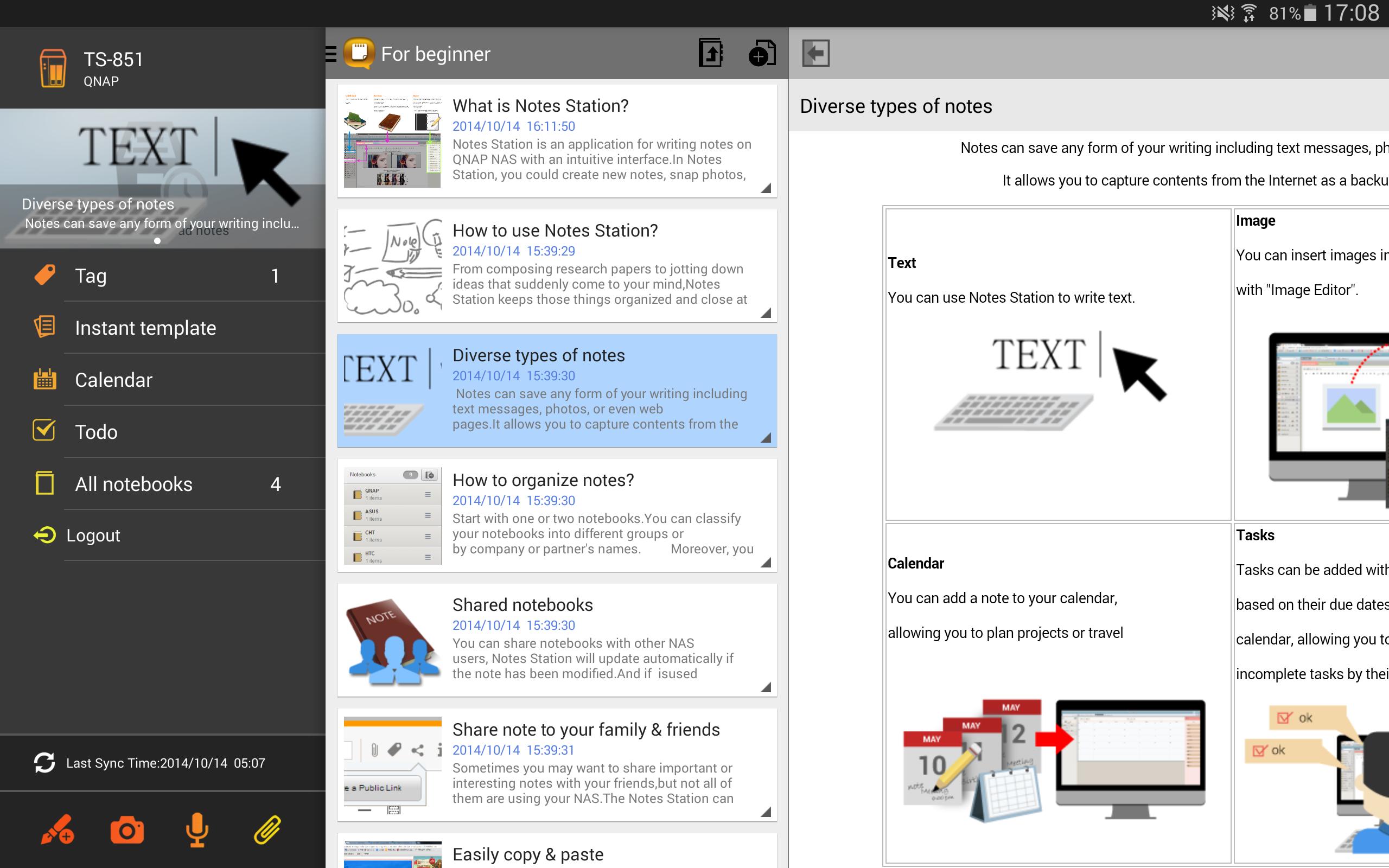
Qnotes provides an effective way to take notes with highly privacy. It is the only android note taking app that supports private cloud. Qnotes can sync data with other devices via QNAP Turbo NAS, but can also works alone without any NAS or Internet.
Key Features:
- Support local mode that can work alone with your Android device.
- With Notes Station on the QNAP Turbo NAS, Qnotes can easily sync data with other devices or people.
- Create and edit text notes, calendar events and to-do lists.
- Add pictures or voices in your note.
- Organize notes by notebooks and sessions.
- Support offline editing.
System Requirements:
- Android 4.0.3 and above
Private Cloud Requirements (to sync and share data)
- QNAP QTS 4.0.7 and above
- QNAP Notes Station 1.0.92 and above
プレビュー
情報
デベロッパー
QNAP
最新バージョン
1.2.6.0621
最終更新
2018-08-03
カテゴリー
ツール
上で利用可能
Google Play
もっと見せる
PCでGameLoopを使用してQnotes HDをプレイする方法
1. 公式WebサイトからGameLoopをダウンロードし、exeファイルを実行してGameLoopをインストールします
2. GameLoopを開いて「Qnotes HD」を検索し、検索結果でQnotes HDを見つけて、「インストール」をクリックします。
3. GameLoopでQnotes HDを楽しんでください
Minimum requirements
OS
Windows 8.1 64-bit or Windows 10 64-bit
GPU
GTX 1050
CPU
i3-8300
Memory
8GB RAM
Storage
1GB available space
Recommended requirements
OS
Windows 8.1 64-bit or Windows 10 64-bit
GPU
GTX 1050
CPU
i3-9320
Memory
16GB RAM
Storage
1GB available space