
Dual App Space: Multiple Accounts & Multi Parallel PC
Marsdevelop Mobile
GameLoopエミュレーターを使用してPCにDual App Space: Multiple Accounts & Multi Parallelをダウンロードします
Dual App Space: Multiple Accounts & Multi Parallel PC版
開発者Marsdevelop MobileからのDual App Space: Multiple Accounts & Multi Parallelは、過去にAndroidsystermで実行されています。
これで、GameLoopを搭載したPCでDual App Space: Multiple Accounts & Multi Parallelをスムーズにプレイできます。
GameLoopライブラリまたは検索結果にダウンロードしてください。 バッテリーに目を向けたり、間違った時間にイライラしたりすることはもうありません。
大画面でDual App Space: Multiple Accounts & Multi ParallelPCを無料でお楽しみください!
Dual App Space: Multiple Accounts & Multi Parallel 序章
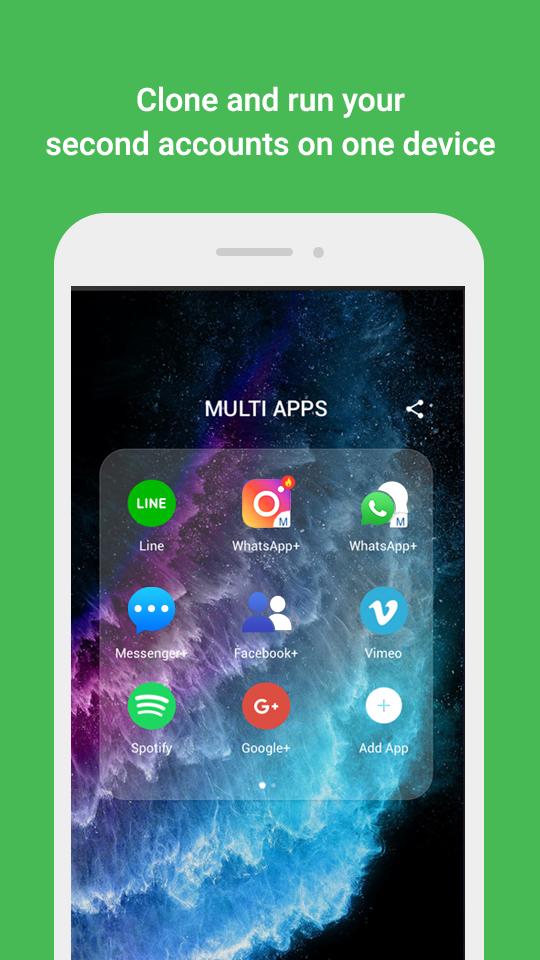
Are you tired of switching between 2 accounts for instant messaging in your mobile device, just to be able to experience both? Do you just need to open Dual accounts ?
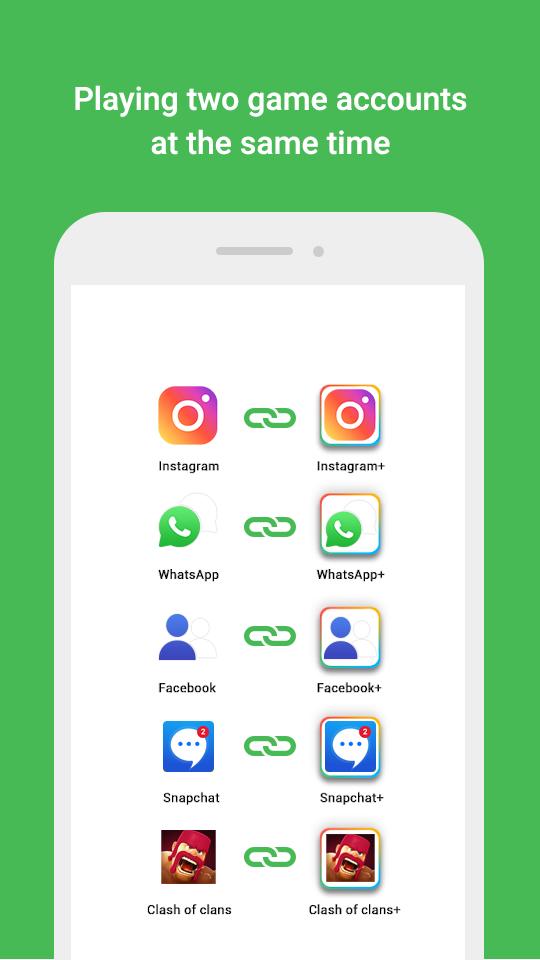
Do you own double or multi accounts gaming or social media, and would like to keep them online at the same time such that they function simultaneously?
★Log in to multiple accounts of social networking apps or game apps at the same time on one device
• Balance between users' life and work easily.
• Double users' online gaming experience and have more fun.
• Almost all apps are supported for a second account in Dual Space Whatsapp - Multiple Accounts, Space & App Cloner. Data from both accounts won't interfere with each other.
★Protect user privacy, make apps invisible on device through Incognito Installation
• Hide users' secret apps without worrying about prying eyes by keeping apps only in secret space.
• Protect user privacy with a security lock.
★Create a customized space by applying themes
• A theme store is integrated into Dual Space Whatsapp - Multiple Accounts, Space & App Cloner and a list of customized themes are ready for users to apply to style your own space.
• To style a unique space by a customized theme. The user can switch fast the different themes by one-tap with their moods.
★Switch fast between accounts with just one-tap
• Run two accounts simultaneously and switch between them fast with one-tap to effective manage different accounts.
Highlights:
• Powerful, stable & easy-to-use.
• Unique: Dual Space - Multiple Accounts, Space & App Cloner is based on multiDroid, the first application virtualization engine on Android.
Now, the black technology, Dual Space has released! It can perfectly solve your problem! You can easily use one phone to log in multiple accounts and keep them all online at the same time! And you don’t need to worry about the message reception and data storage problem of different accounts, because they will work independently and with no interference to each other.
Notes:
• Permissions: Dual Space - Multiple Accounts, Space & App Cloner needs to apply for the permissions required by the apps added in Dual Space - Multiple Accounts, Space & App Cloner to function normally. For example, if Dual Space - Multiple Accounts, Space & App Cloner is not permitted to acquire your location, you will be unable to send your location to your friends in some apps that run in Dual Space - Multiple Accounts, Space & App Cloner. Dual Space does not collect your personal information to protect privacy.
• Consumptions: Dual Space itself doesn't take up too much memory, battery and data by which are actually consumed by the apps running inside. Details can be viewed in 'Storage' and 'Task Manager', which could be found in 'Settings' in Dual Space.
• Notifications: Please add Dual Space to the whitelist or exceptional list of some 'boost apps' to ensure that notification of some social networking apps functions well.
• Conflict: You cannot run two accounts of some social networking apps by using the same mobile number. You should use a different mobile number to run your second account of those apps in Dual Space and ensure that the mobile number is active during your first login because there will be a verification message sent to this number.
プレビュー
情報
デベロッパー
Marsdevelop Mobile
最新バージョン
1.13
最終更新
2020-09-22
カテゴリー
ツール
上で利用可能
Google Play
もっと見せる
PCでGameLoopを使用してDual App Space: Multiple Accounts & Multi Parallelをプレイする方法
1. 公式WebサイトからGameLoopをダウンロードし、exeファイルを実行してGameLoopをインストールします
2. GameLoopを開いて「Dual App Space: Multiple Accounts & Multi Parallel」を検索し、検索結果でDual App Space: Multiple Accounts & Multi Parallelを見つけて、「インストール」をクリックします。
3. GameLoopでDual App Space: Multiple Accounts & Multi Parallelを楽しんでください
Minimum requirements
OS
Windows 8.1 64-bit or Windows 10 64-bit
GPU
GTX 1050
CPU
i3-8300
Memory
8GB RAM
Storage
1GB available space
Recommended requirements
OS
Windows 8.1 64-bit or Windows 10 64-bit
GPU
GTX 1050
CPU
i3-9320
Memory
16GB RAM
Storage
1GB available space