
Cool VPN - Fast VPN Proxy PC
Yogi Techno
GameLoopエミュレーターを使用してPCにCool VPN - Fast VPN Proxyをダウンロードします
Cool VPN - Fast VPN Proxy PC版
開発者Yogi TechnoからのCool VPN - Fast VPN Proxyは、過去にAndroidsystermで実行されています。
これで、GameLoopを搭載したPCでCool VPN - Fast VPN Proxyをスムーズにプレイできます。
GameLoopライブラリまたは検索結果にダウンロードしてください。 バッテリーに目を向けたり、間違った時間にイライラしたりすることはもうありません。
大画面でCool VPN - Fast VPN ProxyPCを無料でお楽しみください!
Cool VPN - Fast VPN Proxy 序章
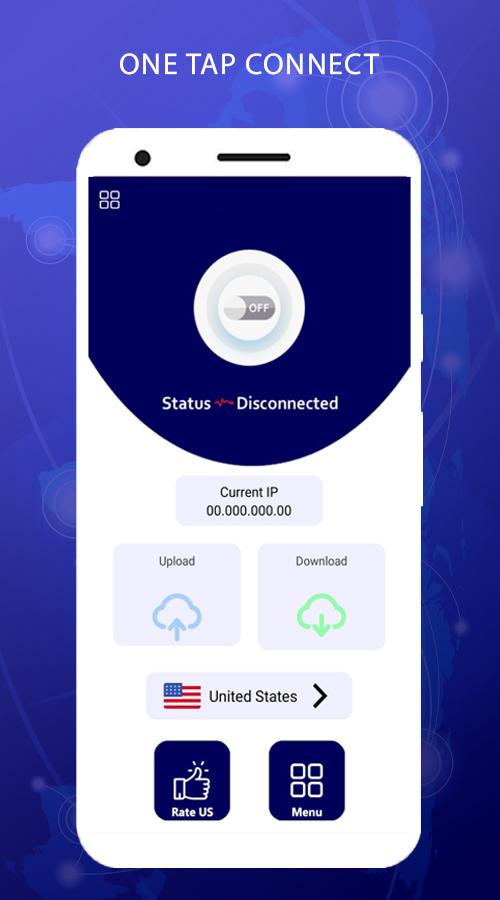
Cool VPN is a lightening-fast app which provides free VPN proxy service. No need to make any configuration, just simply click on one button, you can access the Internet securely and anonymously.
Cool VPN FEATURES :-
- Cool your connection on public Wi-Fi
Our private encryption VPN ‘tunnel’ prevents hackers from stealing your data via public/open Wi-Fi hotspots. Secure your Wi-Fi and privacy with our highly secure VPN service.
- Anonymous browsing
Browse websites anonymously and get private access. Use it to hide and anonymize your banking logins, chats, emails and payments.
- Choose your location
You can use Cool VPN to connect to servers around the world to access more online content, browse websites anonymously and get private access. Connect to servers through 1000+ popular locations in 65+ countries around the world.
プレビュー

タグ
ツール情報
デベロッパー
Yogi Techno
最新バージョン
1.0
最終更新
2022-01-08
カテゴリー
ツール
上で利用可能
Google Play
もっと見せる
PCでGameLoopを使用してCool VPN - Fast VPN Proxyをプレイする方法
1. 公式WebサイトからGameLoopをダウンロードし、exeファイルを実行してGameLoopをインストールします
2. GameLoopを開いて「Cool VPN - Fast VPN Proxy」を検索し、検索結果でCool VPN - Fast VPN Proxyを見つけて、「インストール」をクリックします。
3. GameLoopでCool VPN - Fast VPN Proxyを楽しんでください
Minimum requirements
OS
Windows 8.1 64-bit or Windows 10 64-bit
GPU
GTX 1050
CPU
i3-8300
Memory
8GB RAM
Storage
1GB available space
Recommended requirements
OS
Windows 8.1 64-bit or Windows 10 64-bit
GPU
GTX 1050
CPU
i3-9320
Memory
16GB RAM
Storage
1GB available space