Bluetooth Remote for Arduino PC
CSA Apps
GameLoopエミュレーターを使用してPCにBluetooth Remote for Arduinoをダウンロードします
Bluetooth Remote for Arduino PC版
開発者CSA AppsからのBluetooth Remote for Arduinoは、過去にAndroidsystermで実行されています。
これで、GameLoopを搭載したPCでBluetooth Remote for Arduinoをスムーズにプレイできます。
GameLoopライブラリまたは検索結果にダウンロードしてください。 バッテリーに目を向けたり、間違った時間にイライラしたりすることはもうありません。
大画面でBluetooth Remote for ArduinoPCを無料でお楽しみください!
Bluetooth Remote for Arduino 序章
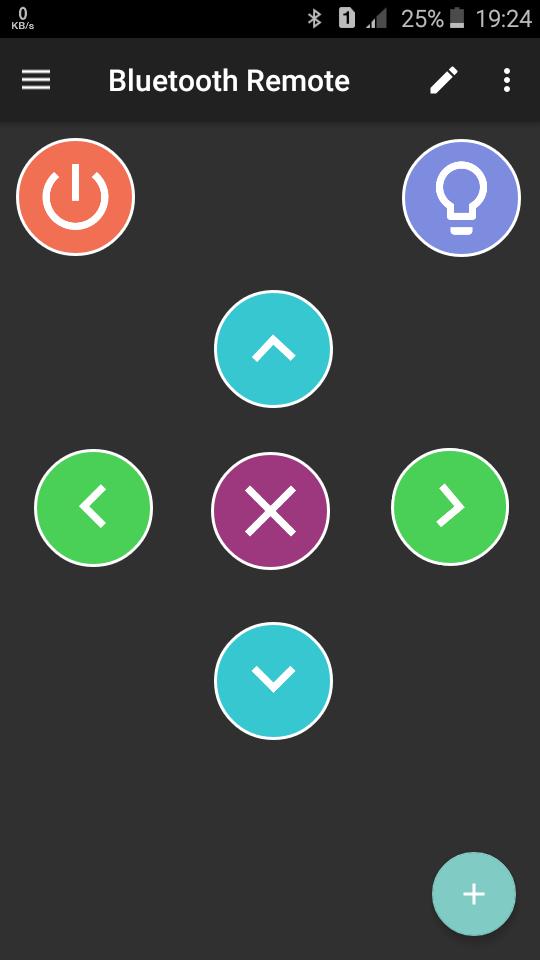
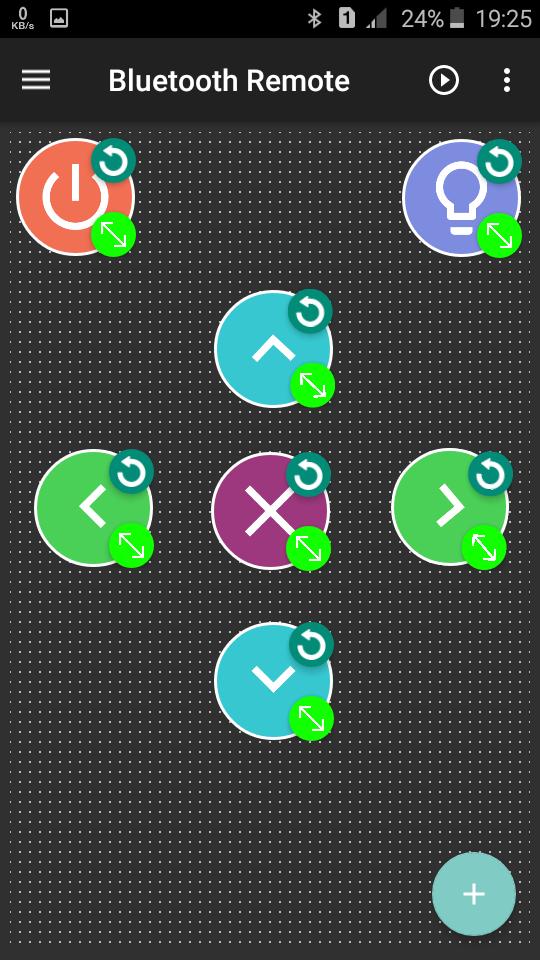
完全にカスタマイズ可能なボタンと指示で独自のリモコンを作成
HC-06、HC-05などのBluetoothモジュールで使用可能
特別な機能
★さまざまなプッシュ/トグルボタンで任意の数のリモコンを作成し、保存できます
★BT車、ロボット、ホームオートメーション(部屋の照明の制御など)を制御するために使用できます。
★アプリからBluetoothをオンにできます
★利用可能なデバイスをスキャンできます
★複数のデバイスが利用可能な場合、関連するデバイスを選択できます
★リモートで最後に接続されたデバイスのMACアドレスを保存します。これは、最初にリモートを使用するときに接続する必要がないことを意味します。保存されたMACアドレスで関連モジュールに自動接続します。
これらのarduinoコード例を参照して、独自のコードを作成してください。
https://github.com/CSAapps/Bluetooth-Remote-Examples
プレビュー
タグ
ツール情報
デベロッパー
CSA Apps
最新バージョン
1.9.9
最終更新
2024-12-08
カテゴリー
ツール
上で利用可能
Google Play
もっと見せる
PCでGameLoopを使用してBluetooth Remote for Arduinoをプレイする方法
1. 公式WebサイトからGameLoopをダウンロードし、exeファイルを実行してGameLoopをインストールします
2. GameLoopを開いて「Bluetooth Remote for Arduino」を検索し、検索結果でBluetooth Remote for Arduinoを見つけて、「インストール」をクリックします。
3. GameLoopでBluetooth Remote for Arduinoを楽しんでください
Minimum requirements
OS
Windows 8.1 64-bit or Windows 10 64-bit
GPU
GTX 1050
CPU
i3-8300
Memory
8GB RAM
Storage
1GB available space
Recommended requirements
OS
Windows 8.1 64-bit or Windows 10 64-bit
GPU
GTX 1050
CPU
i3-9320
Memory
16GB RAM
Storage
1GB available space