
Anti-theft security and alarm system PC
MOSI Apps
GameLoopエミュレーターを使用してPCにAnti-theft security and alarm systemをダウンロードします
Anti-theft security and alarm system PC版
開発者MOSI AppsからのAnti-theft security and alarm systemは、過去にAndroidsystermで実行されています。
これで、GameLoopを搭載したPCでAnti-theft security and alarm systemをスムーズにプレイできます。
GameLoopライブラリまたは検索結果にダウンロードしてください。 バッテリーに目を向けたり、間違った時間にイライラしたりすることはもうありません。
大画面でAnti-theft security and alarm systemPCを無料でお楽しみください!
Anti-theft security and alarm system 序章
Are you worried about losing your expensive mobile phone ?
Are you tired of curious people trying to access your phone all the time ?
Do you often misplace your phone and waste time trying to find it ?
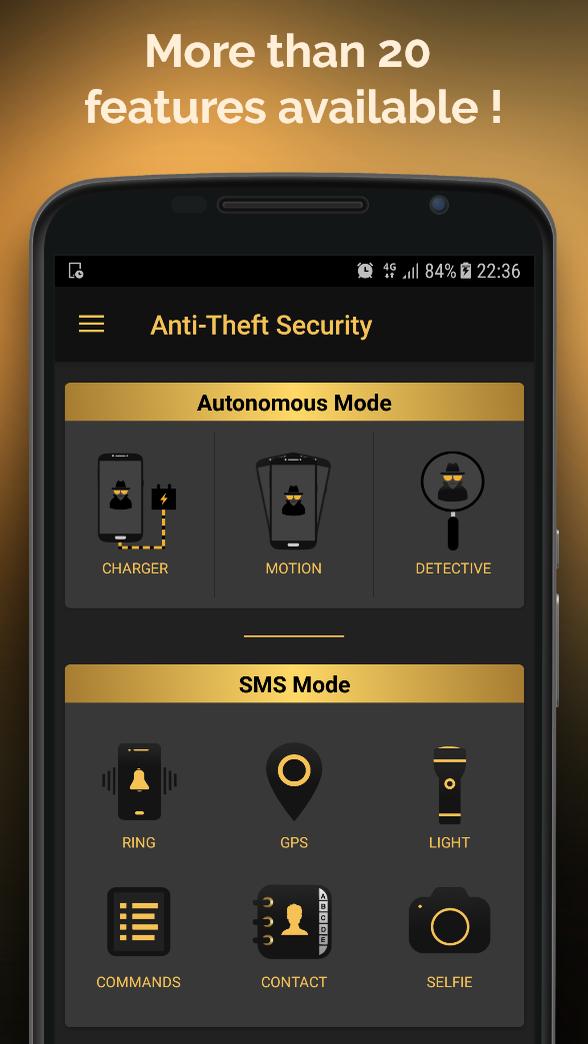
Anti-Theft Security is a complete and intuitive application. With more than 20 features, this app will help you find your lost or stolen Android device. But it's not only a phone tracker app, Antitheft Security has many features to increase chances to not only recover your phone but also identify the thief, get back your personal data and prevent people from touching your phone without your permission.
There are 2 ways to protect your device:
- Remote control via SMS (text messages) from another phone
- Automatic alerts
► Remote control
Send commands via SMS (text messages) from another device to your lost smartphone in order to enable any of the following features.
Features :
* Use secured commands with secret code
* Make the phone ring at maximum volume
* Get GPS position of the smartphone
* Display a personal message on the screen
* Take a picture using front camera
* Turn the light on
* Retrieve battery level
* Retrieve a detailed report
* Get the contact list
* Lock the smartphone remotely
* Factory reset
* Retrieve call log
* Get the list of all commands available
* Hide/Unhide the app icon
* Triggers a loud alarm and takes selfies
* Capture a video
* Block status bar when device is locked
If your phone is misplaced, lost or stolen you can for instance make it ring remotely or retrieve GPS coordinates to locate it. In order to secure your personnal data, you can lock your phone remotely to make it useless and continue to use all the features available. If you think you cannot get back your phone do a factory reset in order to delete all your data.
► Automatic alerts
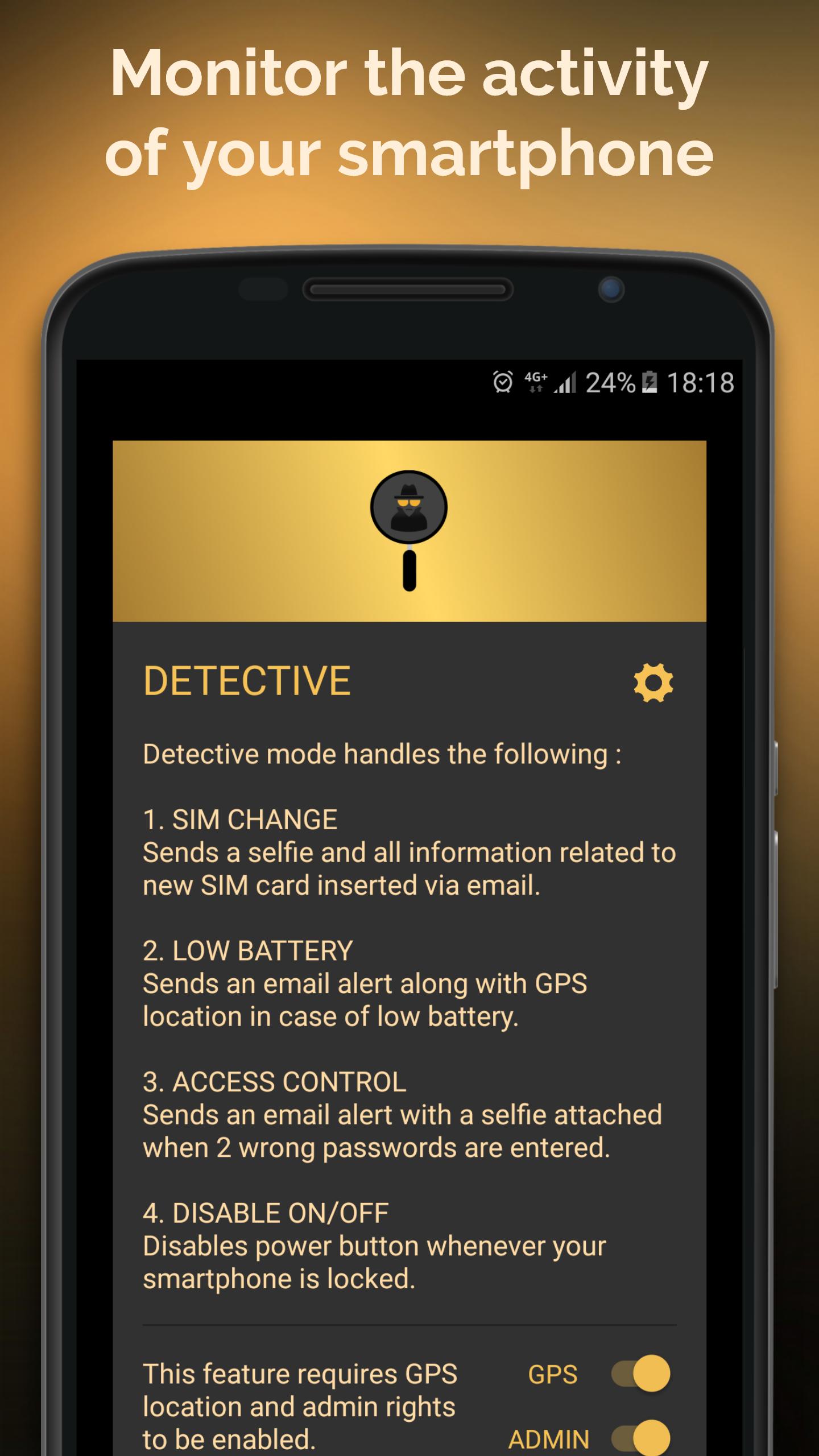
You can also rely on detective mode to monitor the activity of your smartphone at any time and make difficult for the thief to disable or uninstall Antitheft Security.
Detective mode :
* Sends details about new SIM card inserted and takes selfie
* Low battery alert along with gps location
* Selfie taken when 2 wrong passwords are entered
* ON/OFF button disabled when phone is locked
Keep an eye on your smartphone and prevent anyone to touch your phone without your permission with motion mode.
Motion mode :
* Triggers a loud alarm if somebody touches your phone
* Disables key volumes
* Takes selfies 3 sec after the alarm starts and upon any key press
* Protects the alarm with a secret code
Charge your smartphone safely and prevent anyone to access your phone without your permission with charger mode.
Charger mode :
* Triggers a loud alarm if somebody disconnects your charger without your consent
* Disables key volumes
* Takes selfies 3 sec after the alarm starts and upon any key press
* Protects the alarm with a secret code
Note: Anti theft Security does not claim it can avoid theft completely but with this app you have way more chances to get back your phone or avoid theft.
How to uninstall the app ?
Make sure to remove admin rights before uninstalling the app.
1) Go to the settings of the app and use "uninstallation" button (it will remove admin rights automatically).
2) Disable admin rights from your smartphone's settings (Security > Device Administrators : uncheck the app). Then uninstall the app as usual.
Device Administrator permission :
This app uses the Device Administrator permission.
Support - Suggestion - Contact: mosi.antitheft.contact@gmail.com
プレビュー
情報
デベロッパー
MOSI Apps
最新バージョン
2.6.2
最終更新
2018-08-18
カテゴリー
ツール
上で利用可能
Google Play
もっと見せる
PCでGameLoopを使用してAnti-theft security and alarm systemをプレイする方法
1. 公式WebサイトからGameLoopをダウンロードし、exeファイルを実行してGameLoopをインストールします
2. GameLoopを開いて「Anti-theft security and alarm system」を検索し、検索結果でAnti-theft security and alarm systemを見つけて、「インストール」をクリックします。
3. GameLoopでAnti-theft security and alarm systemを楽しんでください
Minimum requirements
OS
Windows 8.1 64-bit or Windows 10 64-bit
GPU
GTX 1050
CPU
i3-8300
Memory
8GB RAM
Storage
1GB available space
Recommended requirements
OS
Windows 8.1 64-bit or Windows 10 64-bit
GPU
GTX 1050
CPU
i3-9320
Memory
16GB RAM
Storage
1GB available space