
VineRoll - Downloader for Vine PC
DIGISET LLC
GameLoopエミュレーターを使用してPCにVineRoll - Downloader for Vineをダウンロードします
VineRoll - Downloader for Vine PC版
開発者DIGISET LLCからのVineRoll - Downloader for Vineは、過去にAndroidsystermで実行されています。
これで、GameLoopを搭載したPCでVineRoll - Downloader for Vineをスムーズにプレイできます。
GameLoopライブラリまたは検索結果にダウンロードしてください。 バッテリーに目を向けたり、間違った時間にイライラしたりすることはもうありません。
大画面でVineRoll - Downloader for VinePCを無料でお楽しみください!
VineRoll - Downloader for Vine 序章
Do you want to download your favorite Vine videos easily? Look no further! With VineRoll, you will be able to download any Vine to your phone's Gallery. Just copy the Vine link, open VineRoll and we'll do the rest for you. The vine will be available in both the app in your your phone camera roll / gallery.
How to download your Vine:
1. Open Vine and search your favorite Vine video
2. Press the three dots at the bottom right of the Vine
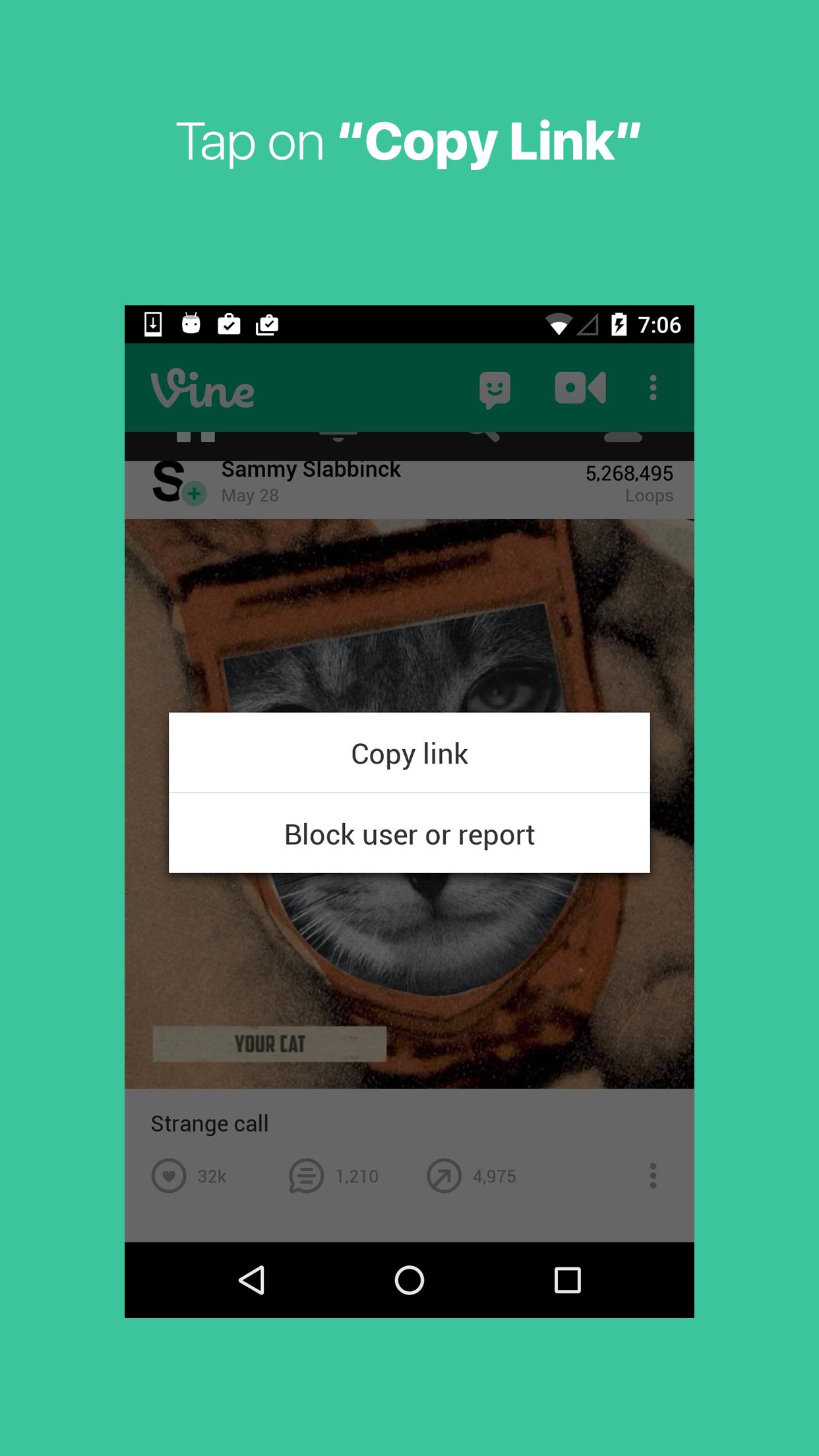
3. Tap on Copy Link
4. Open VineRoll and your Vine Video will be available in both the app and in your phone
5. Optional: You can delete the Vine from the app just by swiping left
Download the best Vine downloader and saver today and start saving your favorite Vine!
プレビュー

情報
デベロッパー
DIGISET LLC
最新バージョン
1.0.7
最終更新
2016-10-09
カテゴリー
ソーシャル
上で利用可能
Google Play
もっと見せる
PCでGameLoopを使用してVineRoll - Downloader for Vineをプレイする方法
1. 公式WebサイトからGameLoopをダウンロードし、exeファイルを実行してGameLoopをインストールします
2. GameLoopを開いて「VineRoll - Downloader for Vine」を検索し、検索結果でVineRoll - Downloader for Vineを見つけて、「インストール」をクリックします。
3. GameLoopでVineRoll - Downloader for Vineを楽しんでください
Minimum requirements
OS
Windows 8.1 64-bit or Windows 10 64-bit
GPU
GTX 1050
CPU
i3-8300
Memory
8GB RAM
Storage
1GB available space
Recommended requirements
OS
Windows 8.1 64-bit or Windows 10 64-bit
GPU
GTX 1050
CPU
i3-9320
Memory
16GB RAM
Storage
1GB available space