Flowchart Studio PC
Bianca's House
GameLoopエミュレーターを使用してPCにFlowchart Studioをダウンロードします
Flowchart Studio PC版
開発者Bianca's HouseからのFlowchart Studioは、過去にAndroidsystermで実行されています。
これで、GameLoopを搭載したPCでFlowchart Studioをスムーズにプレイできます。
GameLoopライブラリまたは検索結果にダウンロードしてください。 バッテリーに目を向けたり、間違った時間にイライラしたりすることはもうありません。
大画面でFlowchart StudioPCを無料でお楽しみください!
Flowchart Studio 序章
Designed for anyone wanting to design a process, or a complex algorithm, such as planning the "edge cases" of a UI.
The Flowchart is reborn with the new simple Standard Notation.
Add and Move steps with drag n drop. For those users who prefer not to drag their fingers across their tablet's screen, the user-interface also works equally well with Point-n-Tap.
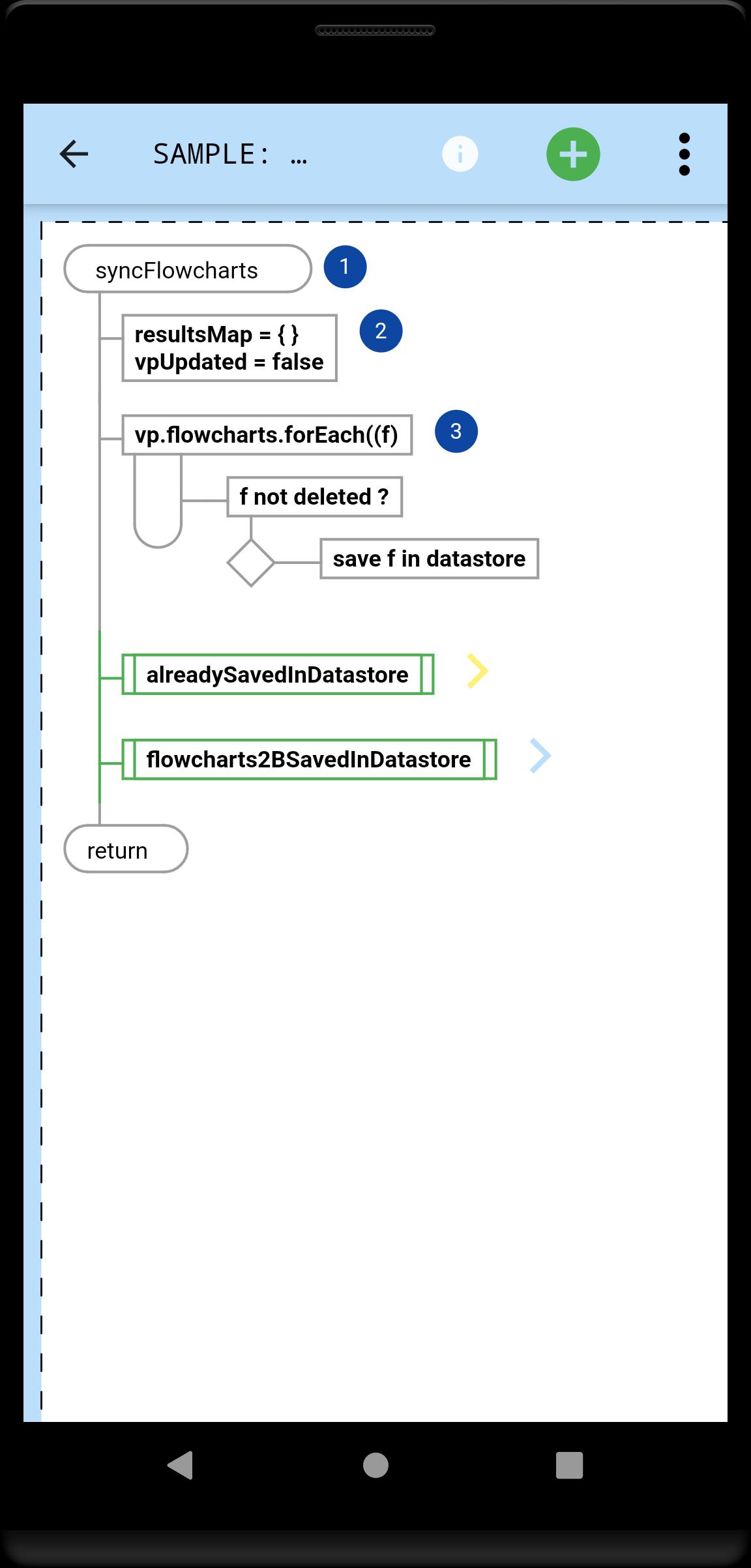
You tell the app which steps, and their order: it draws the perfect flowchart.
A Flowchart is a tree of Steps. Coders will instantly be familiar with any flowchart, because they now flow just like their code.
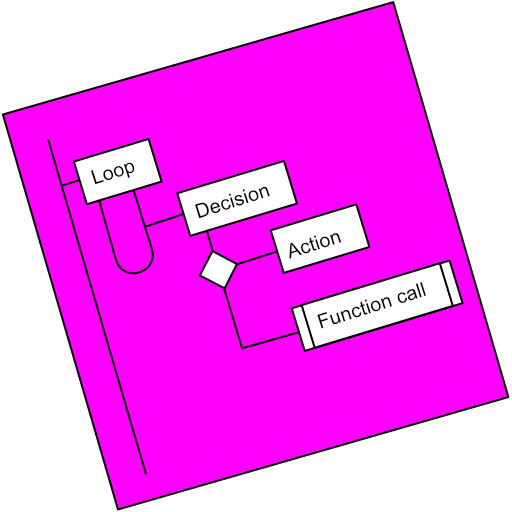
A Step is either a Loop, a Decision or an Action (or Async Action for coders).
Flowcharts can be linked (Function Call steps).
Every step can be annotated with Text and an Image.
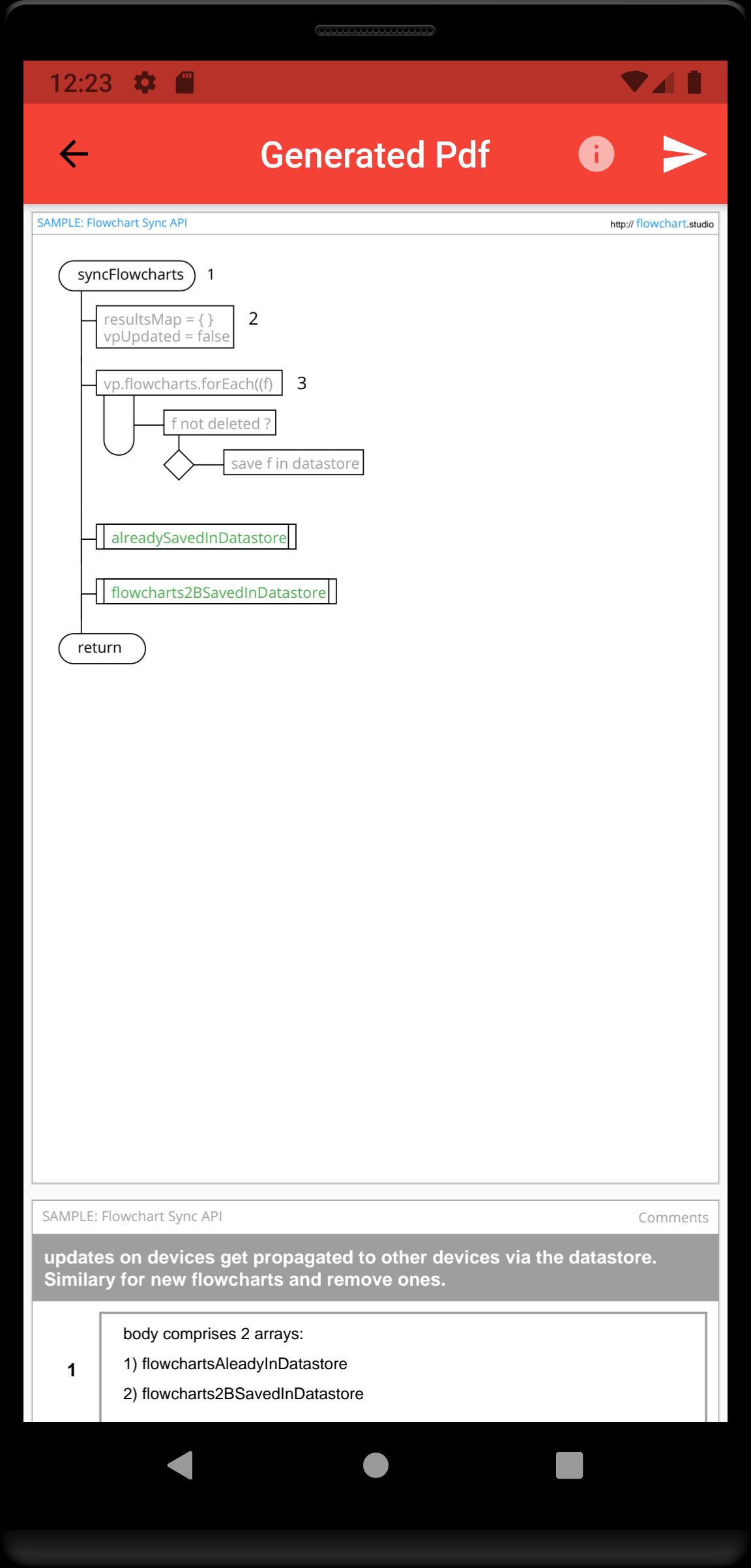
Your step annotations get collated and added to your generated Pdfs.
Your flowcharts are saved on your device, and can be sync'd to our Cloud, allowing you to access them from all your devices.
プレビュー
タグ
仕事効率化情報
デベロッパー
Bianca's House
最新バージョン
1.0.0
最終更新
2022-01-23
カテゴリー
仕事効率化
上で利用可能
Google Play
もっと見せる
PCでGameLoopを使用してFlowchart Studioをプレイする方法
1. 公式WebサイトからGameLoopをダウンロードし、exeファイルを実行してGameLoopをインストールします
2. GameLoopを開いて「Flowchart Studio」を検索し、検索結果でFlowchart Studioを見つけて、「インストール」をクリックします。
3. GameLoopでFlowchart Studioを楽しんでください
Minimum requirements
OS
Windows 8.1 64-bit or Windows 10 64-bit
GPU
GTX 1050
CPU
i3-8300
Memory
8GB RAM
Storage
1GB available space
Recommended requirements
OS
Windows 8.1 64-bit or Windows 10 64-bit
GPU
GTX 1050
CPU
i3-9320
Memory
16GB RAM
Storage
1GB available space