
Fast Urdu Voice Keyboard App PC
Keyboard Mania11
GameLoopエミュレーターを使用してPCにFast Urdu Voice Keyboard Appをダウンロードします
Fast Urdu Voice Keyboard App PC版
開発者Keyboard Mania11からのFast Urdu Voice Keyboard Appは、過去にAndroidsystermで実行されています。
これで、GameLoopを搭載したPCでFast Urdu Voice Keyboard Appをスムーズにプレイできます。
GameLoopライブラリまたは検索結果にダウンロードしてください。 バッテリーに目を向けたり、間違った時間にイライラしたりすることはもうありません。
大画面でFast Urdu Voice Keyboard AppPCを無料でお楽しみください!
Fast Urdu Voice Keyboard App 序章
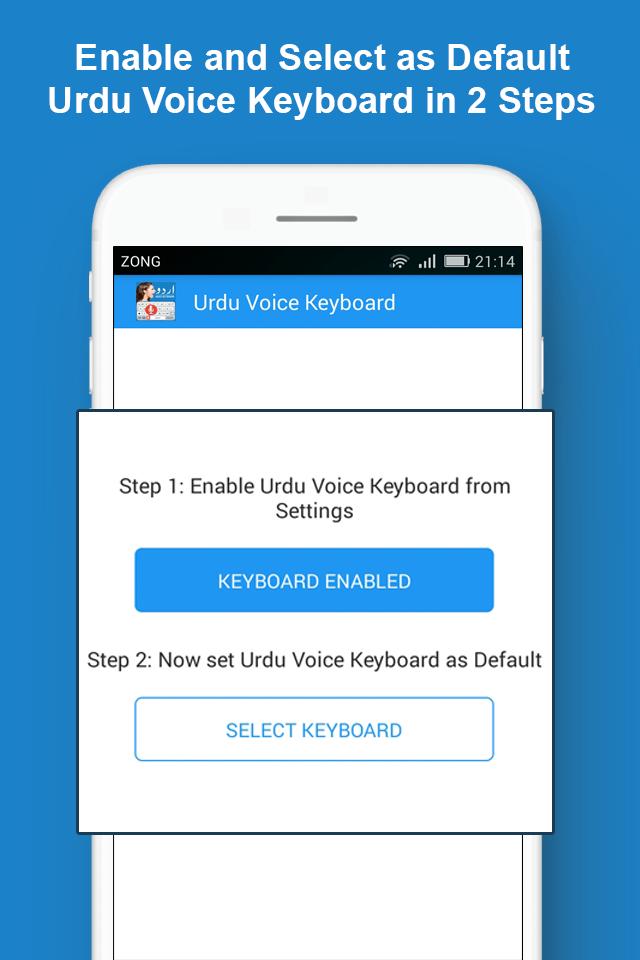
Urdu English Voice Keyboard: Fast & Easy Pak اردو keyboard with mic and urdu voice typing app is the fastest and easiest urdu typing keyboard. The keyboard, in addition to offering voice urdu typing is also a text to speech English to urdu converter keyboard for android. Urdu Fast Keyboard: Easy Voice Urdu English Typing comes with salient features that make it standout compared to rest of the urdu phonetic keyboards and easy urdu typing keyboard apps for android.
Fast Urdu Voice Keyboard: Easy Urdu English Typing:
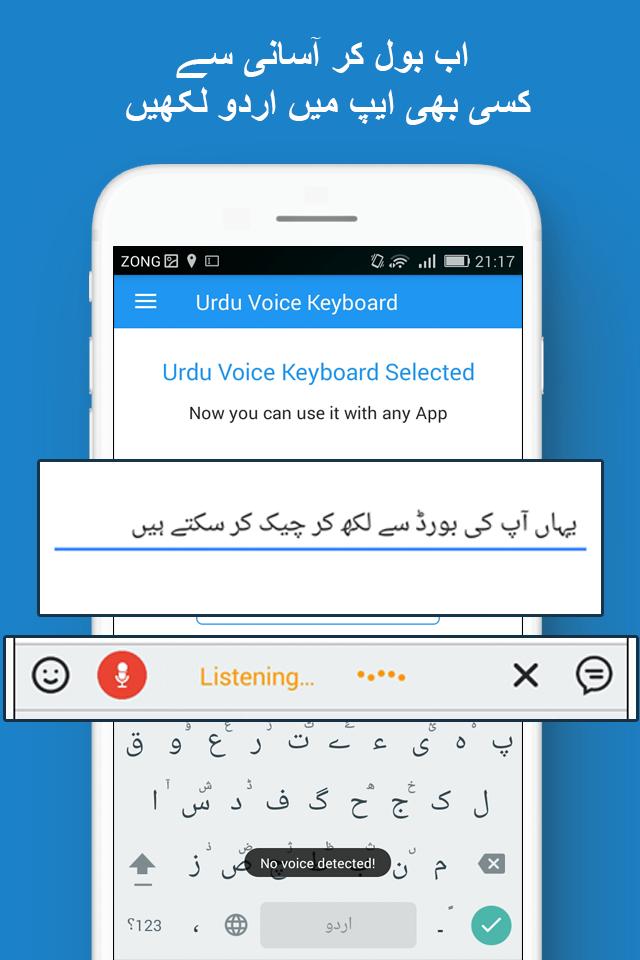
The primary feature of Voice keyboard app is the Pak urdu voice typing feature. With this feature, all a user of this voice urdu keyboard has to do is to speak in urdu language and the converts Urdu input into text. In this simple way you can give urdu voice input without using the language input typing keyboard.
Urdu to English Phonetic Voice Keyboard:
In addition to being an urdu voice keyboard that allows urdu input, another feature of Urdu Fast keyboard app is the urdu to English phonetic voice keyboard input. With this voice input feature, the user can give urdu input and the android system translates it into roman English phonetic output.
Therefore, if you don’t wish to have your text in Arabic urd, rather you wish for it to be in roman urdu then Easy Urdu English Typing is the app to have.
Speech to Text Input:
Another prominent feature of Fast & Easy Pak اردو Keyboard the urdu and English speech to text. The app by default allows you to enter urdu voice input and get its textual output. On the other hand, there is the English speech to text as well as all the languages of the world. Therefore, other than using Pak urdu voice keyboard, you can use the app for converting any speech to text and then share it as a text message across various sharing platforms.
Useful Pakistan Urdu Phrases:
Another great and useful option in Urdu Fast Keyboard is the availability of useful easy typing and fast typing urdu phrases. With these phrases such as phrases used on greetings, welcomes, goodbyes and other different Pakistani and Islamic social cultural phrases you don’t need to worry about typing those phrases, rather the app presents them to you in easy type and fast type format with a single tap.
Urdu Keyboard Themes:
Presently Easy Voice Urdu English Typing has two classic themes from which the user can choose the urdu keyboard layout that he/she likes. With the help of these voice urdu keyboard themes, you can turn the keyboard to your liking and make it custom to your phone themes and settings.
A Diverse Range of Easy Typing Setting:
Compared to the conventional fast urdu keyboards, the app offers a wide range of urdu keyboard settings for android. You can increase or decrease the size of the keyboard, turn auto correction, auto capitalization, suggestion features on or off depending upon your liking. Furthermore, you can also allow contact name suggestions and blocking of offensive words as well.
Download Fast Urdu Voice Keyboard: now and enjoy easy typing as well as fast typing in the most convenient manner.
Now if you don’t wish to type urdu, you can easily speak urdu and get it converted into urdu text phonetically.
プレビュー
タグ
仕事効率化情報
デベロッパー
Keyboard Mania11
最新バージョン
4.0
最終更新
2025-06-04
カテゴリー
仕事効率化
上で利用可能
Google Play
もっと見せる
PCでGameLoopを使用してFast Urdu Voice Keyboard Appをプレイする方法
1. 公式WebサイトからGameLoopをダウンロードし、exeファイルを実行してGameLoopをインストールします
2. GameLoopを開いて「Fast Urdu Voice Keyboard App」を検索し、検索結果でFast Urdu Voice Keyboard Appを見つけて、「インストール」をクリックします。
3. GameLoopでFast Urdu Voice Keyboard Appを楽しんでください
Minimum requirements
OS
Windows 8.1 64-bit or Windows 10 64-bit
GPU
GTX 1050
CPU
i3-8300
Memory
8GB RAM
Storage
1GB available space
Recommended requirements
OS
Windows 8.1 64-bit or Windows 10 64-bit
GPU
GTX 1050
CPU
i3-9320
Memory
16GB RAM
Storage
1GB available space