DataBase SQL Android PC
JOSE MUNOZ
GameLoopエミュレーターを使用してPCにDataBase SQL Androidをダウンロードします
DataBase SQL Android PC版
開発者JOSE MUNOZからのDataBase SQL Androidは、過去にAndroidsystermで実行されています。
これで、GameLoopを搭載したPCでDataBase SQL Androidをスムーズにプレイできます。
GameLoopライブラリまたは検索結果にダウンロードしてください。 バッテリーに目を向けたり、間違った時間にイライラしたりすることはもうありません。
大画面でDataBase SQL AndroidPCを無料でお楽しみください!
DataBase SQL Android 序章
The DataBase SQL Android application allows you to store and manage information in an SQL database located on a PC or a WEB server. The application allows the management of data information and access to information through Android mobile devices (phones and Tablet). The information of different users can be accessed locally connected to the same WIFY data network or worldwide through the internet. The application allows multiple users to access the database simultaneously.
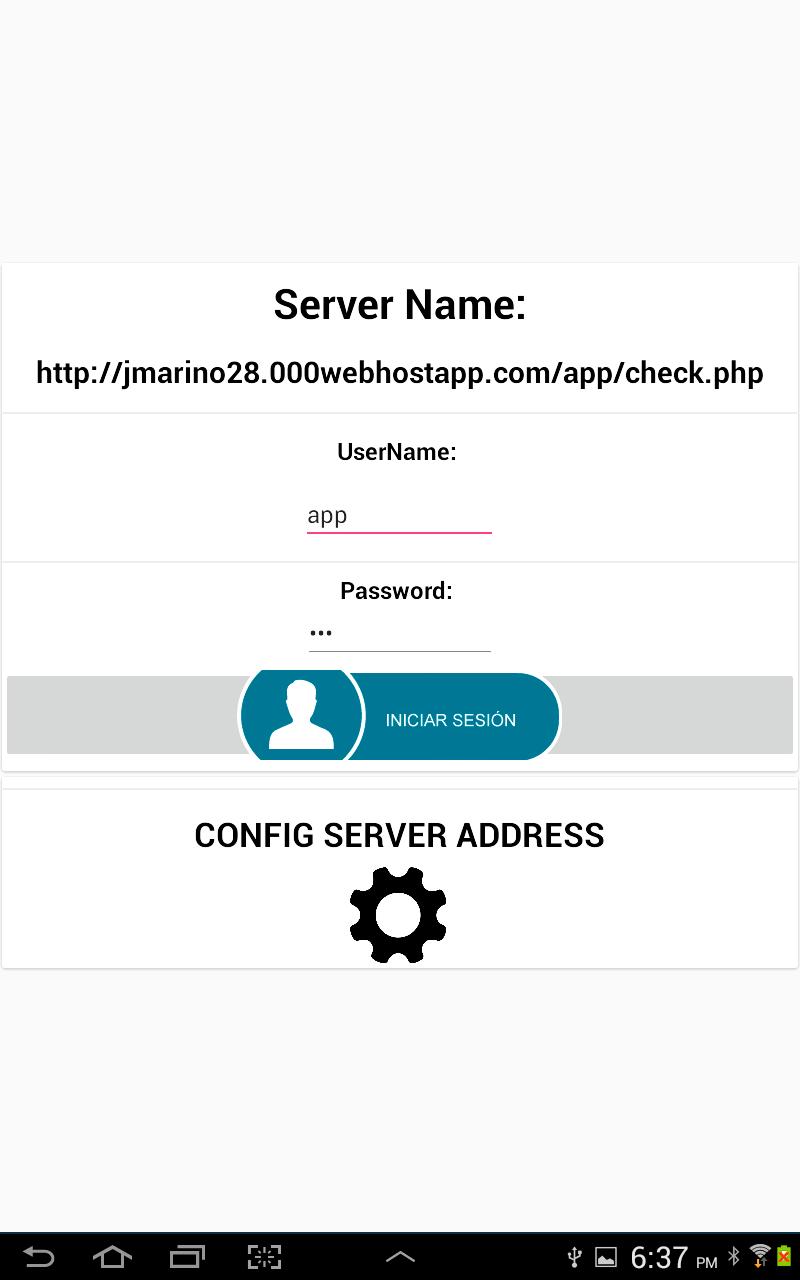
Users who accelerate the information do so through a user access security system. Users must access through a Username and Password. To do this, two data tables must be created in the SQL database. A user table called "user" where the following records are stored: NAME, MAIL, USERNAME AND PASSWORD. You must also create a table called "app" where the data to be processed will be stored. The records that must be created in that table are: DATO1, DATO2, DATO3, DATO4, DATO5 and DATO6.
It must be created on the local SQL server or on the WEB page in a folder called “app”. There you must place the necessary PHP files to manage the database. PHP files can be downloaded for free from the developer's website: http://jmarino28.000webhostapp.com/tutoriales.html . All the information needed to configure PHP files and server data, whether the local server or WEB is explained in the video tutorial located on the developer's WEB page. The application allows the following SQL data management:
1. View all the information stored in the “app” data table located in the database.
2. Edit Records.
3. Create Records.
4. Delete Records
When entering a user through the Username and Password, a user session is automatically created and the Username and Password will be stored. In the menu section you can close the session created by the user.
The application allows you to configure the IP address of the local SQL database server or the name of the WEB site where the database is located via the Internet.
It is very easy to use the application for managing SQL database information through Android devices, be sure to watch the video tutorial to learn how to configure the application, PHP files, the SQL Database, the User and data tables.
プレビュー
タグ
仕事効率化情報
デベロッパー
JOSE MUNOZ
最新バージョン
1.0
最終更新
2021-11-19
カテゴリー
仕事効率化
上で利用可能
Google Play
もっと見せる
PCでGameLoopを使用してDataBase SQL Androidをプレイする方法
1. 公式WebサイトからGameLoopをダウンロードし、exeファイルを実行してGameLoopをインストールします
2. GameLoopを開いて「DataBase SQL Android」を検索し、検索結果でDataBase SQL Androidを見つけて、「インストール」をクリックします。
3. GameLoopでDataBase SQL Androidを楽しんでください
Minimum requirements
OS
Windows 8.1 64-bit or Windows 10 64-bit
GPU
GTX 1050
CPU
i3-8300
Memory
8GB RAM
Storage
1GB available space
Recommended requirements
OS
Windows 8.1 64-bit or Windows 10 64-bit
GPU
GTX 1050
CPU
i3-9320
Memory
16GB RAM
Storage
1GB available space