
AnySaver - Safe, Fast and No A PC
Vertexshare Software Ltd
GameLoopエミュレーターを使用してPCにAnySaver - Safe, Fast and No Aをダウンロードします
AnySaver - Safe, Fast and No A PC版
開発者Vertexshare Software LtdからのAnySaver - Safe, Fast and No Aは、過去にAndroidsystermで実行されています。
これで、GameLoopを搭載したPCでAnySaver - Safe, Fast and No Aをスムーズにプレイできます。
GameLoopライブラリまたは検索結果にダウンロードしてください。 バッテリーに目を向けたり、間違った時間にイライラしたりすることはもうありません。
大画面でAnySaver - Safe, Fast and No APCを無料でお楽しみください!
AnySaver - Safe, Fast and No A 序章
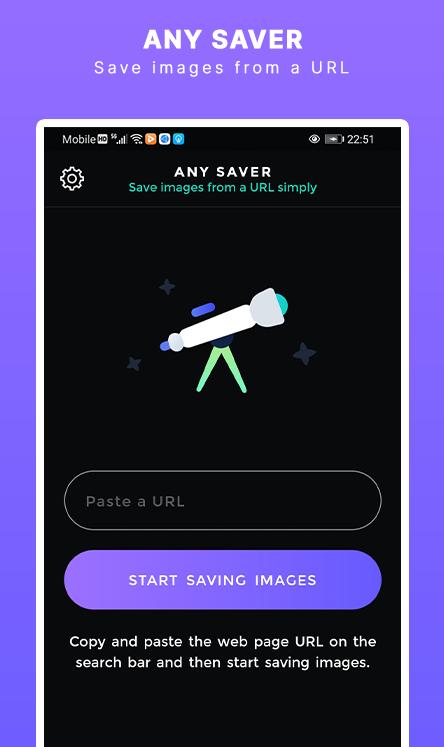
AnySaver is a powerful image downloading tool that you can save images from a URL in a batch. You can use it to extract, preview, and save images on your mobile phone.
===Main Benefits===
1. Copy and paste a webpage or image URL to preview and save to your photo album.
2. Seach images in the image library and save them on your mobile phone.
3. Download images from Instagram automatically.
4. Download video from Instagram automatically.
5. Bulk download images from Pinterest.
Contact Support: Support@imgdownloader.com
Privacy Policy: https://imgdownloader.com/privacy.html
Terms: https://imgdownloader.com/terms.html
プレビュー

タグ
仕事効率化情報
デベロッパー
Vertexshare Software Ltd
最新バージョン
2.0.1
最終更新
2021-06-22
カテゴリー
仕事効率化
上で利用可能
Google Play
もっと見せる
PCでGameLoopを使用してAnySaver - Safe, Fast and No Aをプレイする方法
1. 公式WebサイトからGameLoopをダウンロードし、exeファイルを実行してGameLoopをインストールします
2. GameLoopを開いて「AnySaver - Safe, Fast and No A」を検索し、検索結果でAnySaver - Safe, Fast and No Aを見つけて、「インストール」をクリックします。
3. GameLoopでAnySaver - Safe, Fast and No Aを楽しんでください
Minimum requirements
OS
Windows 8.1 64-bit or Windows 10 64-bit
GPU
GTX 1050
CPU
i3-8300
Memory
8GB RAM
Storage
1GB available space
Recommended requirements
OS
Windows 8.1 64-bit or Windows 10 64-bit
GPU
GTX 1050
CPU
i3-9320
Memory
16GB RAM
Storage
1GB available space