AutoRotation Control PC
rpor
GameLoopエミュレーターを使用してPCにAutoRotation Controlをダウンロードします
AutoRotation Control PC版
開発者rporからのAutoRotation Controlは、過去にAndroidsystermで実行されています。
これで、GameLoopを搭載したPCでAutoRotation Controlをスムーズにプレイできます。
GameLoopライブラリまたは検索結果にダウンロードしてください。 バッテリーに目を向けたり、間違った時間にイライラしたりすることはもうありません。
大画面でAutoRotation ControlPCを無料でお楽しみください!
AutoRotation Control 序章
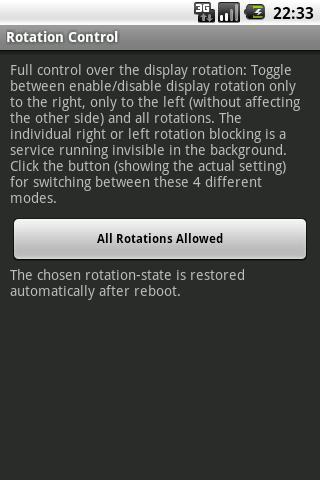
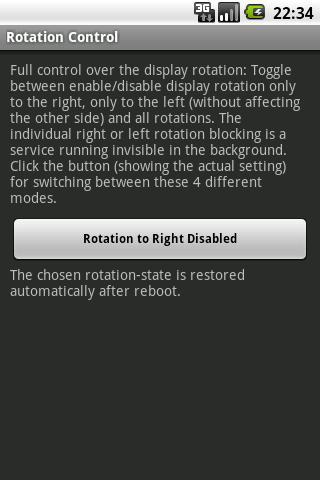
Stop the display auto-rotating to the right or left side , without affecting automatic rotation (landscape mode) to the other side.
Since Android 2.2 (Froyo) the display is enabled to autorotate in both directions without any option to disable the autorotation to the right or the left side. It for right-handed persons does not make sense to keep the rotation to the right side active. The opposite is true for left-handed persons.
The switching off of the autorotation to one side, which is controlled automatically by this app, on the other hand allows usage or the phone when lying in bed on the autorotation-disabled side without having the screen turning.
プレビュー
情報
デベロッパー
rpor
最新バージョン
1.2
最終更新
2013-03-11
カテゴリー
仕事効率化
上で利用可能
Google Play
もっと見せる
PCでGameLoopを使用してAutoRotation Controlをプレイする方法
1. 公式WebサイトからGameLoopをダウンロードし、exeファイルを実行してGameLoopをインストールします
2. GameLoopを開いて「AutoRotation Control」を検索し、検索結果でAutoRotation Controlを見つけて、「インストール」をクリックします。
3. GameLoopでAutoRotation Controlを楽しんでください
Minimum requirements
OS
Windows 8.1 64-bit or Windows 10 64-bit
GPU
GTX 1050
CPU
i3-8300
Memory
8GB RAM
Storage
1GB available space
Recommended requirements
OS
Windows 8.1 64-bit or Windows 10 64-bit
GPU
GTX 1050
CPU
i3-9320
Memory
16GB RAM
Storage
1GB available space