
Superimpose X PC
VD STUDIO
GameLoopエミュレーターを使用してPCにSuperimpose Xをダウンロードします
Superimpose X PC版
開発者VD STUDIOからのSuperimpose Xは、過去にAndroidsystermで実行されています。
これで、GameLoopを搭載したPCでSuperimpose Xをスムーズにプレイできます。
GameLoopライブラリまたは検索結果にダウンロードしてください。 バッテリーに目を向けたり、間違った時間にイライラしたりすることはもうありません。
大画面でSuperimpose XPCを無料でお楽しみください!
Superimpose X 序章
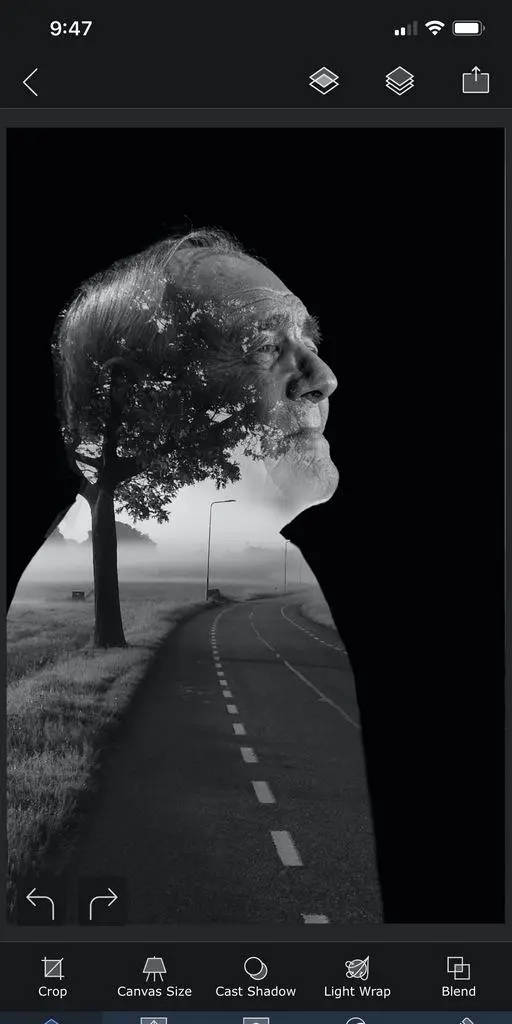
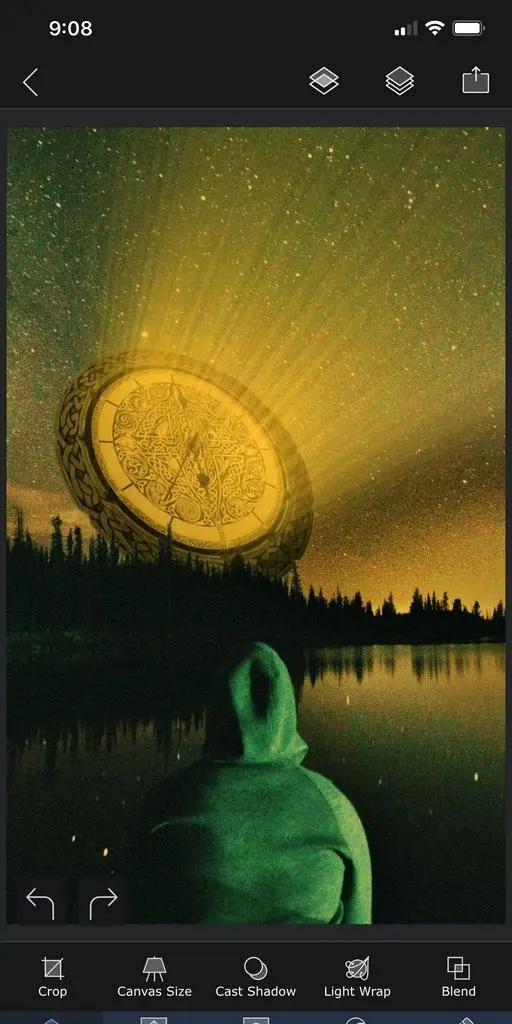
Turn your ideas into magnificent piece of artwork with Superimpose X, the next generation of the Superimpose app.
Packed with wide range of editing capabilities from multiple layers, blending modes, masking, adjustments, brushes, smudge, warp, effects, clarity to casting shadows, Superimpose X is a modern tool for creating your photo contents.
Whether you are a professional or an amateur, you will be amazed by the power Superimpose X gives to your fingertips. Composing images with multiple layers, double exposure, superimposing is easier than ever.
All your projects are saved in beautifully designed session area. So, you do not have to lose your current project if you want to move to another one in the middle.
And of course Superimpose X comes with Masking Library, where you can save all your masked images, like stickers for later use.
And all of this, packed in a beautifully designed interface that does not intimidate you, despite the amount of capabilities it comes with.
To list out a few features...
• Multiple layers. (Up to 8 on iPhone 7 and above).
• Blending modes, 18 of them.
• Opacity control.
• Numerous masking tools. From Magic Wand to Magic Lasso to predefined shapes.
• Automatically mask out people from photos using AI.
• Filling of a layer directly from camera, with real time rendering with its mask and blending modes.
• Built-in shadow creation tool.
• Built-in Light Wrap tool.
• Masking Library to store your masked images.
• Session Library, that automatically stores all your projects.
• Non destructive adjustments and layer blur.
• Non destructive beautiful photo effects (63 of them).
• An amazing Clarity tool.
• Advanced adjustment tools.
• Tools like Text, Selective Blur, Motion, Zoom and Spin Blur, Lens Blur, Gradient and more.
• Number of distorting tools like Warp, Perspective transform and more.
• Numerous paint and effect brushes and option to customize them.
• Smudge brush
• Clone stamp brush
• Brush for Darkening, Lightening, Desaturating etc.
• Option to export PSD with layers.
• Access to more than a million royalty free stock photos.
...and more.
And if you are already using the classic Superimpose app, you can seamlessly transfer all your masks into the new Superimpose X. This is how you could transfer the masks...
1. Open the original Superimpose app.
2. Press the "?" button on the top right corner of the "Home" screen.
3. There you should see an option called "Transfer masks to Superimpose X".
4. Press that and your masks should be available in Superimpose X.
プレビュー
情報
デベロッパー
VD STUDIO
最新バージョン
3.0
最終更新
2020-07-15
カテゴリー
写真
上で利用可能
Google Play
もっと見せる
PCでGameLoopを使用してSuperimpose Xをプレイする方法
1. 公式WebサイトからGameLoopをダウンロードし、exeファイルを実行してGameLoopをインストールします
2. GameLoopを開いて「Superimpose X」を検索し、検索結果でSuperimpose Xを見つけて、「インストール」をクリックします。
3. GameLoopでSuperimpose Xを楽しんでください
Minimum requirements
OS
Windows 8.1 64-bit or Windows 10 64-bit
GPU
GTX 1050
CPU
i3-8300
Memory
8GB RAM
Storage
1GB available space
Recommended requirements
OS
Windows 8.1 64-bit or Windows 10 64-bit
GPU
GTX 1050
CPU
i3-9320
Memory
16GB RAM
Storage
1GB available space