Photo & Picture Resize - Reduce & Compress Photo PC
Photo Mixer & Video Editor Zone
GameLoopエミュレーターを使用してPCにPhoto & Picture Resize - Reduce & Compress Photoをダウンロードします
Photo & Picture Resize - Reduce & Compress Photo PC版
開発者Photo Mixer & Video Editor ZoneからのPhoto & Picture Resize - Reduce & Compress Photoは、過去にAndroidsystermで実行されています。
これで、GameLoopを搭載したPCでPhoto & Picture Resize - Reduce & Compress Photoをスムーズにプレイできます。
GameLoopライブラリまたは検索結果にダウンロードしてください。 バッテリーに目を向けたり、間違った時間にイライラしたりすることはもうありません。
大画面でPhoto & Picture Resize - Reduce & Compress PhotoPCを無料でお楽しみください!
Photo & Picture Resize - Reduce & Compress Photo 序章
Photo & Picture Resize is a simple and easy to use application for resizing single and multiple photos.
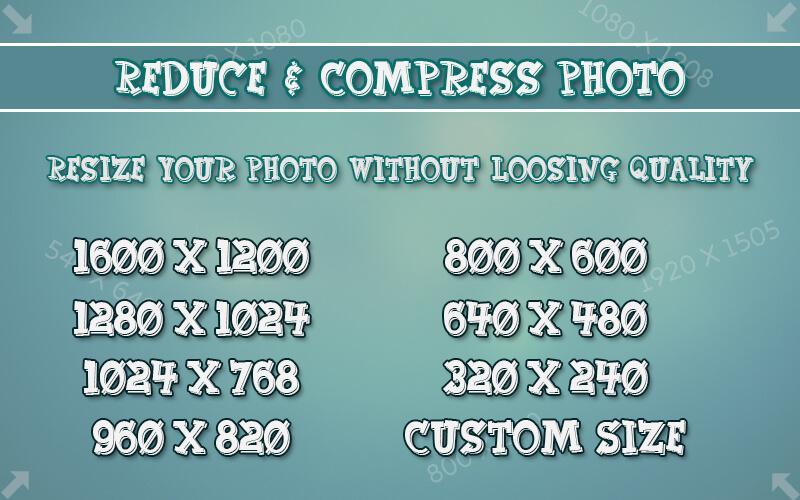
Resize your photos as per your resolution requirement.
Reduce & Compress Photo in that you can reduce and compress your photos with custom resolutions and sending them by Email or social sites.
You can resize, reduce, and compress all at once on an album or folder basis.
Not only resizing but also clipping and rotating photos, Because it is possible, it is very useful.
Very good compression result here you get Ex. 10MB picture is reducing to 200 KB, for resolution 800x600.
Features :-
* Smart Photo & Picture Resizer.
* Capture photos from camera or Select from gallery also.
* Photo resizer displays the selected photo.
* Select the resolution (width x height) from the list, here you can set your custome resolution.
* Selected photos is reduced and displayed.
* Original pictures remains unchanged.
* Resize all photos with too large size.
* Very good quality of the resized photos.
* Photos resized several times do not lose quality.
* Very good compression result, Ex.2MB picture is reducing to 100 KB/for resolution 800x600.
* Resized pictures are automatically saved in the directory.
* You can share it on social sites.
Very easiest and best quality.
Resize, Compress, Reduce and share pictures quickly, Download now...!
プレビュー
情報
デベロッパー
Photo Mixer & Video Editor Zone
最新バージョン
1.0
最終更新
2017-08-11
カテゴリー
写真
上で利用可能
Google Play
もっと見せる
PCでGameLoopを使用してPhoto & Picture Resize - Reduce & Compress Photoをプレイする方法
1. 公式WebサイトからGameLoopをダウンロードし、exeファイルを実行してGameLoopをインストールします
2. GameLoopを開いて「Photo & Picture Resize - Reduce & Compress Photo」を検索し、検索結果でPhoto & Picture Resize - Reduce & Compress Photoを見つけて、「インストール」をクリックします。
3. GameLoopでPhoto & Picture Resize - Reduce & Compress Photoを楽しんでください
Minimum requirements
OS
Windows 8.1 64-bit or Windows 10 64-bit
GPU
GTX 1050
CPU
i3-8300
Memory
8GB RAM
Storage
1GB available space
Recommended requirements
OS
Windows 8.1 64-bit or Windows 10 64-bit
GPU
GTX 1050
CPU
i3-9320
Memory
16GB RAM
Storage
1GB available space