d'Action 360 PC
CARMATE MFG.CO.,LTD.
GameLoopエミュレーターを使用してPCにd'Action 360をダウンロードします
d'Action 360 PC版
開発者CARMATE MFG.CO.,LTD.からのd'Action 360は、過去にAndroidsystermで実行されています。
これで、GameLoopを搭載したPCでd'Action 360をスムーズにプレイできます。
GameLoopライブラリまたは検索結果にダウンロードしてください。 バッテリーに目を向けたり、間違った時間にイライラしたりすることはもうありません。
大画面でd'Action 360PCを無料でお楽しみください!
d'Action 360 序章
d'Action 360アプリは、カーメイト製車載カメラのd'Action 360をお使いいただくためのアプリです。
d'Action 360とお使いのスマートフォンを接続することで、以下の機能がお使いいただけます。
■リアルタイムビュー
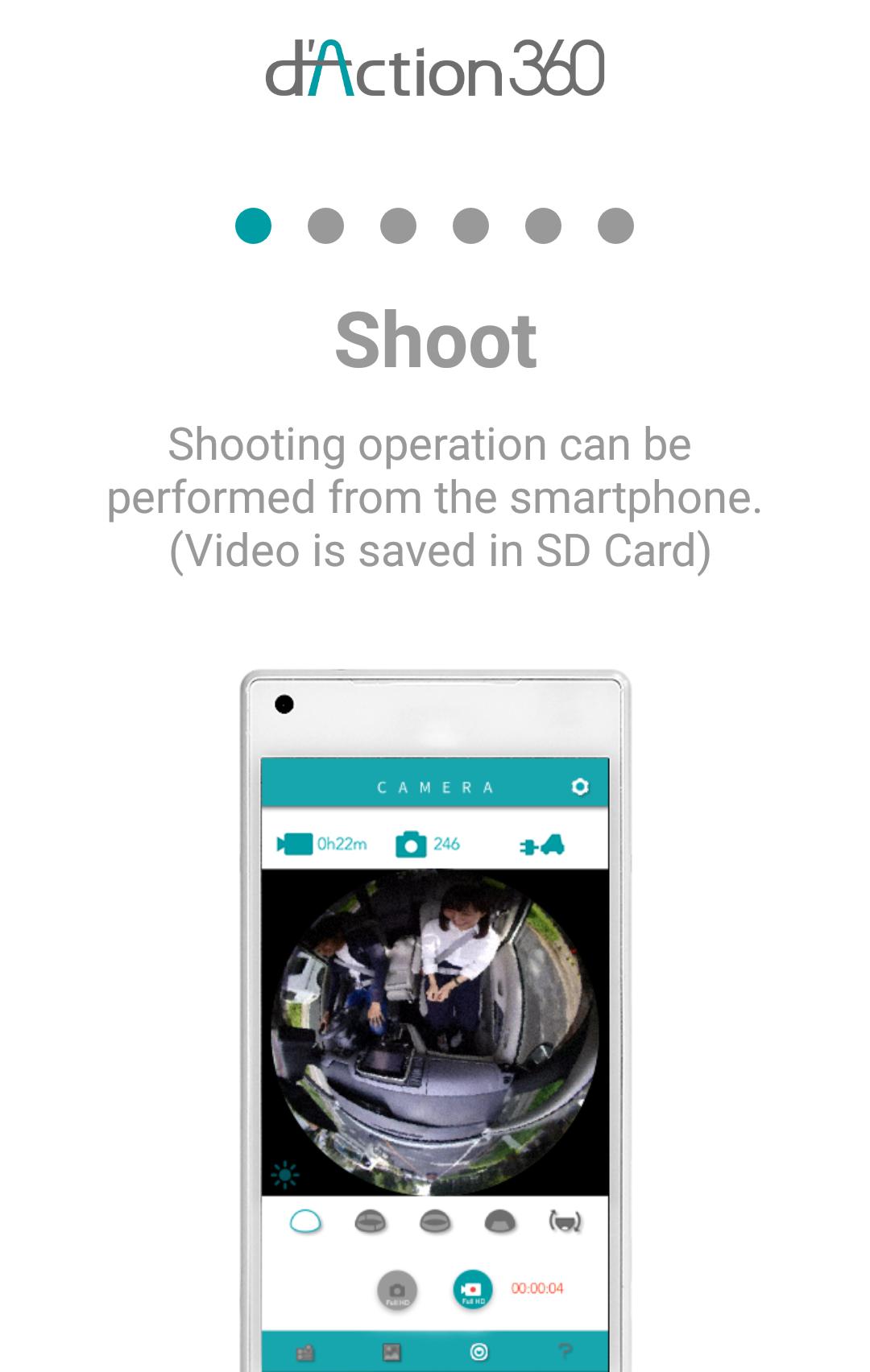
d'Action 360が映している映像をリアルタイムでスマートフォンにて確認できます。
■録画・撮影
スマートフォンからの操作で、カメラの録画開始/終了や静止画を撮影できます。
■ストレージアクセス
d'Action 360内のメモリーカードに保存されている撮影データを、スマートフォンでリスト表示できます。
■ストリーミング
撮影したデータを、ダウンロードすることなく、その場ですぐに確認できます。
※最新バージョンのカメラファームウェアが必要です。
■ダウンロード
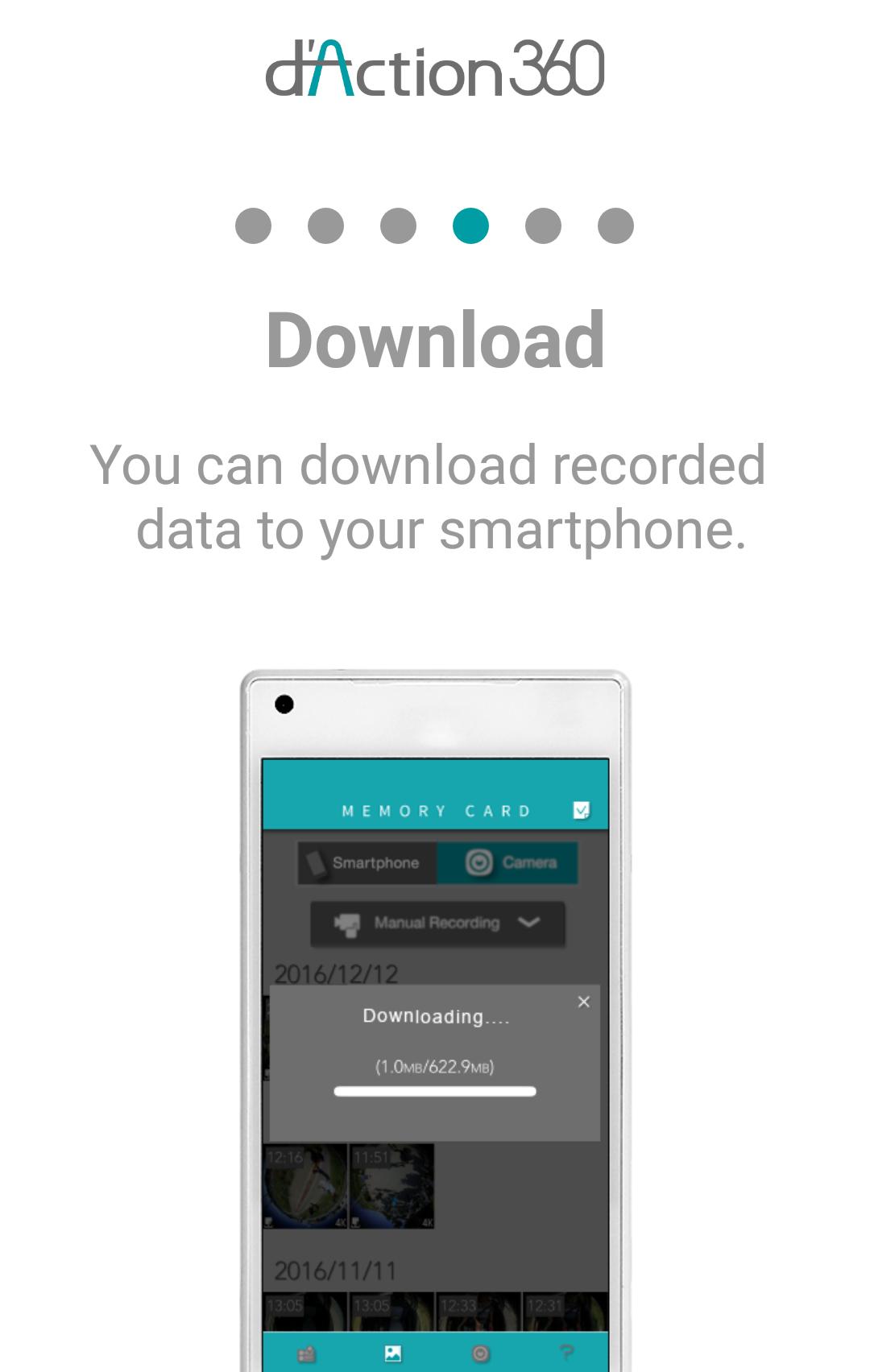
メモリーカード内のデータから選択し、お使いのスマートフォンへダウンロードできます。
■再生
スマートフォンへダウンロードした撮影データをスマートフォンで再生できます。
360°で撮影した映像を見やすい映像の形式に展開することもできます。
■タイムライン
走行中の撮影データから一部の画像を抜き出し、日時別にまとめて表示します。
■シェア
撮影データを一部のSNSで共有できます。
■d'Action 360の設定変更
各種設定項目をスマートフォンから変更できます。
■メモリー容量/バッテリー残量の表示
録画可能時間や撮影可能枚数の目安値を確認できます。
バッテリーオプション(別売)装着時、バッテリー残量を確認できます。
d'Action 360に関する詳細、対応端末などは下記WEBサイトをご確認ください。
http://daction.carmate.jp/
[English]
The d’Action 360 app is for using car-mounted camera “d’Action 360” produced by CARMATE.
By connecting d’Action 360 to your smartphone, you can use the following functions.
■Record / Change Setting / Download
On your smartphone, you can wirelessly operate the camera and change its settings. Your smartphone will show a list of recorded videos and images which can be downloaded to your smartphone.
■Play / Share
Downloaded videos and still images can be played in four different views. You can also convert still images into “360-degree panoramic views”, which will allow you to post panoramic images to Facebook and LINE.
■Timeline
Your own timeline is automatically generated by connecting your smartphone to the camera and starting the App. Use it to look back on fun activities from the past.
Cautions
*For a list of compatible OS and devices for this app, check the following URL.
http://daction.carmate.jp/support/pdf/matching.pdf
*The wireless communication range between the camera body and a smartphone is approximately 10 meters.
プレビュー
タグ
写真情報
デベロッパー
CARMATE MFG.CO.,LTD.
最新バージョン
2.6.5
最終更新
2023-02-13
カテゴリー
写真
上で利用可能
Google Play
もっと見せる
PCでGameLoopを使用してd'Action 360をプレイする方法
1. 公式WebサイトからGameLoopをダウンロードし、exeファイルを実行してGameLoopをインストールします
2. GameLoopを開いて「d'Action 360」を検索し、検索結果でd'Action 360を見つけて、「インストール」をクリックします。
3. GameLoopでd'Action 360を楽しんでください
Minimum requirements
OS
Windows 8.1 64-bit or Windows 10 64-bit
GPU
GTX 1050
CPU
i3-8300
Memory
8GB RAM
Storage
1GB available space
Recommended requirements
OS
Windows 8.1 64-bit or Windows 10 64-bit
GPU
GTX 1050
CPU
i3-9320
Memory
16GB RAM
Storage
1GB available space